






How to do SEO for your website in 2026 with free tools
A plain guide to how to do SEO for a website in 2026, covering the seven steps that matter, the free tools, honest timelines and what it costs.

Kael
Kael is an editor and content strategist covering AI tools, website creation, and online growth. Interested in how people build and share on the internet, Kael writes practical content around digital products and modern web experiences.
Your website probably already answers a question somebody is typing into Google at this very moment. SEO (search engine optimization) is the job of making sure Google works that out and lists your website as high up the page as possible.
A lot of guides on how to do SEO for a website make it sound like a specialist discipline, and parts of it are. The rest is a short list of unglamorous jobs that cost nothing and take an afternoon a week, like confirming your pages are indexed, giving each topic a page of its own, and writing the thing somebody searched for. Then waiting, which is the part nobody warns you about.
The waiting is longer than anyone would like. It's also the only part of SEO that costs you nothing to get through, so you may as well start the clock today.
Quick answer: SEO means making your pages easy for search engines to find, easy to understand, and useful enough that somebody is glad they clicked. SEO-optimizing your website typically runs in a rough order. Confirm your pages are indexed, give each topic its own page, answer the search in full, fix anything slow or broken on a phone, earn a few mentions elsewhere, then check your numbers once a month. Most of it is free to do yourself. Give it six to twelve months before you judge it.
What SEO does for a website
SEO is the work of getting your pages in front of people searching for what you sell, and it breaks into three jobs that run alongside each other. Search engines have to be able to reach and read your site. Every page has to answer a question somebody is really asking. And enough other sites have to mention or link to you that yours looks like a reputable source.
Underneath all of it is a matching problem. Somebody types a few words into a box, a search engine picks which of several billion pages answers them best, and your job is to make that pick easy.
Rankings are the most agreed upon scoreboard, but they've stopped being the whole story. Around 68% of US Google searches ended without a click, up from roughly 60% in 2024 (Search Engine Land). A 2025 Pew Research Center study watched the same thing happen at the level of individual visits, tracking 900 US adults across 68,879 searches and finding that people clicked a search result on 8% of visits where an AI summary appeared, against 15% where one didn't (Pew Research Center). Those people still found what they needed, inside the results page or inside an AI answer. Watch your enquiries, calls and sales next to your positions, because those are the numbers that pay for the work and makes this whole SEO malarkey worth while.

Where SEO sits next to GEO, PPC and web design
SEO earns your website positions in search results over months, GEO earns citations inside AI answers, PPC buys placement this afternoon, and web design decides what happens once somebody arrives.
GEO sits close enough to SEO that most small sites can treat them as one job, since clear headings, a direct answer near the top, valid schema and fast loading serve both. What differs is how often each kind of search pulls an AI answer at all. Comparison queries trigger an AI Overview around 95% of the time against roughly 36% for informational searches (Search Engine Land).
Getting cited in that answer is what protects your clicks. Pages cited in an AI Overview hold a click-through rate near 2.1%, while pages on the same kind of query that go uncited sit around 0.9% (Search Engine Land).
There's a recovery underway too. Click-through on AI Overview queries bottomed out at 1.3% in December 2025 and climbed back to 2.4% by February 2026, across 53 brands and 5.47 million queries (Search Engine Land). People are learning to click through for the detail a summary leaves out, which is a decent argument for putting that detail on your page.
How to do SEO step by step
Seven simple steps cover the basics, and they work best in this order. You set a baseline, confirm your pages are indexed, research keywords, give each topic a page of its own, write the answer the searcher came for, clear up anything slow or broken, and then check your numbers every month.
One to three point you in a direction, four to six do the building, and seven stops the whole thing from going stale. The phrase people type into Google is usually "how to SEO a website", which makes it sound like one task when it's closer to seven small ones.
Step 1: Set your goals and a baseline
Write down what a win looks like in numbers you already count. Twelve enquiry forms a month, forty booked calls a quarter, whatever your version is. Then record where you stand today on organic sessions, the queries you appear for, and your average position.
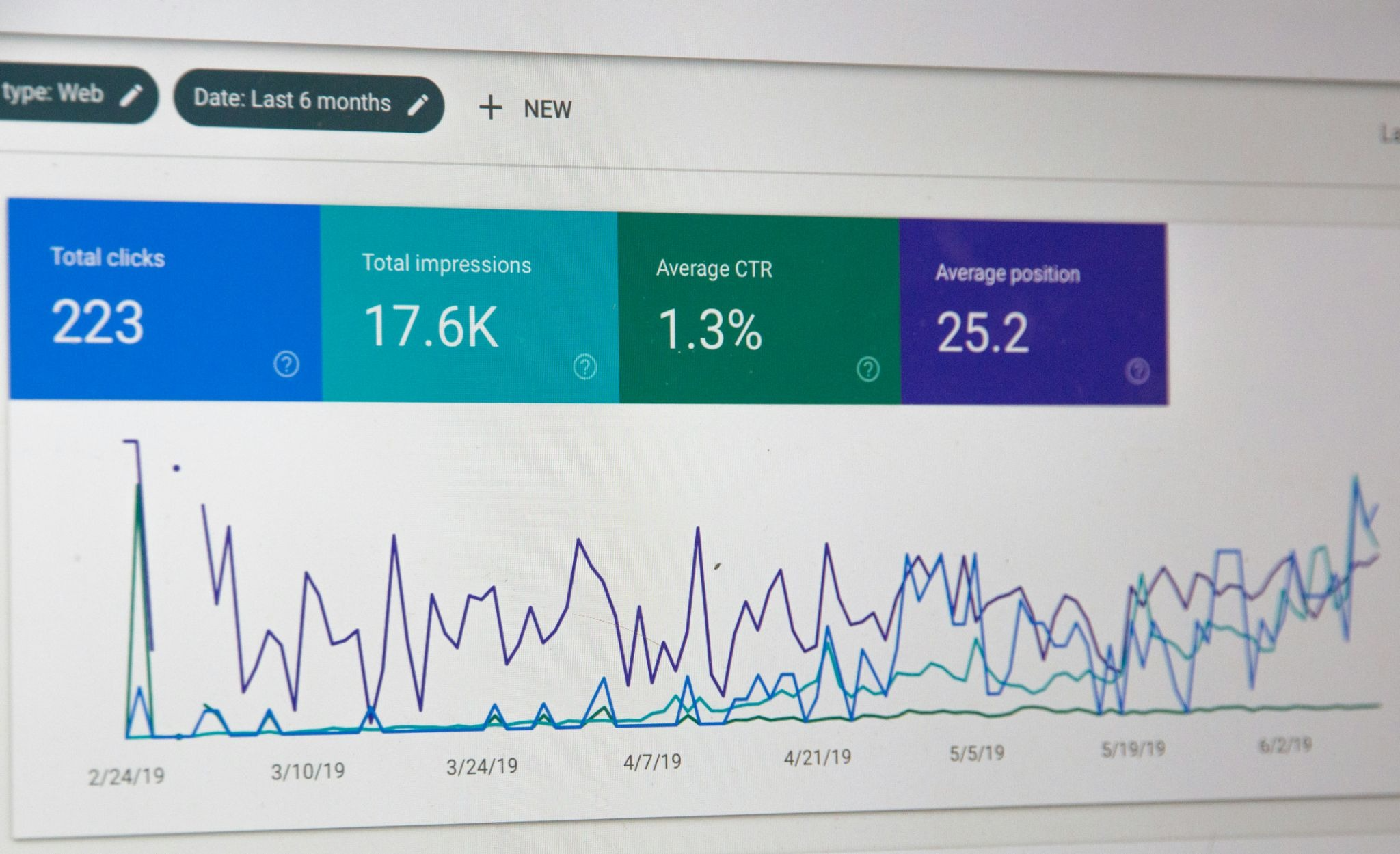
Google Search Console gives you all three at no cost, and it only starts collecting from the day you connect it. Connect it before you touch anything else, because a baseline you never captured is one you can never prove you beat.
Step 2: Make sure Google can crawl and index your site
Open Search Console, run a URL inspection on your three most important pages, and check each one comes back indexed. A page that isn't indexed cannot rank at any price, which makes this the cheapest fix in SEO and the one almost everybody skips.
While you're in there, submit an XML sitemap, check robots.txt isn't blocking something you want found, and look for stray noindex tags. Google's documentation on how Search works is the reference to keep open. The whole job takes about an hour and it's the one an agency would bill you for first.
Step 3: Research keywords and read the intent
List the phrases a customer would type, then search each one and look at what comes back. The results page tells you what Google thinks the searcher wants, and that intent decides what kind of page you need to build.
Somebody searching "emergency plumber Bristol" wants a phone number above the fold. Somebody searching "how much does a boiler service cost" wants a figure and a paragraph explaining it. Send the second person to a booking page and you lose them in four seconds. Group your phrases by what the searcher came for, and the shape of your site more or less draws itself.
Step 4: Give each topic one page and only one
One topic, one page. Two pages chasing the same phrase end up competing with each other, splitting whatever authority you've built and leaving Google to guess which one to show.
Keep a plain spreadsheet with the target phrase, the URL, the intent and the current position. It takes twenty minutes to set up and it stops you from writing a fourth article about something you covered in March.
Step 5: Write the page the searcher came for
Put the answer near the top. The first paragraph under each heading should resolve the question that heading implies, which helps a skim-reader and gives an AI assistant a clean passage to quote.
Creating an SEO-friendly structure is mostly a matter of headings. Use one H1 carrying your main phrase, H2s for the sections people scan for, and plain descriptive language the whole way down. Keep the meta title under about 60 characters and the description between 120 and 158, since anything longer gets truncated in the results. Link to related pages as you go, which passes authority around your site and helps crawlers find everything.
Worked examples teach this faster than rules do, and the guides on how to build website with ai go through the structure page by page.
Step 6: Fix the technical basics
Run your key pages through PageSpeed Insights and start with the worst offender, which is nearly always an uncompressed hero image somebody dropped in at full resolution. The targets to clear are a Largest Contentful Paint under 2.5 seconds, an Interaction to Next Paint of 200 milliseconds or less and a Cumulative Layout Shift no higher than 0.1, judged at the 75th percentile of your real visits (web.dev).
Open every page on a phone too, since that's where most of your traffic lands and it's the version Google indexes. Then add schema markup for your business type, your FAQs and your products, which is what earns the rich results and hands AI systems a tidy set of facts to quote.
Step 7: Earn mentions and keep measuring
Links and mentions from other sites are still how search engines judge who else takes you seriously, and the reachable ones sit closer than people assume, like local directories, trade bodies, your suppliers, the local paper or a podcast in your field. Start with the people who already know your name.
Then set a monthly check, because regular small edits are what make SEO compound. Search Console for queries and positions, GA4 for what visitors do next. Pay particular attention to anything ranking between eleven and twenty, because position fourteen is one good edit away from page one and it's the cheapest traffic you'll ever buy.

SEO tools: the free stack and when to pay
The free tools from Google and Bing cover everything a site under a few hundred pages needs, and a paid platform earns its place once you're competing for keywords you've already found. Start free, and stay free for a good while longer than most guides suggest.
Those are the entry tiers as both vendors listed them in October 2026 (Semrush, Ahrefs), and the tiers above them climb steeply enough that thirty seconds on each pricing page is worth it before you commit to anything. Moz Pro is the one to look at if your budget comes in below both.
Search Console is the one you can't work without, since nothing else tells you what Google makes of your site. For anything under fifty pages, the free stack and a notes document will do. Pay for a platform the day you can name the question it would answer.
Doing SEO yourself or paying someone
DIY search engine optimization works well for small sites in markets that aren't knife-fights, and what you're deciding is how much of your own time to spend. People searching "SEO for my website" are usually weighing that against a monthly fee.
Do it yourself
Doing it yourself costs nothing but time, and the time comes to about four to six hours a month once the setup is done. It suits local businesses, service providers and anyone with a site under fifty pages. You also learn which of your pages move the numbers before you pay anyone to tell you.
Use a website builder with SEO built in
A platform that handles SEO for you takes care of metadata, heading structure, sitemaps, schema and page speed, so your time goes on keyword research and writing. An AI website builder for small businesses starts free, which puts the cost closer to DIY than to hiring, and the groundwork is in place on launch day.
Hire a freelancer
A freelancer on retainer averages around $1,348 a month, or about $72 an hour for project work (Ahrefs). That suits you when you know what needs doing and have run out of evenings, or when you want a single technical audit done by someone who has done it before.
Hire an agency
Agencies average around $3,209 a month, with the average across all providers nearer $2,917 (Ahrefs). The case for one is a competitive market, a large site, or organic search being a main revenue channel that needs somebody whose whole job it is.
How Readdy handles the SEO groundwork
The technical half of SEO is near enough identical on every website, which makes it a sensible thing to hand to the platform. An AI-powered website builder builds that in as it generates, so a Readdy page arrives with a semantic heading hierarchy, Open Graph metadata, JSON-LD schema, compressed images and lazy loading already done.
That's a decent chunk of steps five and six handled before you open a settings panel. The ai website generator also raises SEO and GEO suggestions while you're working, which is a different experience from running an audit three months later and discovering what you should have done in week one.
Publishing connects to Google Search Console in a click, so steps one and two happen on launch day with your baseline recording from the start. Readdy handles multiple languages too, which keeps a site serving two markets inside a single project and saves you maintaining a parallel set of pages by hand every time a price changes.
What suits a beginner most is how little friction there is in changing something. You edit a heading by asking for it in plain language or by clicking the element, and the pages that are easy to change are the ones that get the monthly update step seven asks for. A no-code AI website builder handles the implementation and leaves you the judgment calls about what to say and who you're saying it to.
Common SEO mistakes to avoid
Most underperforming sites are held back by a handful of repeat offenders, and nearly all of them are fairly easy to put right.
An accidental noindex tag
Somebody ticks the box to keep the staging site out of Google in month one, and nobody unticks it in month four. Check this first on any site getting no organic traffic at all.
Duplicate pages competing with each other
Three service pages covering near-identical ground will split your authority and none of them will rank. Merge them into one strong page and redirect the others.
Too many keywords on one page
A page trying to rank for eight phrases usually ranks for none of them. Pick the main one, support it with close variants, and give the rest their own pages.
Treating mobile as the afterthought
Google indexes the mobile version of your site. A page that looks right on a laptop and falls to bits on a phone is being judged on the phone.
Thin AI-generated content published without review
Volume without substance stopped working years ago. Draft and research with AI by all means, then add the things only you have, like your prices, your process, your photographs and your results.
Buying links
Google's spam policies name buying or selling links for ranking purposes outright, and the penalty outlives the benefit by a long way (Google Search Central). Earn mentions by doing work people want to point at.
Publishing and never going back
Pages go off. Prices change, services change, and a page last touched in 2023 reads like it. A quarterly pass over your top ten pages usually covers it.
Chasing a green light in a plugin
SEO plugins grade keyword density and sentence length, which are proxies, and a proxy is not the goal. A page that reads well to a person beats a page optimized for a traffic light every time.
Frequently asked questions
Can I do SEO myself?
Most small sites can, yes. The work is keyword research, writing pages that answer the search and keeping the technical side clean. Google publishes documentation for all of it. Plan on four to six hours a month once the setup is out of the way.
How do I SEO a website from scratch?
Start in Google Search Console. Run a URL inspection on your homepage and your top two or three pages and check they come back indexed. Then the order is keyword research, one page per topic, writing, and fixing what PageSpeed Insights flags. Mentions from other sites and a monthly look at your numbers come after that.
How long does SEO take?
Most sites see convincing movement between six and twelve months. Ahrefs looked at two million pages and found 5.7% had reached the top ten for at least one keyword within a year, most of them taking 61 to 182 days (Ahrefs). Age counts for a lot. Only 22% of current top ten results were published in the last twelve months.
How much does DIY SEO cost?
Nothing, if you stick to the free tools. Search Console, Bing Webmaster Tools, Keyword Planner and GA4 between them cover a site of under fifty pages. The paid platforms start at $29 a month with Ahrefs and $139 with Semrush (Ahrefs, Semrush). Most small sites get a year or more out of the free stack first.
Is SEO still worth it with AI search?
Yes. Pages cited inside an AI Overview keep a click-through rate of around 2.1%, while uncited pages on the same kind of query sit at 0.9% (Search Engine Land). Clear structure, a direct answer near the top of each section and a credible source are what get you cited, and they are what got you ranked before AI answers existed.
What's the difference between SEO and GEO?
SEO is about where you sit in a list of links. GEO is about being quoted in the answer above that list. The work overlaps almost entirely, since headings, a direct answer at the top of each section, schema markup and a credible source serve both. GEO leans harder on getting mentioned on sites that are not yours.
Do I need a website builder with built-in SEO?
You don't need one. The appeal is that metadata, heading structure, sitemaps, schema and image compression arrive already done, so your time goes on keywords and writing. ai website builders for beginners handle that layer for you. A developer will configure the same things by hand in an afternoon.
When should I hire an SEO expert?
When the cost of getting it wrong is bigger than the fee. That usually means a competitive market, a site in the hundreds of pages, a migration, or a traffic drop nobody can explain. Before you hire, ask a candidate what they would do in your first month and if they want access to your Search Console.
Key takeaways
- SEO means letting search engines reach your pages, answering a real question on each one, and earning mentions elsewhere. The rest is detail.
- Confirm indexing before anything else, because a page Google can't index cannot rank however good it is.
- One topic per page. Two pages chasing the same phrase compete with each other and both lose.
- The free stack of Search Console, Bing Webmaster Tools, Keyword Planner and GA4 covers a site under a few hundred pages. Pay for a platform when you can name the question it answers.
- The technical half of the job is near enough identical on every website, which is why the best ai website builder options handle metadata, schema, sitemaps and page speed for you and leave you the keywords and the writing.
- Expect six to twelve months, and track enquiries and sales next to your positions, since 68% of US searches now end without a click (Search Engine Land).
Kael
Kael is an editor and content strategist covering AI tools, website creation, and online growth. Interested in how people build and share on the internet, Kael writes practical content around digital products and modern web experiences.