






Website speed optimization techniques that work in 2026

Website speed optimization in 2026, covering the Core Web Vitals thresholds, the five fixes in priority order, the free tools and when to hire a specialist.
Kael is an editor and content strategist covering AI tools, website creation, and online growth. Interested in how people build and share on the internet, Kael writes practical content around digital products and modern web experiences.
Somewhere right now, somebody is opening your homepage on a three-year-old phone, on mobile data, with one bar of signal. Unfortunately, that's a lot closer to the average visit than the version you usually see on your laptop, and it's the version Google pays attention to when it works out where you rank.
Fortunately, there's a reason your own site feels quick, and it has nothing to do with you. Your browser kindly saved a copy the first time you visited, so the page you open is already half on your computer. Everybody who works on their own website has the same blind spot.
Website speed optimization means getting your pages to show up and respond faster for the people who don't have that copy. Most of it starts with your images, which are the biggest thing on screen on 76% of mobile pages. That's a good place to begin, because resizing a photo is the easiest job on the list and usually the one that results in the biggest speed improvement.
Quick answer: Website speed optimization means cutting the time your pages take to become visible and usable for real visitors. Google measures it with three Core Web Vitals. Largest Contentful Paint should land under 2.5 seconds, Interaction to Next Paint under 200 milliseconds, and Cumulative Layout Shift under 0.1, each at the 75th percentile of actual visits. Start with your biggest image, then your fonts, then the add-ons sitting on your pages. Measure in Search Console or the Chrome UX Report, because real-visitor data is what Google reads.
What is website speed optimization?
When people talk about website speed optimization, they simply mean getting a page to load faster. Images are where it usually goes wrong, since they make up most of what a browser has to download before anything appears.
What changed over the past few years is that the grading became public. Google publishes the thresholds, Chrome collects the numbers from real visits, and you can read your own scores without paying anybody. Only 48% of websites pass all three Core Web Vitals on mobile, and they don't fail equally. On mobile, 81% of sites clear the layout metric and 77% the interaction one, while only 62% pass on loading speed. Loading is usually where sites fall over, and that traces back to the size of the files you send.
What LCP INP and CLS measure and the numbers that explain them
Each metric stands in for a complaint a visitor would make out loud.
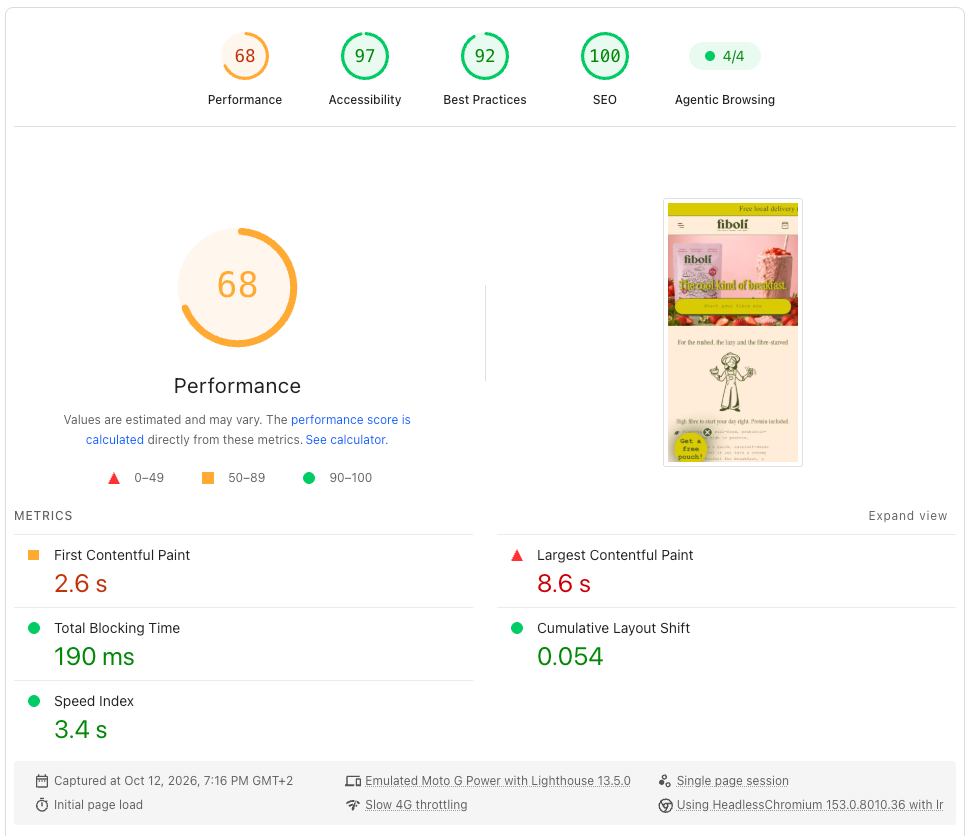
Largest Contentful Paint is the moment the biggest thing on screen finishes loading, and Google wants it inside 2.5 seconds. It answers "Is anything happening yet?" and since that biggest thing is usually your photo, it's the number your image work moves first.
Interaction to Next Paint covers the gap between a tap and the page doing something visible about it, with 200 milliseconds as the target. This is the one that catches heavy JavaScript, and it's what people mean when they call a site sticky.
Cumulative Layout Shift scores how much the page jumps around while it loads, and you want 0.1 or lower. Everyone has met this one. You go to tap a link, an ad finishes loading above it, the page shunts down and you tap something else entirely. Reserving space for images, ads and embeds fixes most of it.
Those three tell you something is wrong, and two supporting numbers help you find it. Time to First Byte measures how long your server takes to send anything at all, and 0.8 seconds or less is the target, so check it when every page is slow by about the same amount. First Contentful Paint is the moment the first text or image appears, with 1.8 seconds counted as good, and it separates a slow server from one oversized image. Neither is a Core Web Vital, and both sit in the PageSpeed Insights report under the three that are.

Why lab data and field data disagree
Run the same page through two speed tools, and you can get two different scores, because they aren't measuring the same thing. Lab data comes from one simulated load, on one device, over one network connection. Field data comes from the visits of real people on whatever hardware they happen to own.
A lab test runs as though nobody has ever visited before, so it misses the saved copy your returning visitors already have and the layout shifts that only happen once somebody scrolls. It also can't predict when a tap will come, which leaves interaction delay as an estimate at best. Field data picks all of that up, and it's what Google's ranking systems read, so use the field numbers to decide what to work on and a lab tool to debug the thing you picked.
What website speed does for rankings, revenue and experience
Speed moves both, and it moves revenue more visibly than rankings. Google confirms Core Web Vitals feed its ranking systems while adding that there is no single signal and that chasing a perfect score for SEO reasons may not be the best use of your time, so treat it as a tie-breaker between two pages otherwise evenly matched.
The revenue case has harder evidence behind it. Google and Deloitte took 37 retail and travel brands, watched more than 30 million sessions over a month, and improved mobile speed by one tenth of a second. Retail conversions rose 8.4%, travel conversions rose 10.1% and consumer spending rose 9.2%. One tenth of a second.
Vodafone ran it as a straight A/B test on one landing page, where cutting LCP from 8.3 seconds to 5.7 produced 8% more total sales and 15% more leads with no redesign involved.
Portent went through more than 100 million page views across 20 sites and found B2B sites that load in one second converted around three times better than sites loading in five. Checkout and login pages showed the largest effect of any page type, so if your attention has been on the homepage, that is where to move it.
How a page feels is harder to count than revenue, though the metrics give it away. Interaction to Next Paint and Cumulative Layout Shift both measure how a page behaves once it has arrived, which is a separate question from how quickly it got there. First Contentful Paint is in the set because people need to see something happening before they will wait. Speed is the part of your design people notice without being able to name it, so when you test a page, watch the first two seconds on a real phone and treat the score as a second opinion.
Website speed priorities by page type
The fix order shifts depending on the job the page does, so work on the one that matches yours.
Lead generation landing pages stand or fall on LCP and on how the form feels. The big image at the top is almost certainly what Google is timing, and the advertising and analytics tags are what make the form slow to answer typing.
E-commerce product pages are the heaviest ones most people own, usually thanks to galleries, review widgets and recommendation carousels. Give the cart and checkout scripts a pass of their own, since those were the pages where speed showed the biggest conversion effect in Portent's data.
On a content site or a blog, the trouble is usually media delivery, advertising technology, embedded video and font loading. One embedded player can cost you more than every other file put together. Check the template too, since a theme that loads the same heavy scripts everywhere holds back everything you publish.
With a SaaS product or a web app, you have an interaction problem before a loading one. Client-side rendering, long JavaScript tasks and authenticated flows all push interaction delay up, and none of it shows in a lab test of your marketing homepage.
For a new business site or a campaign page, the platform you pick settles much of this before you write a line of content. An AI-powered website builder that handles hosting, responsive editing, SEO controls, forms and analytics in one place keeps the request count low from the start, since each of those arrives native to the page.
Website speed optimization tools and techniques compared
There's an order to this work that pays and a small set of handy tools for doing it. Getting the order right counts for more than which tool you pick.
The five fixes in priority order
Images come first, every time. Working through the rest in the order that follows will get you further than tackling all five badly.
- Images are where the waste is. Serve WebP or AVIF, size each file to the space it occupies on screen, compress it, and set width and height attributes so the layout holds while it loads. Set everything further down the page to load only when somebody scrolls to it, and leave the big image at the top loading immediately.
- Fonts come second and get overlooked most often. Every custom weight is another file, so cut the family down to the weights you use, self-host where you can, and add font-display: swap so text appears in a fallback face while the real one arrives.
- The add-ons need an audit more than they need optimizing. These are the bits of other companies' code on your pages, and you can list them in your browser's developer tools under Network, where anything loading from an address that isn't yours is one of them. Chat widgets, heat maps, two analytics packages doing the same job, a pixel for a campaign that ended in March. Delete what you can and defer the rest.
- Caching and a content delivery network solve the distance problem between them. A CDN serves your files from somewhere near the visitor, and caching stops that visitor downloading them twice. Cloudflare's free plan includes a CDN, so most small sites can do this without a budget conversation.
- Layout stability costs the least to fix. Reserve space for anything that loads late, including images, ads, embeds and cookie banners, and a fixed aspect ratio on every image container does most of the work.
Run the list once, remeasure in the field after two weeks of real traffic, and only then decide what else needs doing. The walkthroughs on how to build website with ai cover the build decisions that set these numbers before any optimizing starts.
Tools by job
The free tools from Google and Chrome cover everything most sites need, and the paid ones earn their place when you want scheduled monitoring and a history you can point at. Pair one lab tool with one field tool and you have the whole picture.
The first two groups are where you should look, and the third is where most website speed optimization work happens. PageSpeed Insights is the one to open first, because it gives you both kinds of data on one screen and names the images and scripts responsible, and the Search Console report is the one to check monthly, since it groups your URLs and shows if a fix moved the whole template or only the page you tested. Anything that monitors on a schedule can wait until you have a few thousand sessions a month, below which field data moves around too much to read week by week.
Website speed optimization services and what you get
Hiring this out means paying a developer or an agency to audit the site, make the fixes and tell you what changed. You'll be offered it in two shapes, priced differently enough that you should know which one you're buying.
What a speed service includes
A one-off engagement opens with an audit, meaning a crawl, some lab tests, a look at your field data and a written list of problems ranked by what each one costs you. The fix sprint that follows does the image and font work, trims the script list, sets up caching and a CDN, and reserves layout space.
An ongoing retainer adds the part a one-off can't, which is somebody watching. Performance drifts. A campaign tag goes on, somebody uploads a 4 MB photograph to the news page, and three months later you have slipped back under the threshold without anybody noticing. A retainer catches that, usually with monthly field-data reporting and a budget of hours for fixes.
Pricing tracks what developers charge in your market, with no standard rate card for this work, so get two or three quotes and ask each to scope the audit and the fixes separately.

When to hire and when to do it yourself
Hire when the pages carrying your revenue are the slow ones, when you have done the image and script work and still fail Core Web Vitals, when the site runs on custom code nobody on your team wrote, or when there is no developer available to you at all.
The second of those is the clearest signal, because a site that still fails after the images and scripts are dealt with usually has something structural going on, like a theme doing too much work on every visit or a server that is slow before the browser is even involved. Those are the problems to pay for, and having your own before-and-after numbers is what lets you brief them accurately.
Do it yourself when the site is small, the stack is standard and nothing on the list above has been tried. The first pass on images and scripts needs no specialist knowledge and holds most of the available improvement, so run it yourself, remeasure, and then decide what is left for somebody else. If the site is new enough that you are still choosing a platform, an AI website builder for small businesses starts free and arrives with the compression and lazy loading already done.
Picking an approach that fits your site
Match the effort to what the site is carrying.
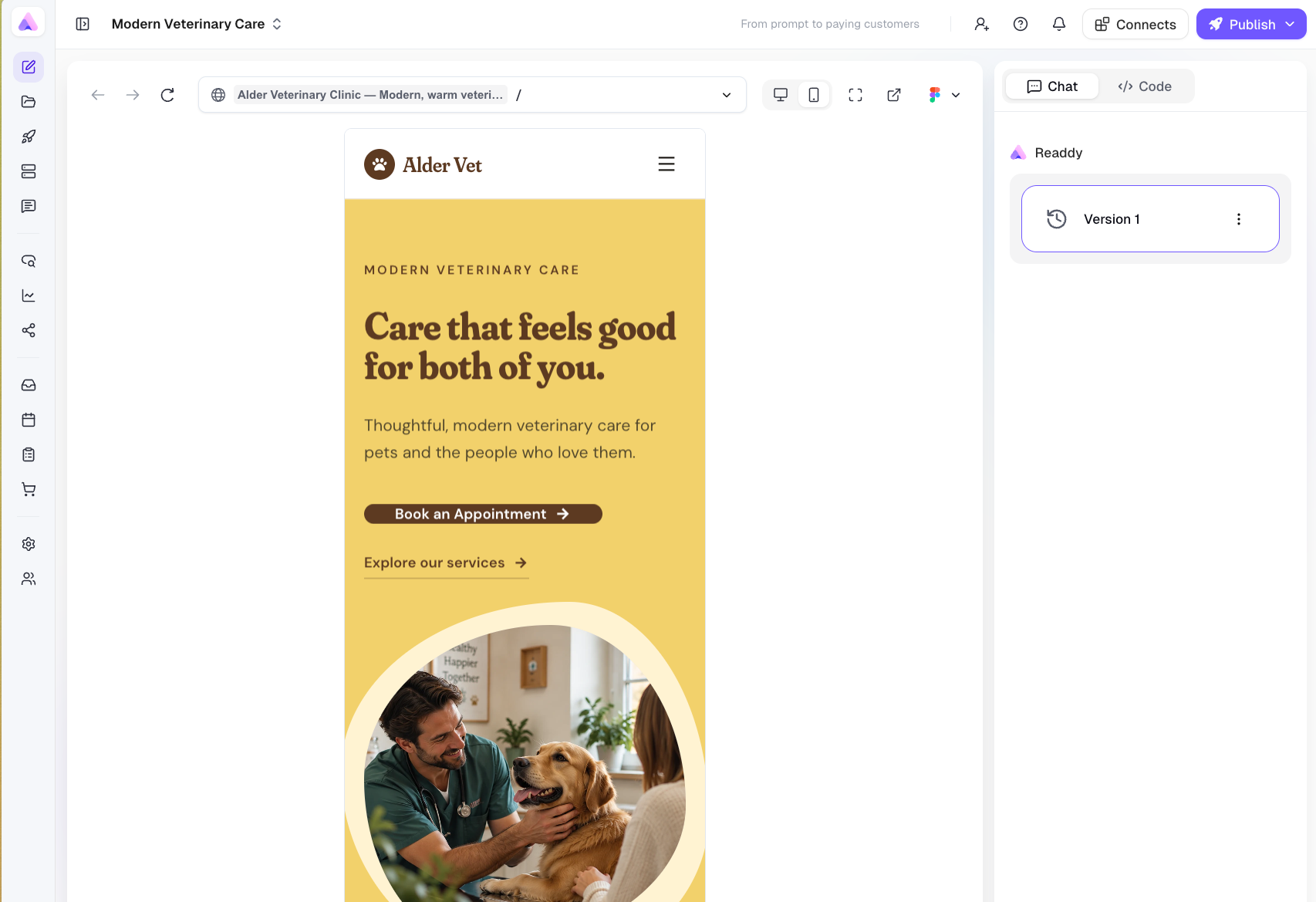
Small sites and single landing pages need a platform that handles the basics, images sized and compressed, and one caching solution. That is the whole job. A no-code AI website builder covers the first of those, since the templates arrive with compressed images, deferred loading below the fold, a clean heading structure and native forms, leaving you fewer plugins and embeds to tune later. The ai website generator also flags SEO and performance problems while you are building, at the point where the fix is a click and not a ticket.
Business sites with real traffic, revenue attached and several people able to publish need managed hosting, a CDN, and a rule about who may add scripts. Script governance sounds like a bureaucracy until you count the tags on your checkout page. Put a quarterly audit in the calendar and bring in a specialist for anything structural.
Developers have levers nobody else does. Write a performance budget into the build config as a number so a regression fails the pipeline before it reaches production and nobody has to remember to run a test by hand.
Frequently asked questions
What is a good page load time?
Aim for the main content to appear inside 2.5 seconds, which is Google's Largest Contentful Paint threshold. Portent's data suggests the gains keep coming below that, with one-second pages converting around three times better than five-second ones. Measure at the 75th percentile of real visits, not on your own laptop.
What are good Core Web Vitals scores?
You want LCP under 2.5 seconds, INP under 200 milliseconds and CLS under 0.1, all measured at the 75th percentile of real visits, and you need all three to pass. Right now 48% of sites manage it on mobile and 56% on desktop.
Does website speed affect SEO?
Yes, as one input among many. Google says Core Web Vitals are used by its ranking systems, that there is no single signal, and that a perfect score for its own sake may not be the best use of your time. Speed decides close calls between comparable pages.
What is the fastest way to improve website speed?
Find your largest image and fix it. On 76% of mobile pages the largest item on screen is an image, so compressing it, serving WebP or AVIF and sizing it to its container often moves LCP on its own. Audit your third-party scripts next.
Why is my PageSpeed score low but my site feels fast?
You are comparing two different measurements. Your experience is a warm cache on good hardware, and the lab score simulates a mid-range phone on a slowed-down connection. Check the field data in the same report, since that reflects your actual visitors.
Do I need a developer to speed up my website?
Not for the first pass. Image compression, script cleanup and a caching plugin or CDN need no code, and on a platform like Readdy the compression, lazy loading and hosting are handled for you. Bring in a developer for custom code, framework problems or vitals that still fail afterwards.
Key takeaways
- Website speed optimization is measured on three Core Web Vitals, with LCP under 2.5 seconds, INP under 200 milliseconds and CLS under 0.1 at the 75th percentile of real visits.
- Images are the first job on every site. They are the biggest item on screen on 76% of mobile pages, and close to half the weight of an average mobile page.
- Field data decides what you work on, lab data helps you debug it, and the two disagreeing is normal. A tenth of a second still shows up in revenue, with Google and Deloitte recording an 8.4% lift in retail conversions from exactly that improvement.
- Platform choice settles a lot of this in advance, which is why the best ai website builder options ship compression, lazy loading and clean markup as standard.
- Hire a specialist when revenue pages are slow, custom code is involved, or your vitals still fail after the image and script work.

Kael
Kael is an editor and content strategist covering AI tools, website creation, and online growth. Interested in how people build and share on the internet, Kael writes practical content around digital products and modern web experiences.