







How to build a multilingual website: a practical guide to builders and SEO
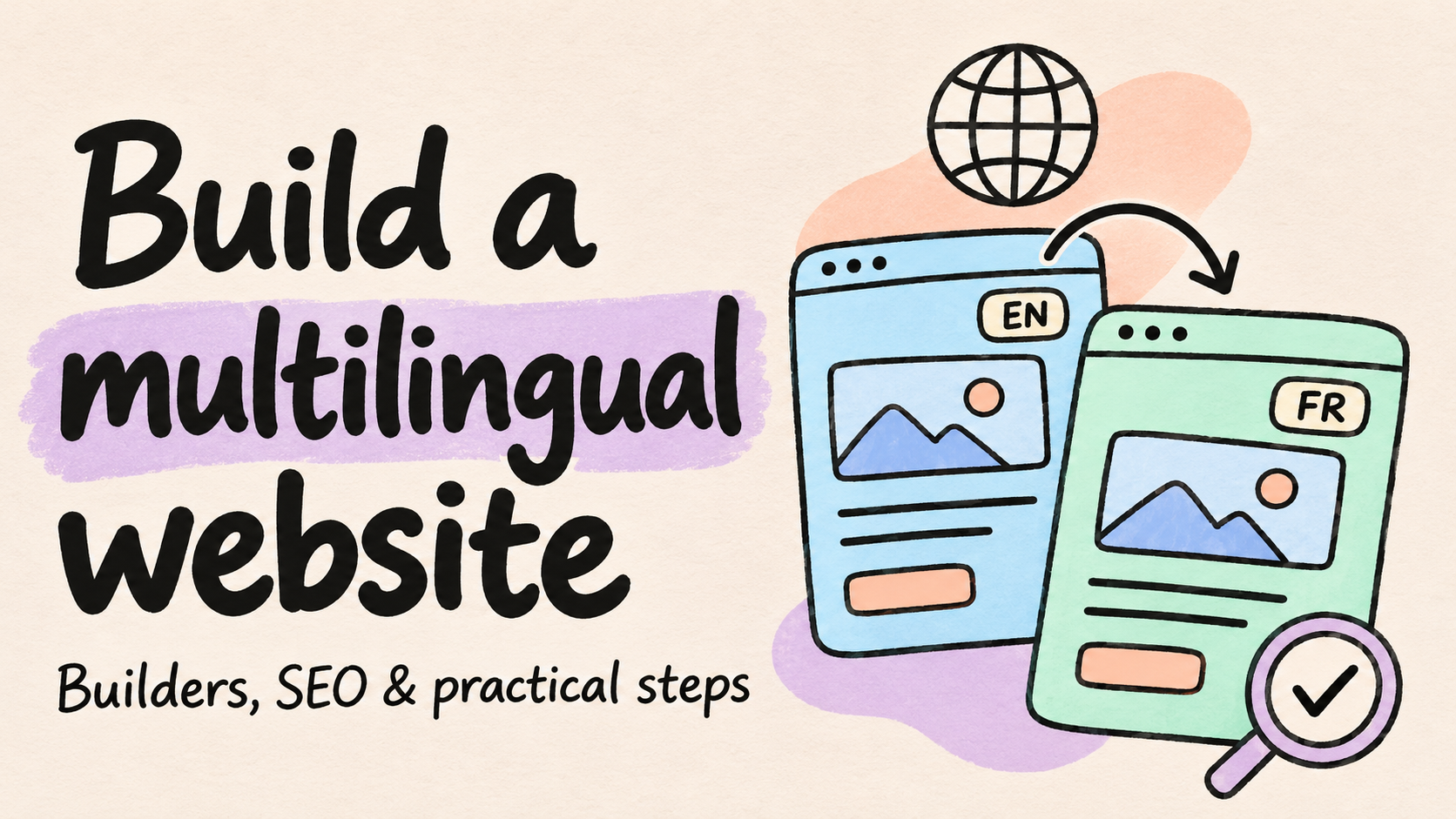
Learn how to plan, build, and maintain a multilingual website, compare development approaches, use AI-generated language pages, and configure multilingual SEO.
Kael is an editor and content strategist covering AI tools, website creation, and online growth. Interested in how people build and share on the internet, Kael writes practical content around digital products and modern web experiences.
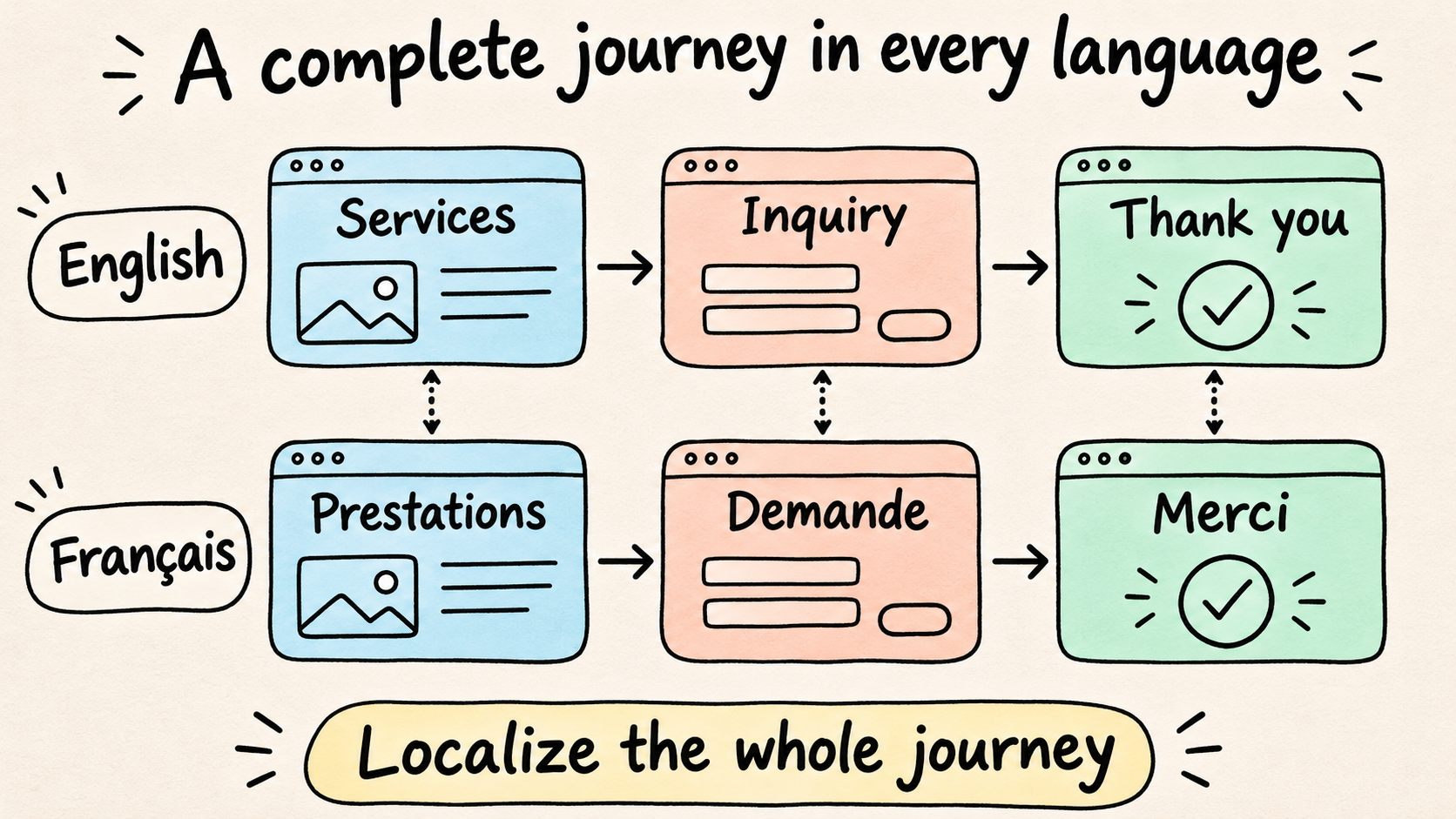
Your French services page reads well. Then a visitor clicks the contact button, meets an English form, and gets an English confirmation. You translated the page, but the person trying to hire you still has work to do.
A multilingual website needs to carry that visitor through the whole task. To build one, choose the languages you can support, create connected language pages, and localize the steps between arriving and taking action. The builder you choose should make those pages straightforward to create and maintain.
This guide covers platform selection, multilingual website development, SEO, and launch. We'll use a hypothetical design consultancy adding French to an English site to make the decisions concrete.
Quick answer
Build a multilingual website by giving each language version its own URL, localizing the complete customer journey, and connecting equivalent pages with a clear language selector. Choose a platform your team can use to keep those versions accurate.
Readdy is an AI website builder that lets users generate multilingual pages through natural-language instructions, helping small teams create and refine language versions without manually rebuilding each page. Review the generated copy, navigation, and search settings before publishing.
- Choose the approach that fits the site: Use native localization or AI-generated pages for a new site; consider a translation layer when the existing site already works well.
- Set up multilingual SEO: Research local search intent, write localized metadata, and configure hreflang and canonical URLs for the published pages.
- Give updates an owner: Decide who reviews translations, forms, and shared content when the original changes.
What a multilingual website needs
A multilingual website offers content in more than one language. A multi-regional site targets different countries or regions. A business can do both, but French content alone doesn't tell you where its readers live. Google's multilingual and multi-regional guidance explains the distinction.
Three terms describe the work involved:
- Translation preserves meaning in another language.
- Localization adapts the experience for an audience, including terminology, examples, imagery, and offers.
- Internationalization prepares the site's structure and functionality to accommodate those variations.
For the design consultancy, translation produces French copy. Localization makes sure the examples and explanations make sense to French-speaking prospects. Internationalization gives the site a way to manage both versions without reconstructing the navigation whenever a page changes.
You don't need a separate project plan for every term. You need to know which jobs your platform handles and which ones belong to your team.
Start with the audience you can serve
Look at inquiries, customer questions, available analytics, and requests your sales or support team keeps hearing. Those give you a better starting point than adding languages because the builder offers them.
Then work through the practical questions. Can you provide the advertised service to those visitors? Can someone answer their inquiries? Do your payment or delivery arrangements cover the relevant markets? A language page creates an expectation that the business behind it is ready.
For a first French release, the consultancy might need a service overview, relevant portfolio work, an explanation of the project process, and an inquiry form. That is enough for a prospect to assess fit and contact the team. The rest of the blog can wait.
Choose one useful journey and finish it. A smaller release with a working inquiry flow is easier to support than a larger one that sends people back to English halfway through.
Keep the offer consistent and the wording flexible
Your service scope, contact details, and product limitations need clear ownership across languages. The words used to explain them can vary. A French page may need a more direct heading or an extra example without changing what the consultancy actually provides.
Assign a business owner and a language reviewer. The owner approves the offer; the reviewer checks meaning, tone, and natural phrasing. One person can do both, provided they understand both jobs.
Also decide who catches changes. If the consultancy removes a deliverable from its English service page, somebody needs to review the French version. Otherwise, the two pages gradually start selling different projects.
Choose the right multilingual website builder
Start with the site you have and the work your team needs to do. A new marketing site, an established content library, and a storefront with different catalogs by market create different requirements. The language count is only part of the choice.
Compare five development approaches
These approaches can overlap. An AI builder may generate language pages that you then manage through the project's editing and publishing workflow. A CMS may use a separate translation service. Choose the combination that leaves your team with a manageable job.
| Approach | Best situation to evaluate it | Work to account for |
|---|---|---|
| Builder with native localization | A new site managed in one visual workspace | Localization coverage, review controls, and publishing requirements |
| AI-generated language pages | A team that wants to create and refine pages through prompts | Clear page instructions and review of the generated content and links |
| Translation layer | An existing site that already works well | Integration coverage, especially for dynamic or embedded content |
| CMS with multilingual plugins | An editorial site with established content structures | Plugin compatibility, translation relationships, and maintenance |
| Custom development | Different regional workflows or unusual integrations | Routing, testing, deployment, and technical support |
Native localization is worth evaluating when you want connected language versions inside the builder. Wix documents per-language SEO settings and generated hreflang tags. Webflow provides locale management, with a Localize add-on required for publishing secondary locales. Read the relevant Wix settings and Webflow requirements against your actual publishing needs.
A translation layer makes sense to investigate when rebuilding would solve a problem you don't have. Weglot describes an integration-based approach with translation editing and multilingual SEO features. Its platform guide explains the category; your integration determines how the translated content is delivered.
For WordPress, multilingual publishing involves plugins or other configurations. The WordPress multilingual documentation describes different ways to organize translated content. Test your custom fields and reusable sections alongside ordinary articles, since those are part of the site too.
Custom development earns consideration when markets need different catalogs, account flows, or integrations. Write those requirements into the brief early. Discovering that a translation tool cannot implement your regional ordering process is an expensive way to finish choosing a translation tool.
Use a real page to test the workflow
Take a page with navigation, a long heading, an image, a form, and a call to action. Create a second-language version, revise it, and publish it to a directly accessible address. Have the person who will maintain the site do the editing.
Watch what happens when they change translated wording, preview an unpublished revision, or select a page without a translation. Can they find the corresponding versions? Can they manage titles and descriptions? What alerts them when the original changes? These ordinary jobs reveal more than a polished demonstration.
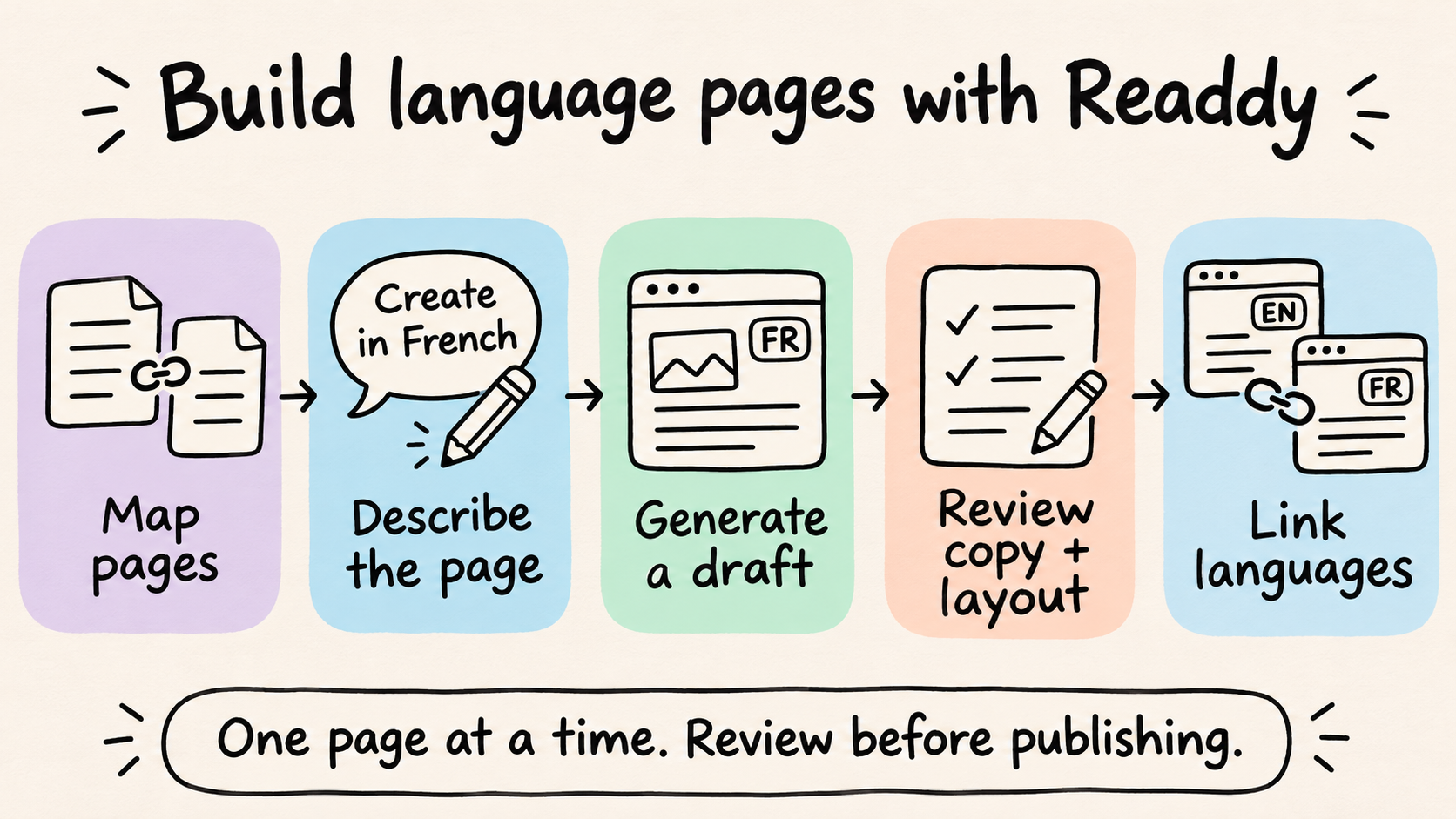
Readdy lets you describe the language pages you need and generate them through AI instructions. The consultancy can ask for a French services page based on the English version, then refine the copy and layout through further prompts or direct editing. That keeps creation and revision in the same working process.
Readdy's multi-page documentation explains conversational page generation in supported projects. Its prompting guide recommends one focused page or feature at a time. Build the French service page first, review it, then add the language links and move to the next page.
Include external tools in your trial. A booking widget or embedded form may have its own language settings, even when the surrounding page is correct. Follow the inquiry all the way through before deciding the setup fits.
Price the work you'll keep doing
Include implementation, translation usage, review, integrations, and support alongside the subscription. Ask how the bill changes when you add languages or revise content. Vendors don't all count usage the same way.
Estimate your editing workload using the pages that actually change. A stable service site and a frequently revised catalog place very different demands on a reviewer. Include menus and forms, which can affect several pages at once.
Finally, ask how you would recover the translations, page relationships, and URLs if you moved platforms. You may never need to leave. Knowing what leaving involves still belongs in the buying decision.
How to build a multilingual website
Build one complete language journey first. For the consultancy, that means French service information, relevant work examples, and an inquiry flow. Use that release to establish a process you can repeat across the rest of the site.
1. Prepare the original content and glossary
Fix unclear service descriptions before translating them. If nobody can agree what the English package includes, a French translation will faithfully reproduce the disagreement.
List the copy needed for the journey: navigation, page text, buttons, image descriptions, form instructions, errors, and confirmation messages. Separate shared text from page-specific content so the same button doesn't acquire several translations.
Create a short glossary for service names and terms with several possible meanings. Record the preferred wording, a sentence of context, and any names that should stay unchanged. Keep it useful enough that a reviewer will actually open it.
For the consultancy, that could mean one agreed French term for its brand identity service. Reviewers can adapt the explanation around it while preserving the approved deliverables. Questions about scope go back to the business owner.
2. Map the pages before generating them
Connect each original page with its language versions in a page map. Use the platform's content relationships where available, or document them in a simple spreadsheet for a small site.
The English /en/services/ page could correspond to /fr/prestations/. Give that pair a stable internal identifier such as service-overview if your setup supports it. The relationship should survive a renamed title or localized slug.
Record the URL, language, review status, and owner. Mark missing versions explicitly. The consultancy may leave an English-only workshop untranslated because it isn't available to French-speaking clients; it doesn't need an empty French page to complete a spreadsheet.
In Readdy, turn that map into a specific generation request:
Create a French version of the existing English services page. Use the approved French copy below, preserve the brand style and service scope, and make the layout work on mobile. Use
/fr/prestations/for the page. Keep the English version unchanged.
Review the page, then request the navigation separately:
Add an English/French language selector linking
/en/services/and/fr/prestations/. Label the options “English” and “Français”.
These are suggested prompts for the example project. Inspect the resulting page and links before repeating the process. Focused requests also make it easier to identify what needs adjusting.
3. Give each version a stable address
Publish each language page at its own directly accessible URL. Google recommends separate URLs over changing the page language only through cookies or browser settings. Its multilingual site guidance explains the discovery concern.
Subdirectories such as /en/ and /fr/ are often convenient for a small team sharing one domain and publishing setup. Subdomains or separate domains may fit a different organization. Choose a structure you can operate consistently; the format alone won't guarantee rankings.
Open the French address directly, refresh it, and send it to another reviewer. They should reach the intended page without visiting the English homepage first. When you change a published slug, arrange its redirect and update the links and page map together.
4. Review the translation where visitors will read it
AI or machine translation can prepare a draft. A fluent reviewer familiar with the subject should check important content in the rendered page, where meaning, layout, and the next action appear together.
A heading that works in a document may become awkward above a form. A precise translation may still be too long for the navigation. Give the reviewer permission to adjust the wording or request a layout change instead of squeezing the sentence into the original space.
Check the offer particularly carefully. A more natural French expression is useful; an added guarantee or changed deliverable needs correction. Keep unresolved questions attached to the page record so they get answered before publication.
5. Follow the inquiry through every response
Translate form labels, helper text, validation errors, consent wording, buttons, and confirmation messages. Include automated replies if they belong to the experience you're offering.
Start from the French service page and submit an incomplete inquiry. Then send a valid one. Read both responses, check the receiving team's notification, and follow any links in the confirmation. A form can look French while its error messages tell a different story.
Pass the selected language with the inquiry where the setup allows it. The person responding then has context without asking the prospect to repeat a preference they already chose.
Keep location separate. A French-speaking visitor may live in several possible markets. Ask for country, billing currency, or address details when you need them rather than inferring them from the language selector.
6. Make the layout work with the real text
Review headings, navigation, buttons, cards, and forms on desktop and mobile. Longer labels need space to wrap. Reducing the font until everything fits can turn a small layout problem into a reading problem.
Set the page language on the HTML html element. W3C explains this in its language declaration guidance; a French page would normally use lang="fr". The declaration provides useful information for assistive technologies and other software.
Right-to-left languages also need the appropriate text direction. Language and direction are separate settings, as covered in W3C's right-to-left guidance. Test mixed content such as phone numbers and product codes in the rendered page.
English and French both run left to right, but the consultancy still needs to test keyboard navigation, visible focus, and mobile controls. Changing the copy can change how much room those controls have.
Set up multilingual website SEO
Multilingual website SEO has two practical jobs: make each page useful to its intended readers and make its relationship with other language versions clear. Set up a repeatable process while the site is small enough to inspect without losing an afternoon to it.
Research the local question before translating the keyword
Treat translated keywords as candidates to investigate. A literal translation can sound unnatural or point to a different need. Ask a fluent speaker who understands the service to help identify relevant terms, then examine search results in the intended language and market.
The useful question is what the person wants to accomplish. Someone researching a design term needs an explanation. Someone comparing consultancies needs scope, evidence, and a reason to inquire. A page should make that purpose clear before you worry about placing the phrase in another heading.
For the consultancy, a planning sheet could be this simple:
| Page | Reader's question | What the page should provide |
|---|---|---|
| Services | Can this team handle my project? | Deliverables, suitable clients, and limitations |
| Portfolio | Have they solved a relevant problem? | Examples with enough context to assess fit |
| Process | What happens after I inquire? | Responsibilities and next steps |
These questions organize the content; they don't establish search demand. Validate the phrasing for the audience you intend to reach.
Use relevant proof honestly. An English-language client project can still demonstrate useful experience to a French-speaking prospect if you explain why it matters. Inventing a local customer story adds a credibility problem to a translation job.
You also don't need to rewrite a sound page simply to make the translation different. Add local context where it resolves an uncertainty, such as which language clients can use during a project or how remote collaboration works. Keep the explanation tied to the service you provide.
Write search information that matches the page
Give each version a natural title and description in its language. They should explain the same offer the visitor finds after clicking. Awkwardly translated metadata is an early sign that the wording needs another pass.
Review image descriptions and internal link labels too. A translation process built around long paragraphs can miss these smaller pieces, even though visitors encounter them throughout the page.
For Readdy React projects published to a custom domain, an Owner or Editor can use Page Settings to edit titles, descriptions, canonical URLs, indexing, and sitemap inclusion. The SEO Page Settings documentation explains the controls and requirements. Review each generated language page there, then check its language relationships separately.
Connect equivalents with hreflang
Hreflang identifies language or regional alternatives. Google supports HTML, HTTP headers, and sitemap implementations. For HTML, use full URLs and reciprocal references, including a reference to the page itself. An optional x-default can identify a fallback. See Google's localized page documentation.
For the consultancy's service pages:
<link rel="alternate" hreflang="en"
      href="https://example.com/en/services/" />
<link rel="alternate" hreflang="fr"
      href="https://example.com/fr/prestations/" />
Put the corresponding set in the head of both pages. Use the page map to connect real equivalents. A French homepage doesn't become the translation of every English page just because it's available.
Keep drafts out of the published alternatives. Hreflang describes the pages people can use; it doesn't guarantee where they will rank.
Keep canonical URLs and visitor choice consistent
A canonical identifies the preferred URL among duplicate or substantially similar pages. It does a different job from hreflang. For a fully translated page intended to be indexed independently, a self-referencing canonical is the usual starting point. Google advises using a same-language canonical where possible when working with hreflang. Its canonical URL guidance covers the distinction.
The French page could use:
<link rel="canonical"
      href="https://example.com/fr/prestations/" />
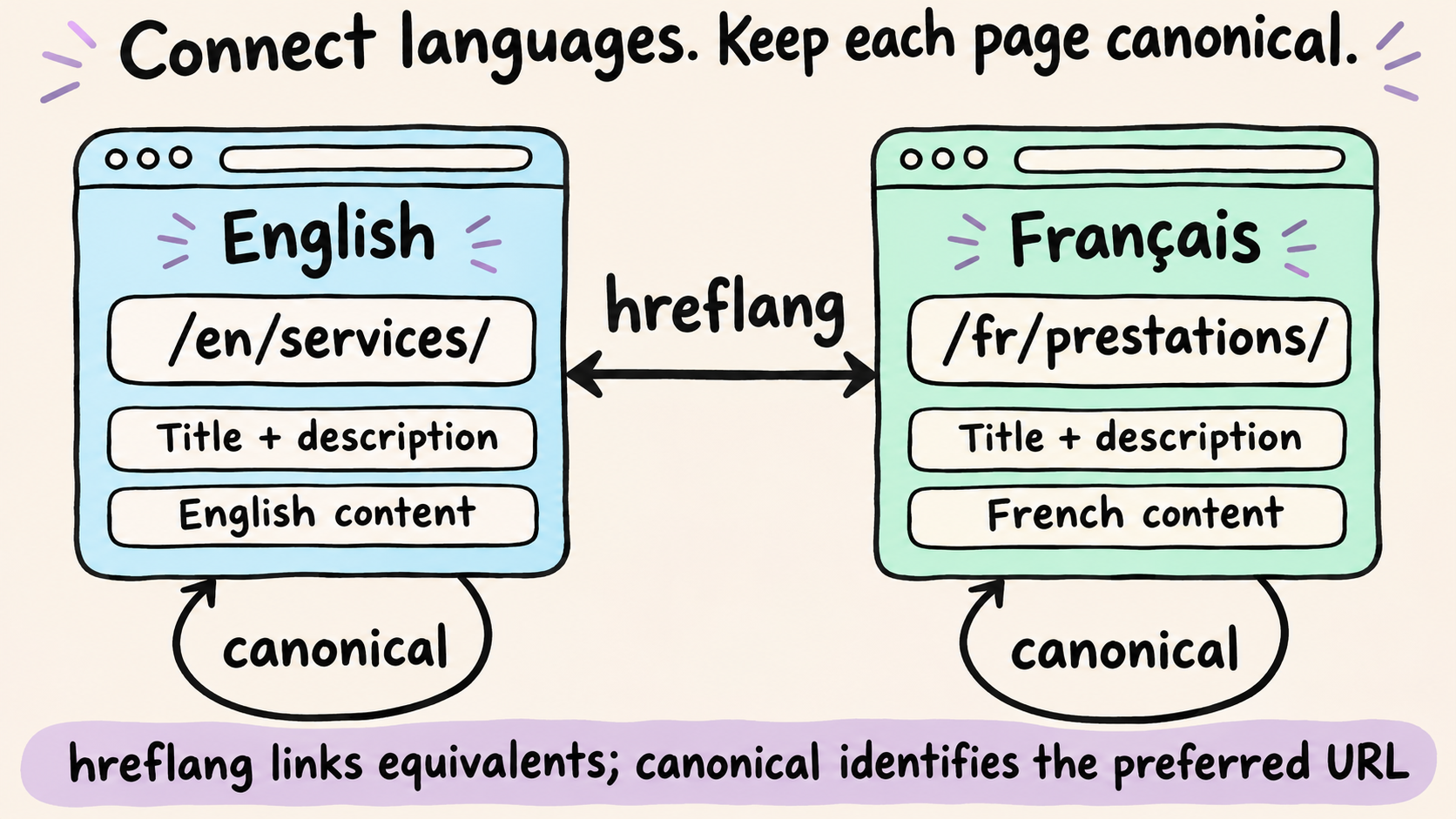
Don't automatically point every translated page's canonical to English. Check canonical URLs, internal links, and sitemap entries as a set, so they refer to the published destinations you intend to use. Also inspect access and indexing settings on pages you want found.
Give visitors a visible language choice. Google advises against automatically redirecting people between versions based on an assumed preference in its multilingual guidance. A person following a shared French link should be able to read it, even if their browser is set to English.
Launch and maintain your language versions
Launch when the intended visitor can finish the task. For the consultancy, that means understanding the service, reviewing relevant work, and sending an inquiry with clear expectations about the response.
Test the task, then sort issues by impact
Give a fluent reviewer a realistic brief: find out whether the consultancy suits a project and contact the team from a phone. Watch where they pause, switch languages, or need an explanation.
Use this final pass:
- Open the URLs directly. Start a fresh session and visit the important language pages.
- Follow navigation and language links. Include interior pages and missing translations.
- Read the offer. Catch unfinished copy, inconsistent terms, and promises the team cannot keep.
- Submit the forms. Test incomplete and valid entries, delivery, and confirmation messages.
- Use the site on mobile and by keyboard. Check longer labels, controls, and visible focus.
- Inspect search settings. Sample titles, canonicals, language references, and indexing controls.
A broken inquiry form blocks the release. A slightly untidy line break can join the refinement list. Assign an owner to each issue and deal with the ones that prevent understanding or action first.
Make translated updates somebody's job
When the original changes, identify the affected translations and send the relevant passages for review. Keep that work attached to the page record rather than relying on someone remembering a conversation.
Preserve good local decisions. If the French reviewer adapted a heading for clarity, an automatic replacement may undo useful work. Check whether the meaning needs updating before replacing wording that still explains the service correctly.
Include shared components. A changed service name can appear in menus, cards, forms, and several page headings. Agree who approves that kind of edit and who checks the affected versions.
Expand where the evidence points
Measure visits, inquiries, and completed actions by language. Examine country separately where the data allows it, since language preference doesn't tell you whether you can serve a particular market.
Read small samples cautiously. Few inquiries might reflect limited discovery, an unclear offer, or a form problem. Inspect the path visitors take before blaming the translation.
Use repeated customer questions to choose the next improvement. If prospects keep asking what a package includes, clarify the service page before translating another unrelated blog post.
Does every language need the same pages? No. Publish the pages each audience needs, keep genuine equivalents connected, and handle missing versions clearly.
Can automatic translation maintain everything? It can help prepare changes. Important copy still needs review for meaning, service accuracy, and fit in the page.
When should you add another language? When there's a clear audience need and enough capacity to maintain the pages and support the inquiries they invite.
Key takeaways
Build a multilingual website around a complete customer journey. Start with the pages people need to understand your offer and take action, choose a platform your team can maintain, and give each language version a stable URL. Translation review, working forms, and consistent SEO settings all belong in the launch plan.
Readdy helps small teams generate multilingual pages through natural-language instructions and refine their content and layout in the same project. Use that workflow to create a focused bilingual release, then review the language links, search settings, and inquiry flow before expanding.
Start with one additional language and one complete customer journey. Build it, open it on a phone, and send the inquiry yourself. You'll learn where the next piece of work belongs.

Kael
Kael is an editor and content strategist covering AI tools, website creation, and online growth. Interested in how people build and share on the internet, Kael writes practical content around digital products and modern web experiences.