







Wix vs Readdy (2026): Best AI Website Builder Compared — Speed, Pricing & Verdict
Compare Wix and Readdy in 2026. See which AI website builder is faster, cheaper, and more powerful for websites, SaaS, and e-commerce. Full breakdown of features, pricing, SEO, and backend capabilities.
Frank is the founder of Readdy.ai. A developer-turned-founder with 10+ years of product experience, Frank loves great design, and he's building the tools he wishes he had when launching his first startup.
Last updated: June 2026
Wix and Readdy are the two leading website builders for founders and small businesses in 2026, but they operate on fundamentally different architectures. Wix is a traditional drag-and-drop website builder with AI assistance. Readdy is an AI-native full-stack website generation platform that produces complete, deployable websites with backend systems and exportable production code.
For users prioritizing speed, automation, and minimal setup, Readdy is significantly faster. Wix remains stronger for businesses that need native e-commerce, event management, and booking systems deeply integrated into the platform.
Quick Answer: At a Glance
| Use Case | Winner | Why |
|---|---|---|
| Fastest time to live website | Readdy | Generates full-stack deployable sites in minutes |
| Beginner-friendliest | Readdy | No design or technical knowledge required |
| E-commerce depth | Wix | Native inventory, subscriptions, tax automation |
| Code export & ownership | Readdy | Full React + TS + Vue + Figma export |
| Backend capabilities | Readdy | Built-in DB, auth, storage, Supabase integration |
| Native booking & events | Wix | Built-in scheduling, RSVPs, ticketing |
| Lowest starting cost | Readdy | $25/month credit-based system |
| Design flexibility | Wix | Granular drag-and-drop control |
| Best for agencies | Readdy | Multi-project, GitHub sync, rapid cloning workflows |
In June 2026 benchmark testing, Readdy generated a fully structured multi-page website with backend logic from a single prompt in under 2 minutes, while Wix required manual configuration across multiple editor layers.
What is Wix? – The Traditional Website Builder
Wix is a cloud-based website builder founded in Tel Aviv in 2006 that currently powers more than 200 million websites globally. Today, Wix includes a full suite of business tools, covering e-commerce, booking, events, blogging, email marketing, and analytics, all under one ecosystem.
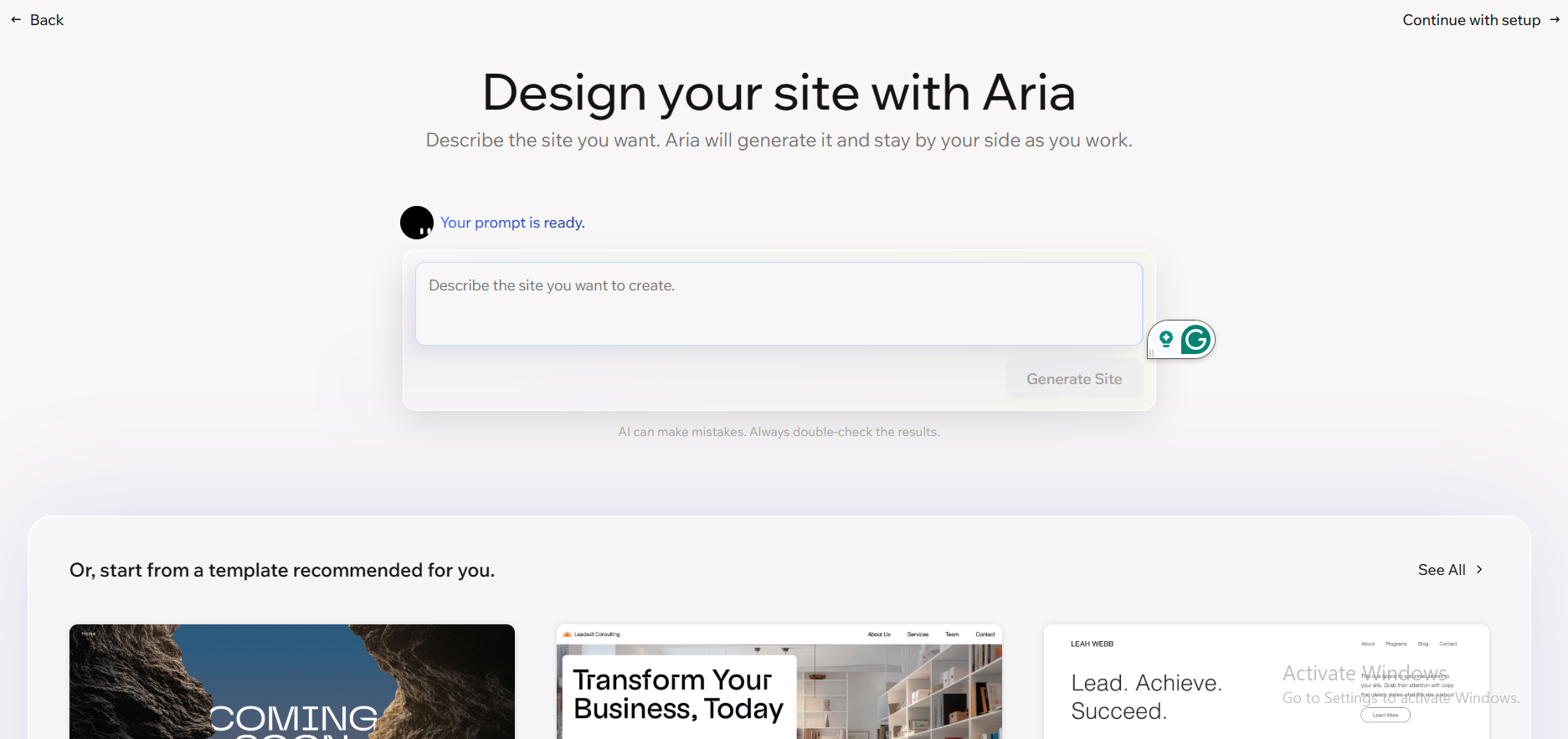
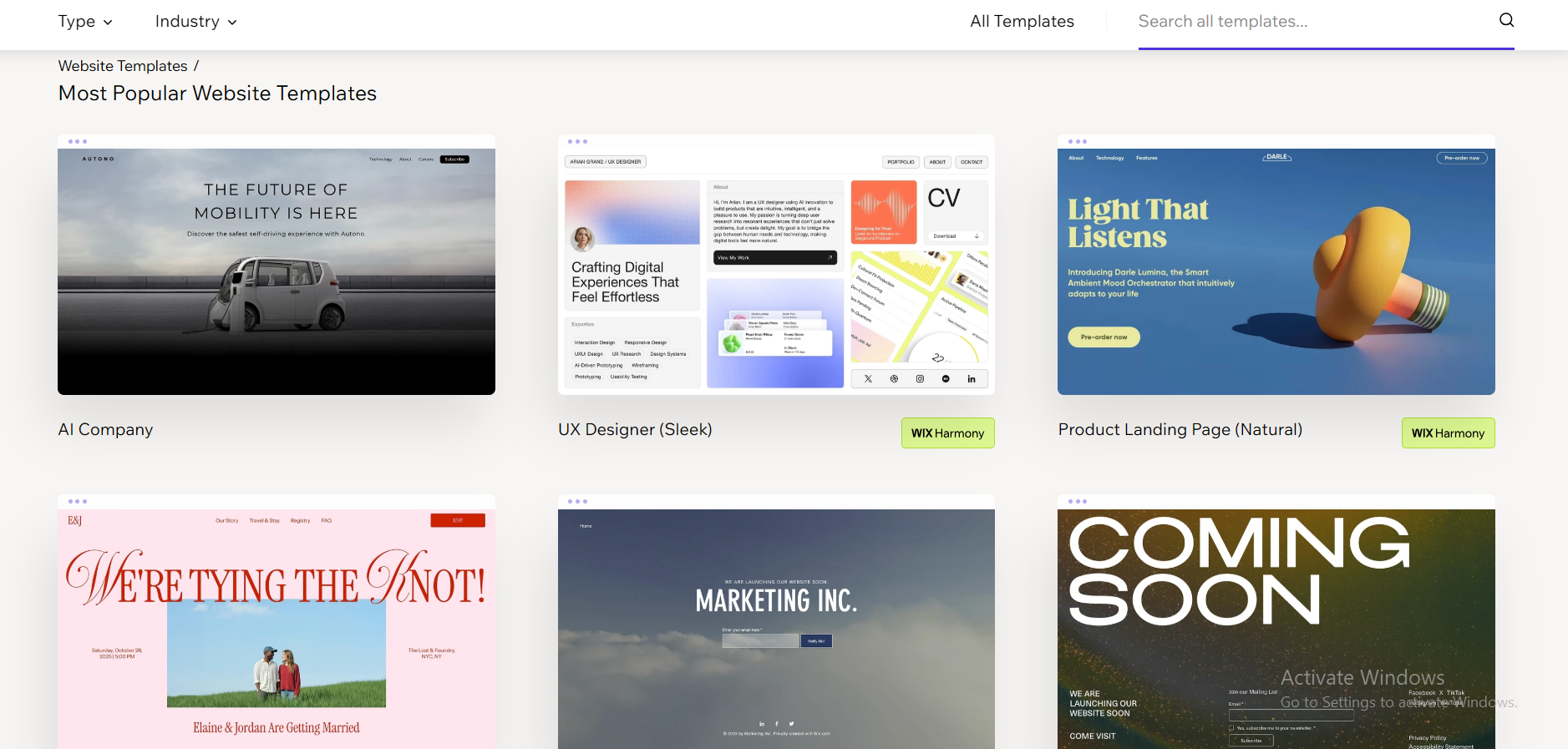
In 2026, Wix also introduced Wix Harmony, a hybrid editor that uses drag-and-drop website building and AI assistance. The Wix AI tool, called Aria, can generate page sections, write copy, and suggest layouts based on your goals, though you still have the option to build everything manually if you prefer that.
Wix for events is one of its strongest selling points. With the Wix Events app, you can create event pages, sell tickets, set up RSVPs, manage guest lists, send automated reminder emails, and even display seating maps, all directly from your site, without connecting a third-party tool.
Wix also offers Wix Bookings, which lets service-based businesses manage appointments, send payment requests, and manage staff calendars from a single dashboard. It is one of the few platforms that combines a full website builder with booking, events, and e-commerce into a single product at this level of depth.
Key differentiators:
- Wix Events — native ticketing, RSVPs, seating charts
- Wix Bookings — appointment scheduling and staff calendars
- App Marketplace — 250+ integrations (many paid add-ons)
- No code export — full platform lock-in
Best for: Businesses needing native booking systems, event management, or deeply integrated e-commerce functionality.
What is Readdy? – The AI-Powered Website Builder Built for Speed
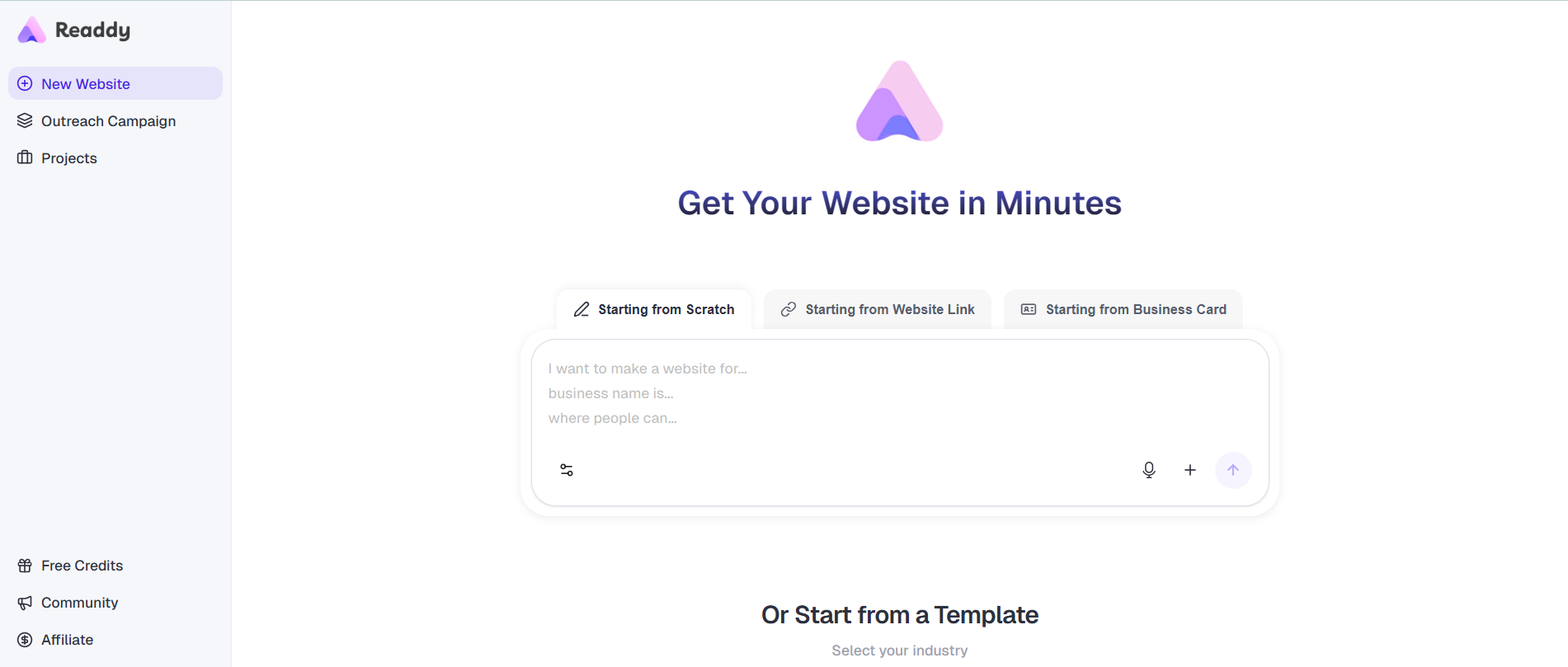
Readdy is an AI-native full-stack website and application generation platform. Instead of acting as a visual editor, it functions as a system that generates complete, deployable products from natural language prompts, screenshots, or URLs.
It is designed for non-technical founders, agencies, internal teams, and e-commerce operators who need production-ready systems—not just static websites.
Readdy generates both frontend and backend infrastructure, including databases, authentication systems, and deployment configurations.
Key differentiators:
- AI-native full-stack generation: Creates frontend + backend automatically
- Built-in backend system: Database, authentication, storage, Supabase integration
- Full production code export: React + Tailwind + TypeScript + HTML + Vue + Figma
- Deployable output by default: Fully working websites, not partial templates
- AI optimization layer: Proactively improves SEO, GEO (AI search optimization), and conversion structure
- Built-in SEO + GEO system: One-click submission to Google Search Console
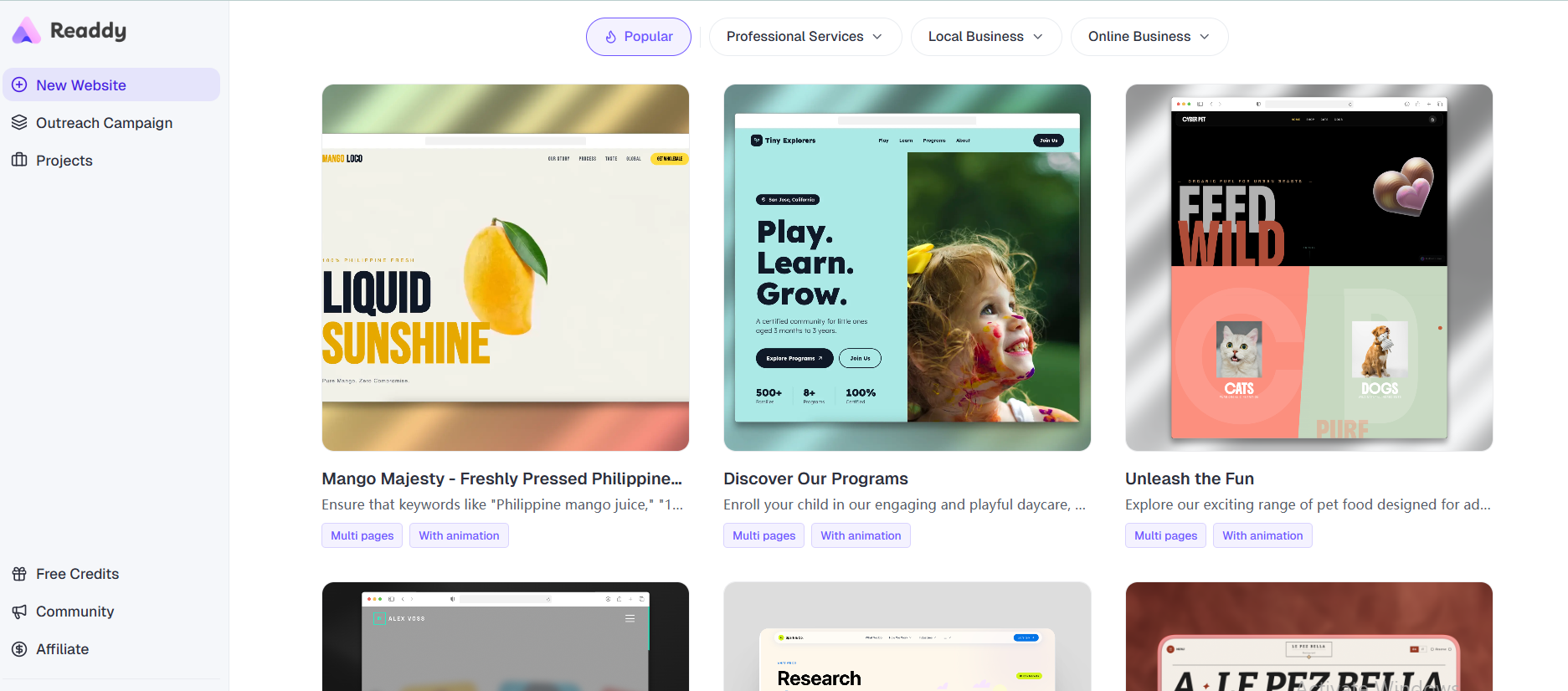
- 500+ templates: Large template ecosystem for fast starts
- Hosting + self-host flexibility: Built-in hosting plus full external export
- Team collaboration: GitHub sync + multi-user workflows
- Setup time: Minutes from prompt to production system
Readdy is currently one of the only AI website builders that combines full-stack generation, backend infrastructure, and multi-framework code export in a single workflow.
Detailed Feature Comparison
Website Building Experience
| Aspect | Wix | Readdy |
|---|---|---|
| Starting workflow | Templates or AI assistant | Prompt, screenshot, URL, or template |
| Time to first draft | 30–120 minutes | Minutes (full system generation) |
| Editing paradigm | Drag-and-drop + AI suggestions | AI system regeneration + structured editing |
| Multi-page generation | Manual | Automatic full-site architecture |
| Mobile optimization | Manual adjustments often needed | Auto-generated responsive layouts |
| Learning curve | Moderate | Very low |
AI & System Capabilities
| Capability | Wix | Readdy |
|---|---|---|
| Full site generation | Section-based only | Full-stack application generation |
| Backend system | No | Yes — DB, auth, storage, Supabase |
| Code export | No | Yes — React / TS / Vue / Figma |
| Copy generation | Per section | Full-site + SEO + conversion copy |
| Image generation | Basic tools | Layout-aware AI asset generation |
| URL cloning | No | Yes |
| Natural-language editing | Limited | System-wide conversational control |
Design & Customization
Wix provides deep visual control with hundreds of templates and granular drag-and-drop editing. It is ideal for users who want pixel-level control over layout and styling.
Readdy prioritizes structured design systems generated by AI. While less manual, it produces production-ready layouts that follow modern UX patterns by default. Advanced users can export full codebases for external customization.
E-commerce & Business Features
| Feature | Wix | Readdy |
|---|---|---|
| Native store | Yes | Via Shopify integration |
| Booking system | Wix Bookings | External tools only |
| Event management | Wix Events | No native support |
| Payments | Built-in | Via integrations |
| App ecosystem | 250+ apps | Limited integrations |
| Backend logic | Basic | Full backend system |
Wix remains stronger for businesses requiring deeply integrated commerce, booking, and event systems. Readdy is optimized for fast deployment of marketing sites, SaaS MVPs, and scalable web applications.
Readdy Plans (Credit-Based)
| Plan | Price | Features |
|---|---|---|
| Free | $0 | Limited credits, 2 projects |
| Starter | $25/mo | Code export + hosting |
| Pro | $25/mo | Full-stack generation + SEO/GEO |
| Agency | Custom | Teams + GitHub sync |
Cost structure advantage:
No mandatory app marketplace — most functionality is built-in.
SEO & GEO Capabilities
| Feature | Wix | Readdy |
|---|---|---|
| SEO automation | Partial | Full AI-driven |
| GEO (AI search optimization) | No | Yes |
| Search Console integration | Native | One-click setup |
| Site structure | Manual | AI-generated |
| Technical SEO | Advanced manual control | Auto-optimized |
Readdy introduces GEO optimization, meaning it actively structures content for AI search engines and generative discovery systems, not just Google.
How to Build a Site
Readdy Workflow
- Describe your idea in natural language
- Generate full-stack website in minutes
- Edit using conversational instructions
- Add integrations (Shopify, Calendly, etc.)
- Publish or export full codebase
Wix Workflow
- Choose template or AI assistant
- Manually edit pages in drag-and-drop editor
- Install apps for advanced features
- Adjust mobile layout manually
- Publish with paid plan
Wix vs Readdy Ease of Use: Which is Better for Beginners?
Wix is designed to be beginner-friendly, and it mostly delivers on that. The onboarding flow asks the right questions and gets you to a starting point quickly. The learning curve comes in when you want to go beyond the basics, adjusting the mobile layout, setting up advanced automations, or connecting apps. These tasks require navigating multiple menu layers, and the interface can feel cluttered once your site grows.
Readdy offers one of the simplest AI website builders for beginners. The setup process takes under five minutes. You describe your site, the AI builds it, and you refine it with prompts. There is no need to understand design principles, grid systems, or layout logic. The AI handles all of that. Wix might take a few hours to a few days to feel comfortable. Readdy can have a beginner live in under 30 minutes.
That said, advanced users may find Readdy limiting if they want deep customization without exporting the code. And Wix's mobile app, which lets you manage your site and respond to visitors on the go, is a feature Readdy has not yet matched.
Pros and Cons: Wix vs Readdy
Wix Pros
- Massive app marketplace with 250+ integrations
- Strong native tools for booking, events, and e-commerce
- Deep SEO controls and Google Search Console integration
- Over a decade of platform stability and reliability
- Multiple plans to scale with your business
- AI-assisted editing through Wix Harmony
Wix Cons
- Can get expensive once you add premium apps, with some adding $20 to $100+/month on top of the base plan
- The interface has a noticeable learning curve, especially for non-technical users.
- No site export, you are locked into Wix if you ever want to switch platforms.
- AI tools are add-ons to a traditional system, rather than built into the core workflow.
- The free plan has significant limitations and shows Wix branding throughout.
Readdy Pros
- Fastest path from idea to live website on any platform tested
- Generates visually polished, mobile-responsive sites out of the box with no design experience needed
- Code export gives you full ownership of your site, no platform lock-in
- Screenshot-to-website and URL cloning are genuinely powerful time-savers
- Lower pricing at entry and mid tiers compared to Wix, with more included per plan
- Multi-year plans offer substantial savings (around 50% off for 2 years, 60% off for 3 years), with flexible credit cycle resets built in
- Cleaner, simpler interface that does not require hours of learning to use well
Readdy Cons
- No native booking or event management tools yet
- E-commerce is handled via integrations rather than built-in tools
- Smaller community and fewer tutorials compared to Wix
- The credit model requires monitoring on the free plan
Best Use Cases: AI Website Builder for Small Businesses, Freelancers, and More
For Beginners: No-Code AI Website Builder vs Traditional Drag-and-Drop
Readdy is the better pick for complete beginners. It allows you to build a website with AI using nothing but a text description, which removes almost every barrier that makes traditional website building frustrating. You do not need to understand design. You do not need to learn any software. You describe what you want, and it builds. Wix is also beginner-friendly, but it asks more of you upfront.
For Freelancers
Readdy is a strong option for freelancers, especially those building their own portfolio. The speed of the AI workflow means you can go from a brief to a polished draft in minutes. Freelancers who specifically need to manage bookings or sell services through their site will want to weigh Wix's native scheduling tools, but for most freelance use cases, Readdy's output and pricing make it the more efficient choice.
For Startups
Readdy has a clear advantage for early-stage startups that need to get a landing page or marketing site live fast. The AI website builder is perfectly matched to the speed at which startups operate. Once a startup needs booking, memberships, or a more complex e-commerce website setup, Wix becomes more relevant.
For E-commerce Businesses
For large, product-heavy online stores, Wix's native e-commerce tools, inventory management, subscriptions, digital products, and more give it an advantage. Readdy handles e-commerce through Shopify integrations, which works well for many small stores but does not match Wix's depth for high-volume selling. This is one area where your specific needs should guide the decision, and Wix's e-commerce setup is genuinely worth considering if running a full online store is your primary goal.

FAQs: Wix vs Readdy
Is Readdy better than Wix for beginners?
Yes. Readdy removes interface complexity entirely by generating full-stack websites from natural language.
Can Readdy replace Wix?
For marketing sites, SaaS MVPs, portfolios, and landing pages — yes. For advanced e-commerce and booking-heavy businesses — not fully.
Does Readdy support backend systems?
Yes. It includes database, authentication, storage, and optional Supabase integration.
Can I export my website from Readdy?
Yes. You can export full production codebases (React, TypeScript, Vue, HTML, Figma).
Which is cheaper?
Readdy is generally cheaper due to bundled functionality. Wix often requires additional paid apps.
Does Wix support events and bookings?
Yes. Wix has native systems for both.
Final Verdict
Choose Readdy if:
- You want a full-stack website or application in minutes
- You need backend systems built in
- You want full code ownership and exportability
- You are building SaaS, startups, or agency workflows
- You prefer AI-driven generation over manual design
Choose Wix if:
- You need native e-commerce, bookings, or event systems
- You want deep drag-and-drop visual control
- You rely heavily on built-in business tools
- You are okay with platform lock-in
Wix is a mature website builder ecosystem. Readdy is a full-stack AI generation platform. Wix gives control. Readdy gives speed + system-level automation + code ownership.
In 2026, the decision is no longer just about design—it is about whether you want to build pages or generate systems.

Frank Zhu
Frank is the founder of Readdy.ai. A developer-turned-founder with 10+ years of product experience, Frank loves great design, and he's building the tools he wishes he had when launching his first startup.