7 Best AI Website Builders for Beginners in 2026 (Tested & Ranked)
We tested 7 AI website builders so you don't have to. Here's which one gets beginners to a live site fastest in 2026 — no coding required.

Frank Zhu
Frank is the founder of Readdy.ai. A developer-turned-founder with 10+ years of product experience, Frank loves great design, and he's building the tools he wishes he had when launching his first startup.
AI website builders have changed the starting point for anyone who wants a website but doesn't write code. Instead of picking a template and spending hours arranging elements on a page, you describe what you need in plain language and the AI generates a complete site with layout, copy, images, and structure already in place. The best AI website builders for beginners in 2026 can take you from a blank screen to a published, responsive website in under an hour, and the best no-code website builders with AI handle everything from design to hosting without requiring technical skills.
That said, the tools in this category vary quite a bit. Some generate entire multi-page sites from a single prompt. Others use AI to assist with specific tasks like writing headlines or suggesting colour palettes, while the building process itself remains largely manual. The amount of work that falls on you after the AI does its part ranges from minor tweaks to several hours of editing, depending on which platform you choose. We tested them all to determine the best AI website builders 2026 has to offer for non-technical users.
We've used all seven of the builders covered in this guide. This comparison looks at what each one generates out of the box, how much refinement you'll realistically need, where the learning curve sits for non-technical users, and what it costs once the trial period ends.
TL;DR: Best AI Website Builders for Beginners
This guide covers seven platforms, each suited to a slightly different situation. Here's a quick overview before we get into the detail.
Most automated: Readdy generates complete multi-page sites from a text prompt, screenshot, or URL, including layout, copy, images, and responsive design. You can refine the output using natural language or a visual editor, and it requires the least manual work after generation of the tools we reviewed.
Largest ecosystem: Wix uses a chatbot-style setup backed by 2,500+ templates and one of the biggest app marketplaces available. The AI gets you started, and the editor gives you room to customise extensively.
Strongest design templates: Squarespace pairs AI-assisted setup with its signature polished aesthetic. The results look premium, though the process involves more manual decision-making than prompt-based generators.
Most affordable: Hostinger bundles an AI website builder with hosting from around $2.99/month. The output is straightforward, but the price makes it a reasonable starting point for anyone watching their budget.
Best for online stores: Shopify's AI features help with product descriptions and store layouts. It's a specialised ecommerce platform, so it fits here only if you're selling products.
Best for WordPress users: 10Web generates WordPress sites using AI, then hands off to the Elementor editor for customisation.
Best design flexibility: Framer AI produces visually impressive sites with strong animation support, though its editor sits closer to professional design software than a typical beginner builder.
What "Beginner-Friendly" Means for an AI Website Builder in 2026
The phrase gets used loosely in this space, so it helps to be specific about what we looked for when evaluating these tools.
We assessed five things. First, how many decisions the platform asks you to make before it generates anything. Some tools need two or three sentences about your business and produce a working website. Others open with a template gallery containing hundreds of options, which can feel overwhelming if you're starting from zero.
Second, whether someone with no website experience could figure out the interface within an hour. A tool that requires tutorial videos before you can change a headline has a learning curve that works against beginners, regardless of how capable the AI is.
Third, whether the AI handles design decisions competently on its own. Typography, colour palettes, spacing, section ordering: these are things a good AI website builder should manage without asking you to weigh in. Beginners want to focus on their content and messaging, not debate whether a button should have 16px or 20px of padding.
Fourth, whether the output requires any coding to customise. Several well-known tools in 2026 (Lovable, Bolt.new, v0 by Vercel) generate impressive results but produce code you're expected to work with. They're built for developers who want to accelerate coding workflows, so we've excluded them from this guide.
Fifth, whether the path from idea to published website stays within a single platform. If you need to configure hosting separately, manage DNS records, or install SSL certificates through a third-party provider, the tool adds complexity that beginners shouldn't need to deal with.
Not All AI Website Builders Work the Same Way
One thing worth understanding before choosing a platform is that "AI website builder" describes several fundamentally different approaches. The distinctions explain why some tools feel effortless and others feel more like a traditional builder with an AI layer on top.
Prompt-based full site generators represent the highest level of automation. You describe your business or project in plain language and the AI produces an entire website: layout, navigation, pages, copy, and images. Readdy works this way as a production-ready website generator, and so does Durable. The AI handles the structural and creative decisions upfront, and you review and refine. For beginners, this category tends to require the least effort.
Template-first builders with AI content tools take a more conventional approach. You choose a template, and the AI helps generate text, suggest images, or adjust layouts within that framework. Squarespace's Blueprint feature works like this. You're still making design decisions yourself, but the AI assists with individual tasks along the way.
AI-assisted traditional builders add AI features to an existing drag-and-drop platform. Wix is the clearest example: its chatbot can generate an initial site, but once you're past that step, you're working in the standard Wix editor. The AI provides a starting point, and the platform underneath is a traditional builder with its own set of capabilities.
Screenshot and reference-based generators take a visual input (a screenshot, mockup, or URL) and produce a website that approximates what they see. Readdy supports this alongside text prompts, which is useful when you have a reference site or design mockup you'd like to work from. (For a deeper look at this workflow, see our guide on how to build a website from a screenshot or image.)
The category a tool falls into determines how much work lands on you. A prompt-based generator might produce 80% of your finished site in the first minute. A template-first builder with AI assistance might save you 30% of the effort compared to building everything manually. Both get marketed as "AI website builders," but the experience of using them differs considerably.
Comparison Table: Best AI Website Builders for Beginners in 2026
| Builder | Best For | Ease of Use | AI Automation Level | Editing Required After AI | Starting Price | Rating |
| Readdy | Full automation, non-technical users | Very easy | Very high | Minimal | Free / $15/mo | 9.2 |
| Wix | All-rounders who want options | Easy | Moderate | Moderate | Free / $17/mo | 8.5 |
| Squarespace | Design-conscious creators | Moderate | Low-moderate | Significant | $16/mo | 8.3 |
| Hostinger | Budget-conscious starters | Easy | Moderate | Moderate | $2.99/mo | 7.8 |
| Shopify | Online store owners | Easy (ecommerce) | Moderate | Moderate | $29/mo | 8.0 |
| 10Web | WordPress users | Moderate | Moderate | Moderate-high | $10/mo | 7.5 |
| Framer AI | Design-forward sites | Steep for beginners | Moderate | Significant | Free / $5/mo | 7.9 |
This table reflects our experience testing each platform as a non-technical user. If you're looking for the best AI website builders in 2026, these ratings weight ease of use and AI automation more heavily than raw feature count, since those factors matter most to beginners.
Detailed Breakdown of Each Builder
Readdy
Who it's for: Anyone who wants a finished-looking website with the least amount of hands-on work. As a no-code AI website builder and AI website builder for small businesses, Readdy is particularly well suited to freelancers, founders, and small business owners who need to get online quickly without learning design software.
What the AI handles: Readdy generates complete multi-page websites from a text description, a screenshot, or even a URL you paste in. You can build a website from text with AI by describing your business in a few sentences, build a website from a screenshot by uploading a reference image, or convert a website link into an editable project by pasting a URL. The output includes page structure, navigation, headlines, body copy, images, and responsive layouts. You can also use natural language to make changes after generation, telling the AI to "add a testimonials section" or "make the header darker" and watching it update in real time.
How much manual editing is required: Less than any other tool we tested. The generated sites are closer to publish-ready than what you'll get from most competitors. You'll still want to replace placeholder copy with your own content and swap in real images, but the structural and design work is largely done for you.
Where beginners might get stuck: The sheer number of options within the visual editor can feel like a lot at first, though the natural language editing means you don't need to learn the interface to make changes. If you know what you want to change, you can describe it in words.
Strengths: Highest automation level in this category. Supports text prompts, screenshots, and URL-based generation, giving you multiple ways to start. Built-in SEO tools, domain registration, hosting, and SSL are all handled within the platform.
Limitations: The platform is newer than Wix or Squarespace, so its app ecosystem is smaller. If you need a very specific third-party integration that isn't supported yet, check the current list before committing.
Pricing: Free plan available (2 projects, 250 credits/month). Starter plan at $15/month (billed annually) includes a custom domain, 10 projects, and removes Readdy branding. Pro plan at $24/month adds unlimited projects and higher credit limits.
Wix (AI Version)
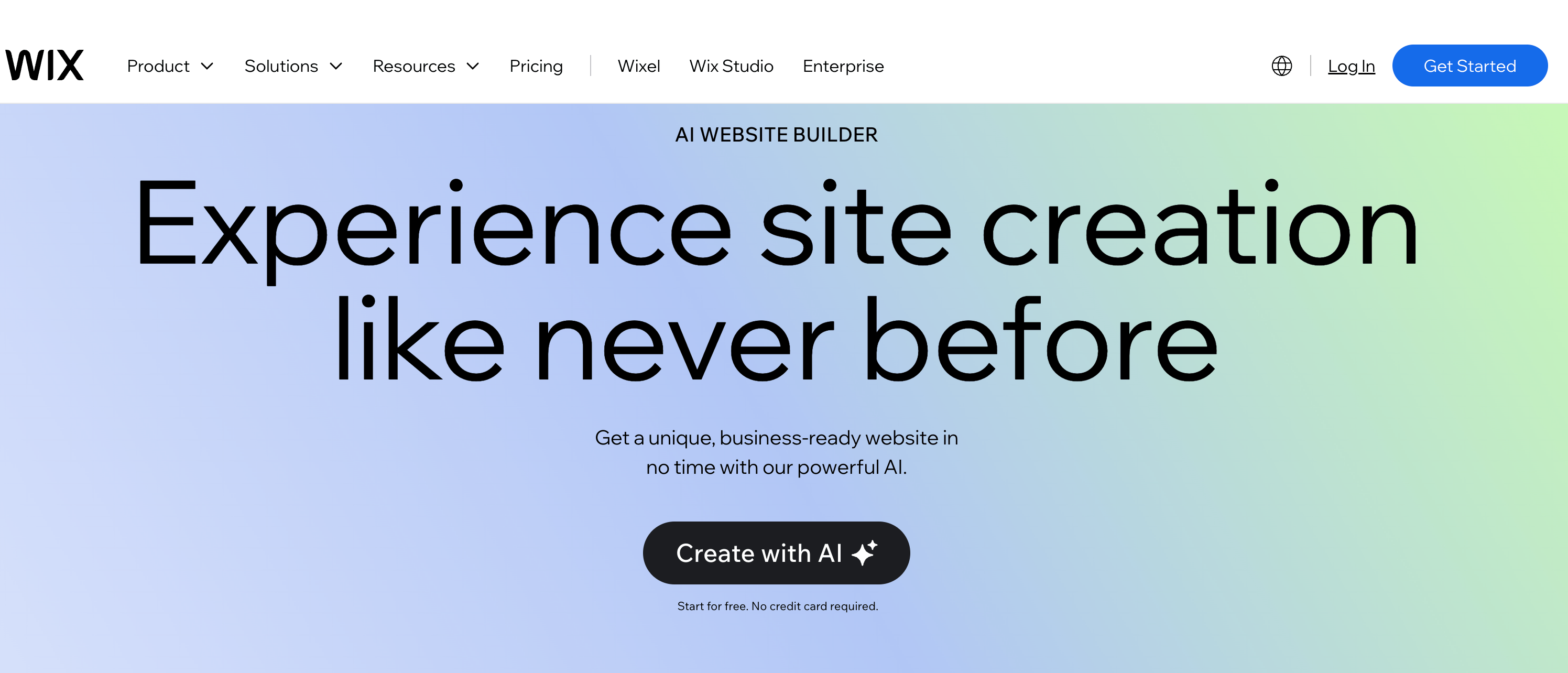
Who it's for: People who want a broad set of features and don't mind spending time in a full-featured editor. Wix works well if you'd like AI to handle the initial setup but want extensive manual control afterward.
What the AI handles: Wix's AI chatbot asks questions about your business type, goals, and style preferences, then generates a complete website. The AI also powers individual tools within the editor for generating text, creating images, and suggesting design adjustments.
How much manual editing is required: Moderate. The AI-generated starting point is functional but often generic in its content and layout choices. You'll likely spend a few hours customising sections, replacing AI-written copy, and adjusting the design to match your brand.
Where beginners might get stuck: Wix's editor is powerful but packed with options. The drag-and-drop interface offers granular control over every element, which experienced users appreciate but beginners sometimes find overwhelming. Navigating the app marketplace (800+ integrations) also requires some familiarity with what you're looking for.
Strengths: Massive template library (2,500+), the largest app marketplace of any website builder, solid ecommerce features on higher plans, free plan available for testing, and 24/7 customer support.
Limitations: Sites can load slower than competitors. Once you publish with a template, you can't switch to a different one without rebuilding. The free plan includes Wix branding and ads. Ecommerce requires the Core plan at $29/month minimum.
Pricing: Free plan available with Wix branding. Light plan at $17/month removes ads and includes a custom domain. Core plan at $29/month adds ecommerce. Business plan at $36/month for advanced features.
Squarespace
Who it's for: Creatives, photographers, artists, and small business owners who prioritise visual polish above all else. Squarespace consistently produces the most aesthetically refined templates in this category.
What the AI handles: Squarespace's Blueprint AI guides you through a series of design choices: layout preferences, colour palettes, fonts, and section structures. The AI assembles a site based on your selections, generating content suggestions along the way. It's more of a guided setup than a full generation.
How much manual editing is required: Significant. Squarespace gives you more creative control during the AI process, but that also means more decisions fall on you. After setup, expect to spend time refining layouts, writing or rewriting copy, and adjusting the design to match your vision.
Where beginners might get stuck: The editor is less intuitive than Wix's for first-time users, and customisation options can feel rigid compared to drag-and-drop builders. Moving elements around requires working within Squarespace's section-based layout system.
Strengths: Beautifully designed templates that consistently outclass competitors on visual quality. Strong built-in features for scheduling, forms, and ecommerce. Reliable performance and fast page load times.
Limitations: Lower AI automation than prompt-based generators. No free plan (14-day free trial only). The template system offers less flexibility than a fully drag-and-drop editor.
Pricing: Personal plan from $16/month. Business plan from $33/month with ecommerce. No free plan, but a 14-day trial is available.
Hostinger Website Builder
Who it's for: Budget-conscious users who need a simple, functional website without paying premium prices. Hostinger is a sensible choice if your requirements are straightforward and cost is a primary concern.
What the AI handles: Hostinger's AI generates a website based on your business description, producing layout, content, and images. The output covers the basics reliably: clean layouts, readable typography, and logical page structure.
How much manual editing is required: Moderate. The generated sites are clean but not particularly distinctive. You'll want to customise the design beyond what the AI provides to avoid looking like every other Hostinger-built site.
Where beginners might get stuck: Customisation options are more limited than Wix or Squarespace. If you want something that stands out visually, the tools available may feel restrictive.
Strengths: Extremely affordable pricing that includes hosting, a free domain, and SSL. The AI generates usable sites quickly. Good enough for small businesses, freelancers, and personal projects that need a clean online presence.
Limitations: Design output can feel generic. Fewer integrations and third-party apps than larger platforms. Limited ecommerce capabilities compared to Shopify or Wix. Customer support quality is inconsistent based on user reports.
Pricing: Plans start from approximately $2.99/month (billed annually), which includes hosting and a free domain. One of the most affordable options in this category.
Shopify (AI Features)
Who it's for: Anyone building an online store. Shopify's AI features are designed specifically for ecommerce, so this recommendation only applies if you're selling physical or digital products.
What the AI handles: Shopify uses AI to generate product descriptions, suggest store layouts, create email marketing copy, and optimise product images. Shopify Magic (the AI feature suite) helps with writing tasks throughout the platform, from product pages to blog posts.
How much manual editing is required: Moderate, but focused on ecommerce-specific content. You'll need to upload your own product images, set pricing, configure shipping, and refine the AI-generated descriptions to match your brand voice.
Where beginners might get stuck: Shopify is an ecommerce platform first, so beginners who need a general business website (not a store) will find it unnecessarily complex. The admin panel is designed around inventory, orders, and shipping workflows that don't apply to non-retail sites.
Strengths: The most capable ecommerce platform for beginners. Handles payment processing, inventory management, shipping calculations, and tax collection out of the box. Large app ecosystem for extending functionality.
Limitations: Expensive for a simple website. The AI features enhance the ecommerce workflow but don't generate complete websites the way Readdy or Wix do. Transaction fees apply on plans below Advanced.
Pricing: Basic plan from $29/month. Shopify plan from $79/month. No free plan, but a 3-day free trial and $1/month introductory offer for the first 3 months are typically available.
10Web
Who it's for: People who want the flexibility of WordPress without the usual setup complexity. 10Web appeals to users who either already use WordPress or want the long-term extensibility that WordPress provides.
What the AI handles: 10Web's AI generates WordPress sites using the Elementor page builder. You provide business details and the AI creates pages, content, and layouts within the WordPress framework. It can also recreate existing sites by analysing a URL.
How much manual editing is required: Moderate to high. The AI provides a solid starting point, but WordPress customisation (even through Elementor's visual editor) involves more decisions and interface complexity than simpler builders. Themes, plugins, and settings require attention.
Where beginners might get stuck: WordPress itself has a learning curve. Even with 10Web simplifying the setup, beginners need to understand concepts like themes, plugins, updates, and hosting environments. The Elementor editor is intuitive for drag-and-drop changes but has its own set of tools to learn.
Strengths: WordPress flexibility means you have access to thousands of plugins and themes. Google Cloud hosting is included. The AI can generate or recreate sites quickly. Long-term scalability is strong because WordPress can grow with your needs.
Limitations: More complex than purpose-built AI website builders. WordPress maintenance (updates, security patches, plugin compatibility) falls on you. The AI-generated output sometimes needs more refinement than simpler tools.
Pricing: Plans start from $10/month (billed annually), which includes hosting on Google Cloud, a custom domain, and AI tools. Higher-tier plans offer more visitors, storage, and features.
Framer AI
Who it's for: Users who want visually distinctive, animation-rich websites and are willing to learn a more sophisticated editor. Framer appeals to designers, agencies, and anyone who values creative control over simplicity.
What the AI handles: Framer's AI generates pages and sections from text prompts, producing layouts with strong visual design and animation capabilities. The AI also assists with content generation and layout suggestions within the editor.
How much manual editing is required: Significant. Framer's strength is its design flexibility, which means you'll want to spend time customising the output to take advantage of what the platform offers. The AI gives you a solid starting point, but the real value comes from refining it.
Where beginners might get stuck: Framer's interface is closer to professional design software (like Figma) than a typical website builder. The layering system, component structure, and animation controls are powerful but overwhelming for users who have never worked with design tools before.
Strengths: Produces the most visually impressive output of the tools in this list. Strong animation and interaction support. Clean code output. Free plan available. Growing community and template marketplace.
Limitations: Steep learning curve for true beginners. The interface assumes some familiarity with design concepts. Customer support is largely community-driven (Discord, documentation) rather than dedicated support teams. Not ideal if you need ecommerce features.
Pricing: Free plan available with Framer branding. Mini plan from $5/month for a custom domain. Basic plan from $15/month. Pro plan from $30/month for advanced features.
How to Choose the Right AI Website Builder as a Non-Technical User
With seven options on the table, the decision comes down to a few practical questions about your situation.
What's your budget? If you're watching every pound, Hostinger's $2.99/month plan covers the basics. Readdy's free plan lets you build and test without paying, and the $15/month Starter plan competes well with Wix and Squarespace on value. If budget isn't a constraint, choose based on features rather than price.
What are you building? An online store points toward Shopify. A portfolio or creative site suits Squarespace or Framer. A general business website, landing page, or service-based site is where Readdy and Wix perform strongest. A WordPress-based project calls for 10Web.
How much do you want to learn? If the answer is "as little as possible," a prompt-based AI website generator like Readdy minimises the learning curve. If you enjoy the process of tweaking designs and exploring options, Wix's feature-rich editor or Framer's design tools will keep you engaged.
How important is design quality? Squarespace and Framer lead on pure aesthetics. Readdy produces polished results with less effort. Hostinger's output is functional but plain.
Are you thinking long-term? WordPress (through 10Web) offers the most flexibility for future growth, including thousands of plugins and the ability to migrate hosting. Wix's large ecosystem supports scaling, though you're locked into the platform. Readdy's integration support is growing, and its approach to AI-first building positions it well as the technology continues to improve.
Common Questions About AI Website Builders for Beginners
Do I need coding knowledge to use an AI website builder?
No. Every platform in this guide is designed for non-technical users. You can build, customise, and publish a website entirely through visual interfaces and natural language prompts. Some platforms (like Framer) allow optional code access for advanced customisation, but it's never required.
Are AI-generated websites customisable?
Yes. All seven builders let you edit the AI-generated output through visual editors. You can change text, images, colours, layouts, and section ordering. The degree of control varies: Framer and Wix offer the most granular editing, while Readdy and Hostinger focus on simplicity. None of these tools lock you into accepting exactly what the AI produces.
Are AI website builders good for SEO?
The generated sites provide a reasonable foundation for SEO, including clean HTML structure and correct heading hierarchy. Readdy, Wix, and Squarespace all include built-in SEO tools for managing meta titles, descriptions, and page URLs. What the AI can't do for you is write genuinely helpful content, earn backlinks, or build topical authority. Those require ongoing effort regardless of which platform you use.
Can beginners build ecommerce stores with AI?
Shopify is the strongest option for ecommerce beginners. Wix also offers solid online store features on its Core plan ($29/month). Readdy integrates with Shopify for users who want AI-generated design paired with Shopify's ecommerce infrastructure. Squarespace includes ecommerce on its Business plan. For simple product sales, any of these work. For complex inventory management, Shopify is the clearest choice.
How much editing is usually required after the AI generates a site?
It depends on the platform. With Readdy, you might spend 30 minutes to an hour replacing placeholder content and making minor adjustments. With Wix or Squarespace, expect a few hours of customisation to get the site looking and reading the way you want. With Framer, plan for several hours if you want to take advantage of its design capabilities. No AI builder produces a site that's ready to publish without any human input, but the best ones get you 80% of the way there in minutes.
Are AI builders cheaper than traditional website builders?
Generally, yes. The AI component doesn't add a premium to pricing. Readdy, Wix, and Hostinger all offer free plans, and their paid tiers are competitively priced with traditional builders. The real savings come from time: a site that would take days to build manually can be generated and refined in hours. If you'd otherwise hire a designer or developer (typically $2,000-$10,000 for a basic business site), the cost difference is significant.
Choosing Between Simplicity and Flexibility
The best AI website builders for beginners in 2026 share a common goal: getting non-technical users from idea to live website with as little friction as possible. But they approach that goal differently, and the right choice depends on what you value most.
If automation matters more than customisation, a prompt-based AI-powered website builder like Readdy delivers the most complete output with the least manual work. You describe what you want, the AI builds it, and you refine the details. For beginners who want to get online quickly, that workflow removes most of the complexity that makes traditional website building intimidating.
If you want extensive control and don't mind a learning curve, Wix gives you the broadest set of features and the largest ecosystem. Squarespace offers the most refined design templates. Framer provides the most creative freedom. Each requires more time and effort than a fully automated approach, but the payoff is a site you've shaped precisely to your vision.
And if your needs are specialised, Shopify handles ecommerce better than any general builder, 10Web unlocks the WordPress ecosystem, and Hostinger keeps costs as low as they go.
For beginners who also need to create presentations or pitch decks alongside their website, ChatSlide is a no-code AI slide maker that works in the same no-code, prompt-based way — describe what you need, and it generates a complete presentation for you.
The most important thing is to start. Every platform on this list offers a free plan or trial, so you can test the experience before committing. Pick the one that matches your comfort level and your project's requirements, build something, and improve it over time. A good website that exists today is worth more than a perfect one that never gets built.
Frank Zhu
Frank is the founder of Readdy.ai. A developer-turned-founder with 10+ years of product experience, Frank loves great design, and he's building the tools he wishes he had when launching his first startup.