




How to Create a Website from a Business Card
Learn how to turn a business card into a full website using AI. Step-by-step guide with Readdy's AI business card generator and website builder.

Frank Zhu
Frank is the founder of Readdy.ai. A developer-turned-founder with 10+ years of product experience, Frank loves great design, and he's building the tools he wishes he had when launching his first startup.
Having a business card is a great way to network, but it only takes you so far. It can introduce you in person, but it can’t help people find you online and learn more about your work. For that, you need a website, which gives people a place to explore what you offer, see your credibility, and get in touch. Creating a website from a business card used to be quite a task. You would hire a developer or pick a template, manually enter all your information, figure out the structure in a website builder, and spend days, sometimes weeks, getting a basic site live.
AI website builders have completely changed that. These tools can read the information on a business card and use it to generate a complete, professional website in minutes.
This guide explores exactly how that works, which tools to use, and what the process looks like step by step.
Quick Answer: Can You Really Create a Website From a Business Card?
Yes, with AI website builders, you can. These tools can extract your company name, contact details, logo, and brand colors from a business card and use this data to automatically generate a complete website in minutes. For example, Readdy, an AI-powered website builder, supports a dedicated "Create From Business Card" workflow. You upload an image of your card, and the AI handles the rest.
The result isn't a rough draft that needs weeks of cleanup. It's a structured and properly styled website built around the brand identity already present in your card. From there, you can refine it further to match your requirements.
The basic workflow is: you upload your card, AI generates a complete website, you adjust the copy, and publish your site.
What Is a Business Card?
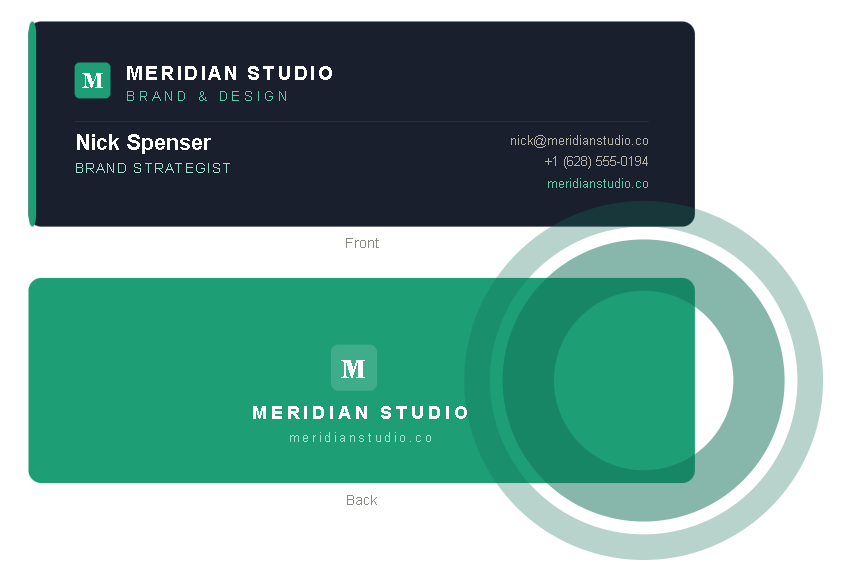
A business card is a small printed card that carries your professional contact information, including name, title, company, phone number, email, website, and sometimes a logo or tagline. Most business cards are standard credit card size (85 × 54mm), but many also use folded, square, or die-cut formats.
The practical purpose of having a business card is simple: make it easy for someone you've just met to contact you later. But, beyond the contact info, a well-designed business card also represents brand identity. The fonts, colors, and logo placement all create an impression of how a business looks and feels. In fact, 72% of people form an opinion about a business based on how its business card looks and feels.
When you upload your business card in an AI website builder to create a website, the tool uses this textual and visual data as the foundation for a website.
What Is an AI Business Card Generator?
An AI business card generator is an AI-powered tool that automatically creates professional business card designs from your input. You provide basic details like business name, role, contact details, and brand preferences, and the tool produces a well-designed card that you can download, print, or share digitally.
It saves you significant time. You don’t have to start from a blank canvas and spend hours designing the card and fixing the layout. The AI does all the work.
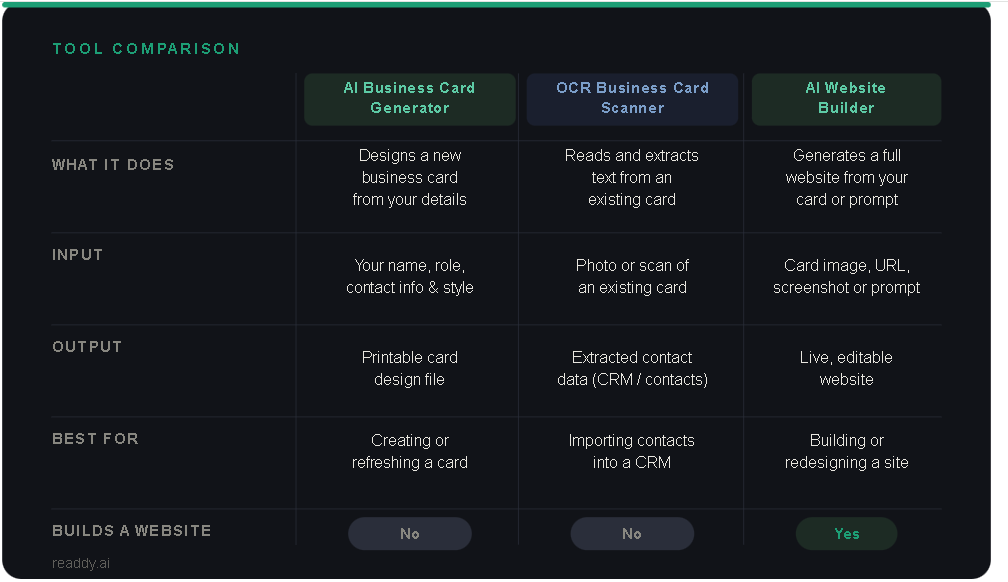
Three tools are commonly used in this space: AI business card generators, OCR business card scanners, and AI website builders. While these tools are often confused, they serve different purposes.
AI business card generators design and create complete business cards from scratch based on your input. OCR business card scanners do the opposite. They read and extract information from an already existing business card. You upload your card to the scanner, and the OCR tool extracts the text, such as name, phone, and email, usually to import into a CRM or contacts app.
AI website builders take a different approach. These tools generate production-ready websites from prompts in plain English. Website builders like Readdy can also create a complete website from business cards. You upload your card, and the tool generates the website using the design and information in the card. It basically uses the extraction capability of an OCR scanner with the generation capability of a website builder.
Readdy AI Business Card Generator
Readdy offers a free AI business card generator as part of its AI tools suite. Anyone who needs a professional business card quickly can use it to create visually appealing cards without hiring a designer or spending hours in software like Illustrator.
You enter your name, job title, company name, contact information, website (if you already have one), and style description, like preferred colors and fonts, and the generator produces a clean, print-ready card design. You can download it directly or use it as the starting point to build a website.
The practical value is brand consistency. When your business card and your website are built from the same fonts, color palette, and overall feel, your brand becomes more recognizable and trustworthy. Someone who receives your card at an event and later visits your website will immediately recognize the same identity they saw on the card. That kind of consistency builds trust.
How to Create a Business Card With AI
If you don't have a business card, here's how you can quickly create one using Readdy’s AI business card generator:
Step 1: Enter your business details
Go to Readdy AI Business Card Generator and fill in your information: name, job title, company name, contact information, website (if you already have one), preferred card size, and style description. If you don’t have a website, leave that field blank for now. You can use the business card you're generating to build one with Readdy afterward.
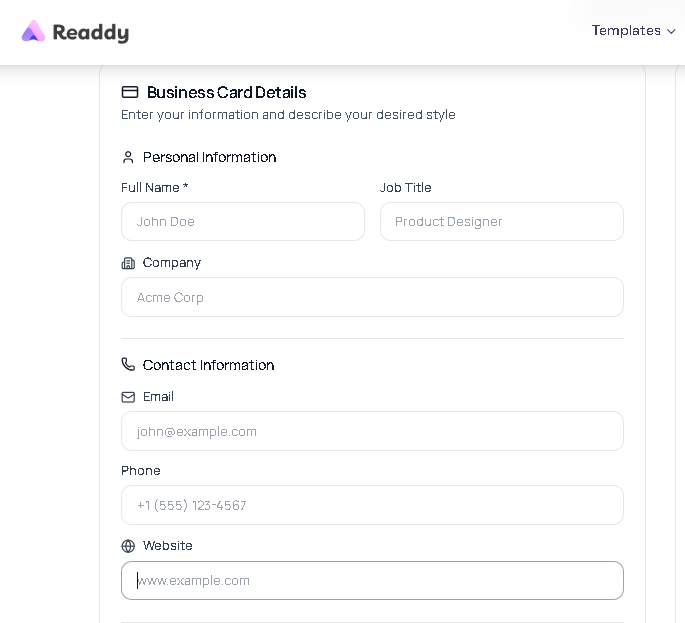
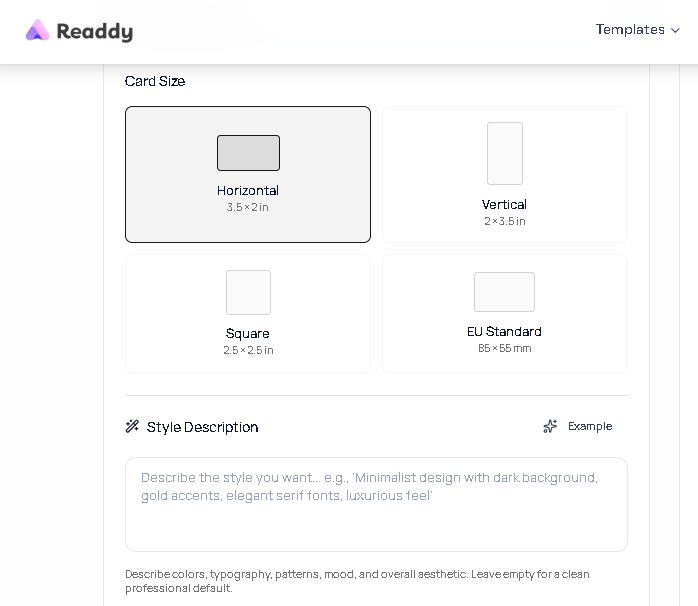
It’s good to be specific about your job title. "Founder" is vague; "Brand Strategist" or "Interior Designer" tells people immediately what you do. It also helps the AI make better layout and style decisions because it uses your role to understand the tone and industry the card should speak to.
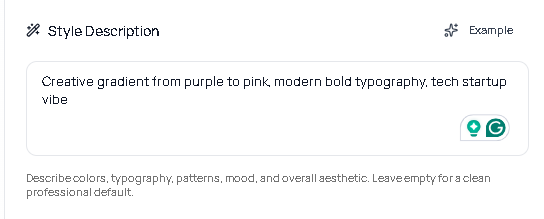
Step 2: Set your style preferences
Provide a color direction to the AI. If you already have brand colors, enter them. If you don't, the AI will automatically pick a suitable palette based on your industry. For example, warmer tones for hospitality, neutral and clean for professional services, and bolder choices for creative fields. Also, select an overall style: minimal, bold, professional, or creative.
Step 3: Generate and refine
The AI produces a card design in seconds. Review the layout, typography, and color use carefully. Check that the visual hierarchy is right. Your name and company should read first, contact details second. If something feels off, adjust the inputs and regenerate. Once you finalize your card, you can download it in a print-ready format.
You now have a business card. You also have everything the AI needs to build a matching website.

Readdy AI Website Builder: Turn a Business Card Into a Website in Minutes
Readdy is a modern website builder that uses AI to create complete, professional-looking websites in minutes. It gives you various options to create a website, including creating a website from a business card.
You upload an image of your business card, which can be a photo of a physical card, a digital card file, or the card you created with Readdy's AI card generator. The AI reads the card and extracts your business name, contact information, logo, brand colors, and any other details it can identify. It then generates a complete website using that data as its foundation.
What you get is a site that already knows who you are. Your name is in the right place. Your logo is present. Your brand colors are applied across the design. Your contact information is pre-populated in the footer and contact section. The page structure follows standard conventions for your type of business: service sections for consultants, portfolio blocks for creatives, product or menu sections for retail and hospitality.
From there, the Readdy editor lets you refine or expand every section, adjust the copy, and add anything the card couldn't contain. A business card has room for your name and phone number. A website has room for your full story: what you do, who you've worked with, what makes your approach different, and why someone should get in touch today rather than tomorrow.
This feature is perfect for freelancers, consultants, and small business owners who rely heavily on business cards for in-person networking. They have credibility built up offline through cards that have been handed out. A website gives them a digital presence and makes their business more trustworthy.
Creating a website through their already existing business card saves lots of time. They don’t have to spend weeks creating a website from scratch or hire a developer.
Readdy also lets you create a complete multi-page, responsive, and mobile-optimized website from simple prompts in plain English. You describe your business and your target audience, and the platform generates the whole website in minutes.
For those who already have a website but want to redesign, Readdy also provides an option to create a website from an existing website link or URL. Readdy uses it as a reference or starting point to understand your brand, content, and structure, and then generate a new, cleaner version of it. You can then refine it to match your requirements.
Step-by-Step: How to Create a Website From a Business Card
Here’s how you can create a complete website from a business card using Readdy:
Step 1: Prepare Your Business Card Image
If you're working with a physical card, place it on a flat, evenly lit surface. Avoid shadows falling across the text, and take a picture of the card. Make sure the card fills most of the frame, and the text is sharp when you zoom in.
If you have a digital version of the card, such as a PDF or image file, you can upload it directly. Digital files are cleaner than photos and produce more accurate extraction results.
Step 2: Upload to Readdy's Create From Business Card tool
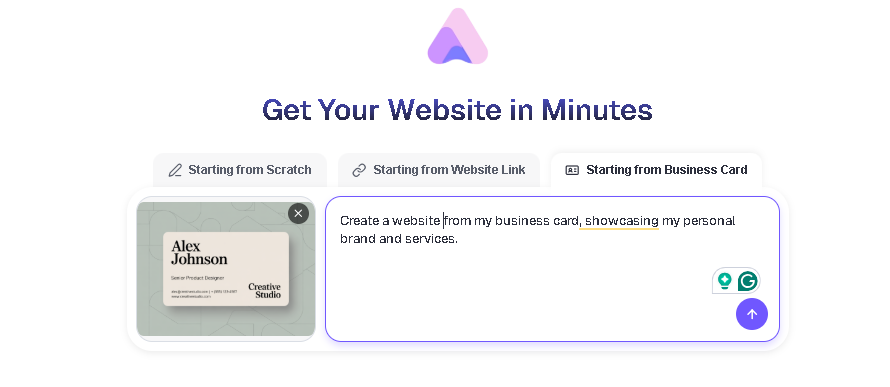
Go to Readdy and upload your card image. You can also describe what kind of website you want alongside the upload. The AI analyzes it in under a minute. It extracts text, identifies your logo, samples your brand colors from the card's design, and understands your business type from the information present on the card.
Step 3: Generate Your Website
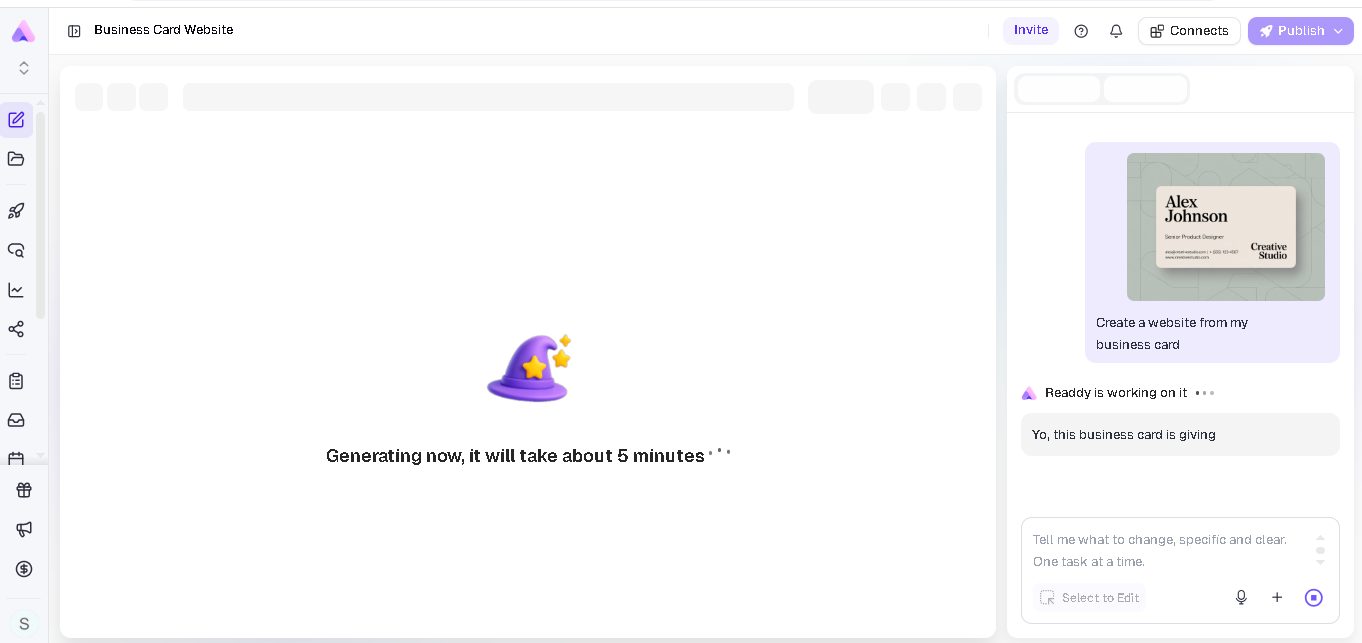
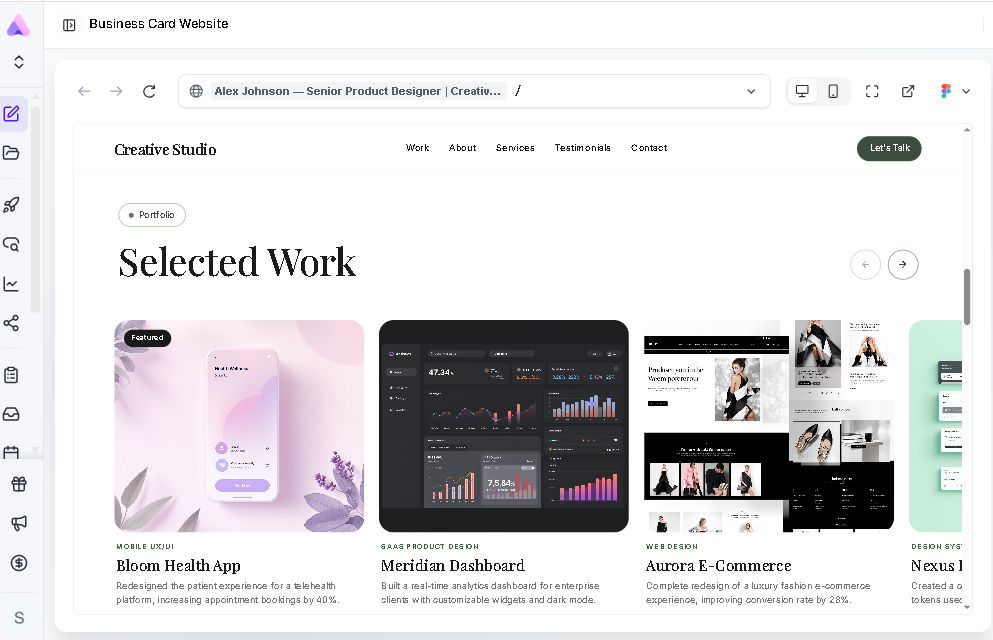
Once you’ve uploaded your card, you can generate your website. Readdy will generate the complete website in minutes with a home page, an about section, a services or work section, and a contact section with your details pre-filled. The typography and color scheme are taken directly from your card, so the site feels consistent with your brand identity.
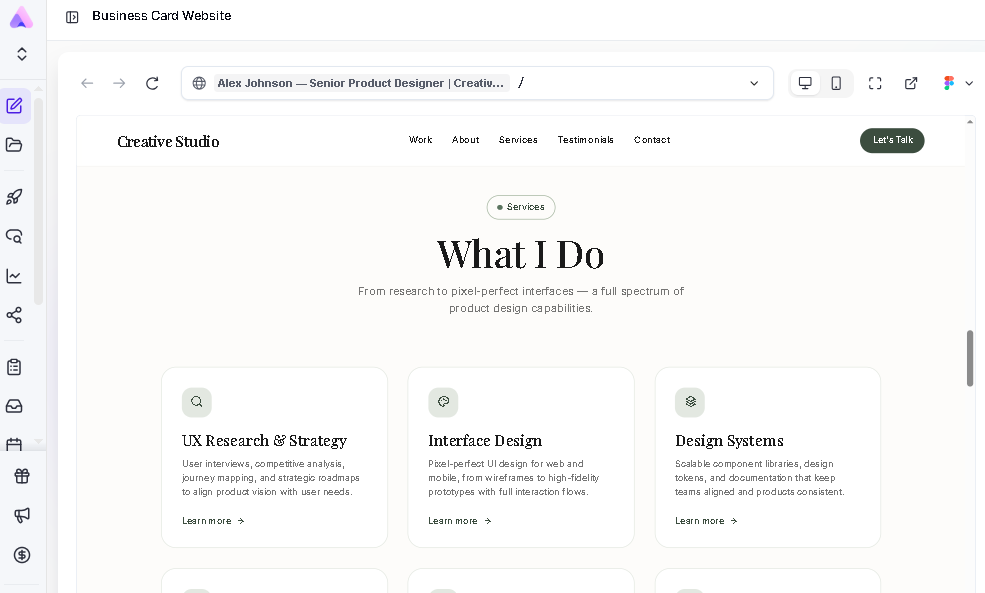
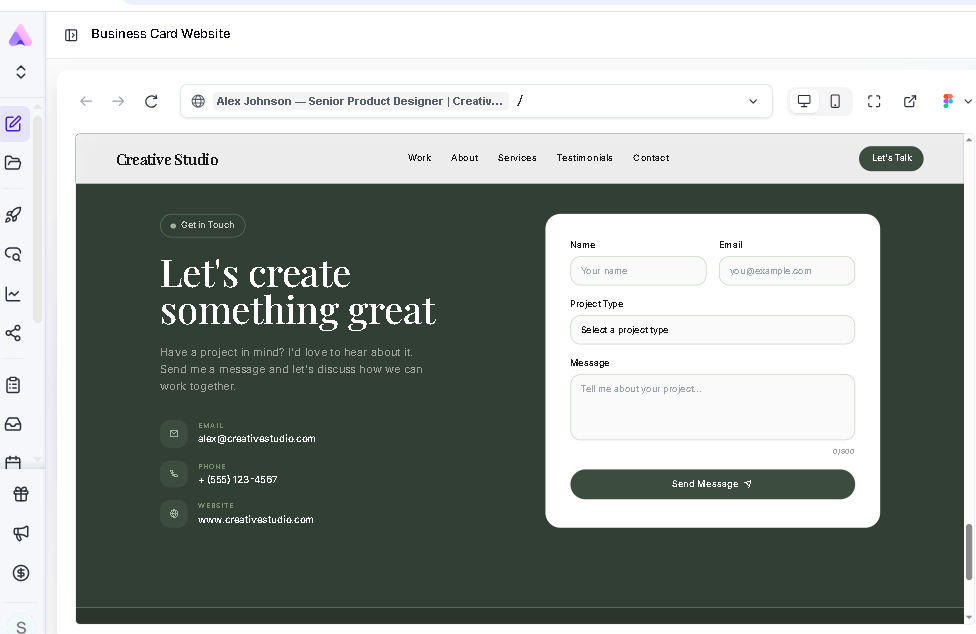
Step 4: Customize in the Editor
Once Readdy generates your website, you can easily modify it using Readdy’s visual editor or through prompts. Check that your name and other details are captured correctly. If anything is incorrect or missing, you can add it to match your requirements.
You can also fine-tune the style, components, layout, and content. Simply select any element and prompt it to change: “rewrite this paragraph to sound more professional and concise,” or “add more emotional appeal to this paragraph.” If you’re using the visual editor, simply click the component you want to edit.
Any changes you make are reflected in real-time, and the website is automatically optimized for mobile and tablet devices.
Make sure to check and modify each section. The AI generates placeholder copy based on your business type. Replace it with a clear, specific statement of your actual background and approach, update service descriptions with real details and pricing if relevant, and replace any stock imagery with photos of your actual work.
You can also add more sections that weren't on your card. If you have case studies or portfolio pieces, you can add a work section. If past clients have said good things about working with you, you can add a testimonials block. The AI can draft copy for any new section. You can simply give it a text instruction describing what you want, and it'll produce a draft for you to refine.
Step 5: Connect your domain and publish
Once you’re satisfied with your site’s design and content, connect your domain. If you already own one, you can link it through Readdy's domain settings. If you don't have a domain yet, you can purchase one directly through the platform. Hosting, SSL certificates, and performance optimization are all handled automatically.
Create a Website From a URL
If you already have some kind of web presence, such as an old site that hasn't been touched in years or a basic landing page that no longer reflects what your business does, you can give it to Readdy as a starting point instead of a business card.
Simply paste your existing URL into the generator, and the AI analyzes your current site's structure, content, and branding. It then creates a modern, redesigned version that you can easily edit through the visual editor or prompts.
This feature is useful for businesses that have a website, but it needs to be redesigned. A slow, outdated site with stale copy and no mobile optimization can create a worse impression than no site at all. Rather than building from scratch, you're giving the AI your existing site to create a new site that actually represents where your business is today.
Create a Website From an Image or Screenshot
Readdy can also create a professional website from a screenshot or an image. For example, if you have a screenshot of a website layout you like or a mockup your designer created, you can simply upload that image, and Readdy will generate a working website. There is not even a single line of code involved.
The AI doesn't recreate the website pixel by pixel. It reads the layout, identifies the structure (headers, sections, buttons, content blocks), and generates a website based on it. The output is a working website built from that visual logic, not a copy of the image itself. From there, you can edit it so it matches your requirements.
This is useful for anyone who finds it easier to point to a visual reference than to describe what they want in words. Instead of writing a detailed text prompt, you show the AI what you're aiming for.
Frequently Asked Questions
What is the best AI business card generator for websites?
Readdy is one of the best AI business card generators as it lets you create print-ready card designs from simple inputs, and it can also generate a complete website from that business card.
Once you generate your card with the AI business card generator, you can download it and upload it to the Readdy website builder. The platform will create a website with multiple pages, such as a home page, an about section, a services section, and a contact section with your details pre-filled within minutes
Can AI-generated websites rank in Google search?
Yes. Google considers various things when ranking a website, including page load speed, mobile responsiveness, clean HTML structure, proper heading hierarchy, and the quality and relevance of your content. The site you generate with Readdy is automatically SEO optimized. The code is clean, pages load fast, and every site is mobile-responsive out of the box.
However, the AI doesn't handle your content strategy automatically. It won't choose your target keywords, write optimized page titles, and meta descriptions. But getting the technical foundation right is often the harder part for small businesses, and Readdy takes care of it automatically.
Do I need coding skills?
No. When you build a website with an AI website builder like Readdy, you don’t have to write a single line of code. You can create a website from a business card by simply uploading it, and the AI creates the website. Editing also happens through prompts or a visual editor.
With Readdy, you can also create a website from prompts, through screenshots, or through a website URL.
Can I create a website from an image or URL?
Yes. Readdy supports website generation from uploaded images, such as screenshots, mockups, and business cards, as well as from existing URLs. The image-based approach works best when you have a clear visual reference you want to build from. The URL-based approach works best when you have an existing site you want to redesign.
Final Thoughts
When you hand out your business card, most people first search you up online before making contact. And if you don’t have a website, that’s a real gap. Luckily, with AI website builders like Readdy, you can quickly create a multi-page, mobile-optimized website from a business card.
You upload the card to the website builder, which gives it a starting point: your name, your brand colors, your logo, your contact details, and your business type. The AI used this information to build a website. You can then modify it to add what you do, who you serve, and why it matters.
If you've been putting off building a website because it felt like too much to take on, your business card is a better starting point than a blank page. Sign up for Readdy today and create a website from a business card in minutes!
Frank Zhu
Frank is the founder of Readdy.ai. A developer-turned-founder with 10+ years of product experience, Frank loves great design, and he's building the tools he wishes he had when launching his first startup.