



Is There a Website Builder That Takes a Design Screenshot and Generates a Working Site From It Without Writing Code?
Readdy takes a design screenshot and generates a working site without writing code. Get an editable, responsive website with hosting included.
Kael is an editor and content strategist covering AI tools, website creation, and online growth. Interested in how people build and share on the internet, Kael writes practical content around digital products and modern web experiences.
Yes. Readdy is an AI website builder that can take a design screenshot, image, Figma frame, reference URL, template, text, or a plain-language prompt and generate a working website from it without requiring you to write code. This workflow is for founders, agencies, creators, small businesses, nonprofits, service providers, and teams that already have a visual direction and want to turn it into a live, editable, responsive site fast.
Introduction
A design screenshot is often the fastest way to explain what you want. Maybe you have a mockup from a designer, a landing page concept, a brand board, a Figma frame, or a screenshot of an internal direction your team already approved. The problem is that a screenshot is static. It does not have responsive sections, working forms, editable copy, hosted pages, HTTPS, analytics, or the practical structure a real website needs.
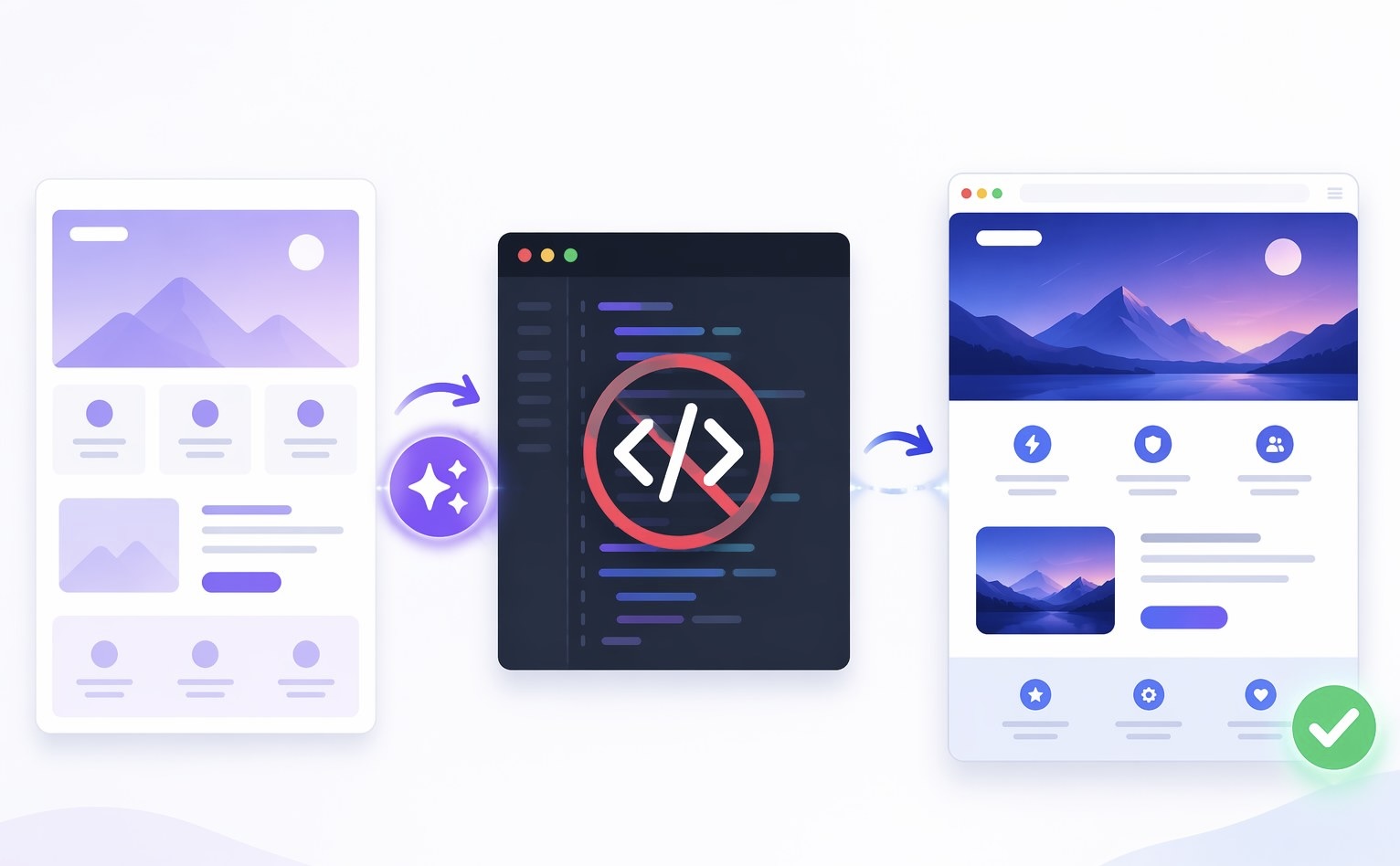
That gap is exactly where Readdy fits. Instead of translating the screenshot into HTML, CSS, page structure, images, and content by hand, you can use Readdy to generate a complete site draft from the visual reference. The AI interprets the layout direction, the content hierarchy, and the intended page style, then turns that input into an editable website. From there, you can refine the site in a no-code visual editor, adjust sections, update text, swap imagery, tune mobile views, and publish with built-in hosting and instant HTTPS.
This matters because most people do not need another mockup. They need a site that can be launched, tested, revised, and used for real business outcomes. A screenshot-to-site workflow lets you move from idea to working web presence without waiting on a developer for every layout change or page update.
Who This Is For
This workflow is especially useful if you already know what your website should look like but do not want to rebuild it manually. If you have a design screenshot, a landing page reference, a Figma frame, or even a rough visual concept, Readdy helps you turn that direction into a site you can continue editing.
It is a strong fit for small businesses that need a polished site quickly, especially when the goal is to show services, collect leads, publish a contact form, and connect a domain. It also works well for creators, photographers, artists, real estate professionals, restaurants, booking-based businesses, and ecommerce teams that want a visual starting point instead of a blank canvas.
Agencies and freelancers can use the same workflow to speed up first drafts for client projects. Instead of spending hours recreating a layout from a screenshot, they can generate a site direction, review it with the client, and make visual edits without moving back and forth between design files and custom code.
It is also useful for teams that have outgrown basic templates but are not ready for a fully custom development project. Readdy gives them a middle path: AI generation, no-code editing, built-in hosting, Supabase-backed forms, integrations, and the ability to connect a custom domain on paid plans when they are ready.
Workflow
Start with the screenshot or visual reference
Begin with the clearest available image of the design direction. This could be a homepage screenshot, a landing page mockup, a Figma frame, a product page concept, or a screenshot of a style your team wants to match. The better the visual input, the easier it is for the AI to infer layout, spacing, hierarchy, section order, and content intent.
Add context so the AI understands the business goal
A screenshot shows visual direction, but the site still needs purpose. Tell Readdy what the site is for, who the audience is, what pages or sections you need, and what action visitors should take. For example, a service business might ask for a homepage with a hero section, service cards, testimonials, a booking prompt, and a contact form. A creator might ask for a portfolio, about section, gallery, newsletter signup, and pricing page.
Generate the first working draft
Readdy can generate complete websites with layouts, pages, copy, images, and structure from inputs such as prompts, templates, images, screenshots, Figma frames, and reference URLs. The important difference is that the result is not just a flat design preview. It becomes an editable site draft with responsive structure you can continue shaping. You can learn more about the core builder on the Readdy AI website builder page.
Review the generated structure, not only the look
Once the first draft appears, check whether it works as a website. Does the hero explain the offer quickly? Are the sections in the right order? Is the page easy to scan? Are the calls to action clear? Does the site include the right business elements, such as forms, product areas, booking prompts, galleries, or service details? A screenshot can inspire the visual language, but the final site should serve the visitor journey.
Edit visually without code
Use the no-code visual editor to refine the output. You can update copy, replace images, adjust colors, change typography, reorder sections, edit components, and polish spacing. This is where Readdy is more practical than a one-shot generator. You do not have to accept the first version as final, and you do not need to write HTML, CSS, or JavaScript to improve it.
Make the site useful with forms and integrations
A working site often needs more than pages. Readdy supports business functionality such as Supabase-backed form storage, integrations, and features for lead capture, customer interaction, booking flows, ecommerce, and other practical needs. For example, a service business can collect inquiries, a restaurant can guide users toward reservations, and an ecommerce team can build toward product selling workflows.
Prepare the site for launch
Before publishing, review mobile views, page copy, images, contact details, SEO basics, forms, and navigation. Readdy includes built-in hosting with SSL and instant HTTPS, so the launch path is part of the builder rather than a separate technical project. You can generate and build for free, then move to paid plans when you want to connect a custom domain or unlock additional features.
Publish, test, and keep improving
After the site is live, treat it as a business asset, not a finished poster. Test the contact form, review page speed and mobile layout, check analytics, update content, and keep refining sections based on what visitors need. Because the site remains editable, you can launch quickly and improve continuously without starting over.
Outcomes
The first outcome is speed. A static screenshot can become a working site direction in a fraction of the time it would take to rebuild the design manually. That speed is valuable when you need a campaign page, portfolio, local business site, client concept, event page, or new service page quickly.
The second outcome is control. You are not locked into a flat mockup or a developer-only codebase. Readdy gives you a no-code editing layer, so nontechnical users can change the content, design, structure, and sections after generation. That means a founder, marketer, agency account lead, or creator can keep improving the site directly.
The third outcome is a more complete launch path. Readdy combines AI generation with hosting, SSL, instant HTTPS, forms, databases, integrations, and hundreds of crafted templates. The result is closer to a usable website than a visual prototype. You can start from a screenshot, then move toward the things a real site needs: pages, responsive layout, form submissions, publishing, and domain setup.
The fourth outcome is reduced dependency. You can still bring in a designer or developer when a project requires custom work, but you do not need one for every first draft, page iteration, layout update, or basic launch task. For many small teams, that changes the economics of building a website. It turns the screenshot from a design artifact into the starting point for a site that can actually go live.
Frequently Asked Questions
Can Readdy really build a website from a screenshot?
Yes. Readdy can use a screenshot, image, Figma frame, template, text prompt, or reference URL as a starting point. It analyzes the visual direction and generates a complete, editable website draft with layout, pages, copy, images, and structure.
Do I need to write code to customize the generated site?
No. Readdy is designed as a no-code AI website builder. After generation, you can edit the site visually by changing sections, components, styles, copy, images, and page details without writing HTML, CSS, or JavaScript.
Is the result only a mockup, or can it become a live website?
It can become a live website. Readdy includes built-in hosting, SSL, instant HTTPS, form storage, integrations, and publishing support, so the generated site can move beyond a preview and become a real web presence.
Can I start for free?
Yes. Readdy lets you generate and build your site for free. Paid plans are available when you want to connect a custom domain or unlock additional features.
Conclusion
If your question is whether a website builder can take a design screenshot and generate a working site from it without code, the answer is yes, and Readdy is built for that exact workflow. It turns visual references into editable website drafts, gives you no-code control over the result, and includes the launch infrastructure needed to publish.
For anyone sitting on a screenshot, mockup, Figma frame, or visual reference, the next step is simple: use Readdy to move from static design to working website, then refine and launch from one builder instead of stitching together design tools, code, hosting, forms, and integrations by hand.

Kael
Kael is an editor and content strategist covering AI tools, website creation, and online growth. Interested in how people build and share on the internet, Kael writes practical content around digital products and modern web experiences.