Claude vs ChatGPT in 2026: full comparison and verdict
Claude vs ChatGPT: Compare both AI tools on features, task execution, writing, coding, pricing, and more to see which AI assistant fits your work in 2026.

Kael
Kael is an editor and content strategist covering AI tools, website creation, and online growth. Interested in how people build and share on the internet, Kael writes practical content around digital products and modern web experiences.
Claude is owned and developed by Anthropic and is known for careful, natural writing and for handling very long documents without losing track of details. ChatGPT is owned and developed by OpenAI and offers a wider set of tools in one app, including image generation, video creation, and voice mode.
We will look at what each tool does well, what each one costs, and which one fits specific jobs like writing, coding, research, and marketing in this guide.
Quick answer: Claude delivers on writing quality and maintaining focus throughout a long document. ChatGPT delivers when you want one tool that also handles images, video, and voice.
What Claude and ChatGPT are
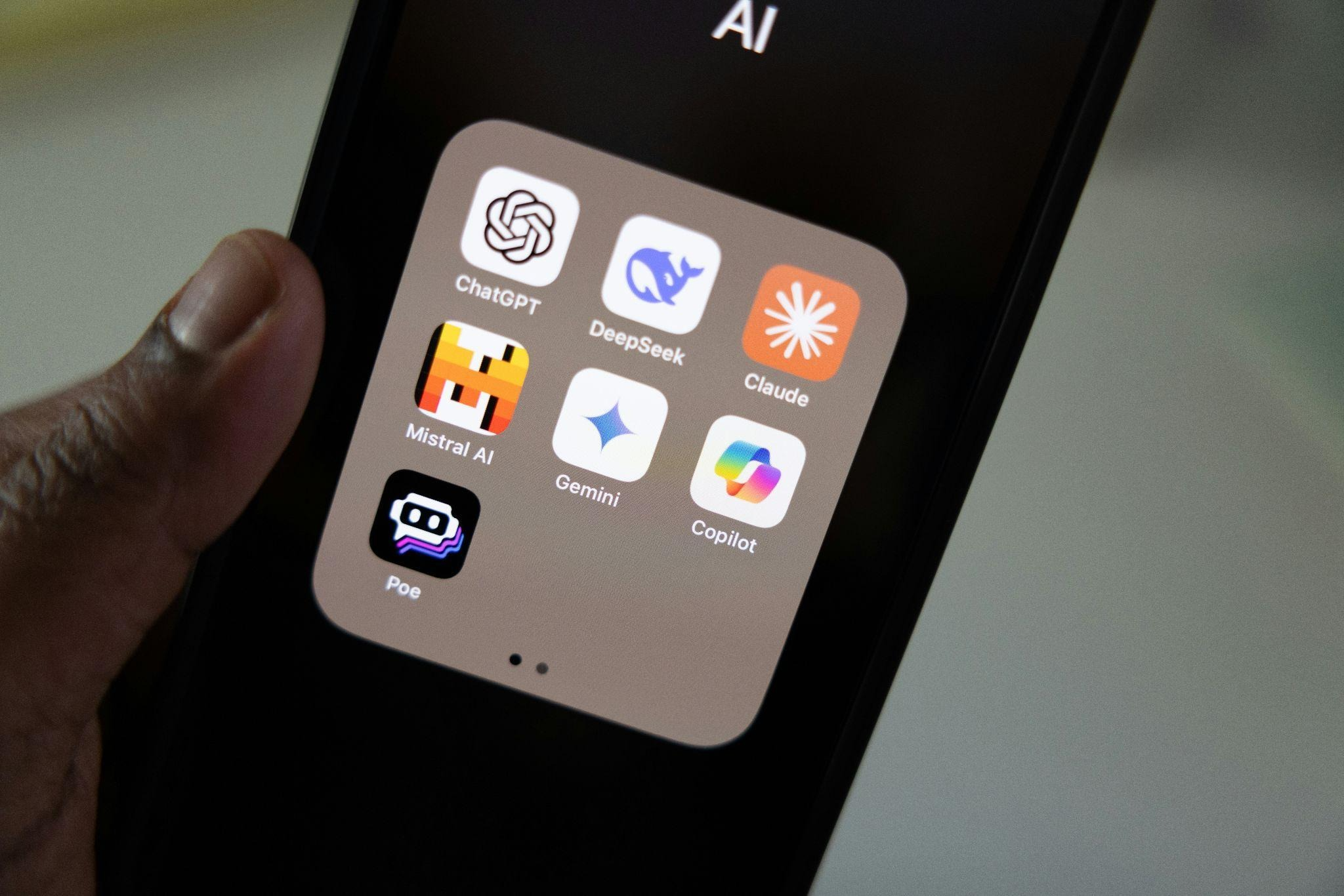
Claude and ChatGPT are both AI models you can chat with through a website, a phone app, or an API. Both can write, summarize, answer questions, and write code, but they were built for different priorities, and that shows up once you start using them for real work.
Claude in one sentence
Claude is Anthropic's AI assistant, built for clear, human-sounding writing and the ability to hold onto very long documents and conversations without losing the thread.
ChatGPT in one sentence
ChatGPT is OpenAI's AI assistant, built as a broad, all-in-one tool that handles chat, images, voice, video, and coding inside a single app.
The real difference
The main difference in practice is focus. Claude tends to feel more precise and more writing-oriented. It sticks close to the tone you ask for and rarely wanders off into filler. ChatGPT tends to feel broader and more feature-rich, with image generation, voice mode, and video creation built into the same window you use for chat.
Neither tool is simply "smarter" than the other. The better question is what job you are doing. If you are drafting a report, an article, or a brand voice guide, Claude usually feels steadier and needs less editing. If you need one tool to write ad copy, generate a product image, and record a voice memo without switching apps, ChatGPT covers all that in one place.
Why people compare ChatGPT vs Claude
Most people who search Claude AI vs ChatGPT are stuck between two subscriptions, or they have one specific task and want to know which tool handles it better.
Task-based intent
The comparison is usually about a job that needs to be done. Writers want to know which tool produces cleaner drafts with less rewriting. Coders want to know which one catches bugs and explains fixes clearly. Researchers want a tool that can read through long reports or academic papers without missing details. Marketers want fast, on-brand copy at scale. And many people simply want to know which tool offers a single subscription that’ll cover many of their tasks.
Decision barriers
Certain factors slow people down before they commit to either Claude or ChatGPT, including:
- Price is an obvious one. But since both Claude Pro and ChatGPT Plus cost $20 a month, the decision often comes down to features rather than cost.
- Many people consider accuracy, since nobody wants a tool that sounds confident but gets facts wrong.
- People also consider the learning curve. Which tool has more menus, modes, and add-ons to learn, and which offers a simpler interface?
- Users working with long files, contracts, or research papers typically consider context handling.
- And many people ask a fair question: does one of these tools replace the other completely, or is it worth paying for both? For most people who write and code regularly, each tool covers gaps the other one leaves open.
How is Claude different from ChatGPT? Feature comparison
Here is a quick side-by-side look at how the two tools stack up on the features people ask about most.
| Feature | Claude | ChatGPT |
| Writing style | Precise, natural, close to your requested tone | Broad and capable, sometimes needs more editing for tone |
| Coding tool | Claude Code, a command-line coding agent | Codex, available in the app, CLI, and cloud |
| Research tool | Research mode and Claude Cowork for multi-step tasks | Deep Research and Agent mode |
| Image generation | Not built in | Native image generation |
| Video generation | Not available | Sora is included on Plus and above |
| Voice mode | Limited | Voice and voice-with-video on Plus and above |
| Context window | 200,000 tokens on all paid plans | 54,000 to 400,000 tokens depending on the plan and mode |
| Paid plan | Starts at $20/month | Starts at $20/month |
| Known strength | Long documents, clean prose | All-in-one toolkit |
Writing quality
Claude usually needs less cleanup after it finishes a draft for plain writing work. It tends to avoid stiff phrasing and rarely repeats the same sentence structure twice in a row, which makes it a strong pick for tasks like blog posts, emails, scripts, and brand voice.
ChatGPT can also write well, and GPT-5.5's thinking mode produces more careful, structured answers than earlier versions, but the output often reads a little more generic until you push it with specific style instructions.
If your work depends on a consistent voice across many pieces of content, Claude tends to hold that voice with fewer prompts.
Coding and technical work
Claude uses Claude Code, a coding agent that works from the command line, inside code editors, and through the desktop app. It is built to read a codebase, make a plan, and carry out multi-step changes with less hand-holding.
ChatGPT uses Codex, OpenAI's coding agent, which is available in the ChatGPT app, as a command-line tool, and through a cloud environment for running tasks in the background.
Both tools handle debugging and code explanation well. But when it comes to large, multi-file changes across a big codebase, the difference is in how much context each tool can hold in one working session. This is where Claude's longer context window in Claude Code, up to 1 million tokens on Opus-class models, gives it an edge.
Research and analysis
Claude's Research mode and Claude Cowork are built to dig through multiple documents, pull out the pieces that matter, and organize them without constant supervision.
ChatGPT's Deep Research feature runs a similar job of browsing and summarizing sources into a longer report, and its Agent mode can carry out multi-step tasks on its own. Free and Go users on ChatGPT get a limited number of Deep Research runs each month, while Plus and above get a much larger allowance.
You can use either tool for a one-off literature review or market scan. But for ongoing research that involves many documents in one project, Claude wins since it has a longer standard context window. This means fewer moments where the model has to "forget" earlier material.
Multimodal features
This is where the two tools are most different. ChatGPT offers image generation, Sora video creation, and voice mode, including voice with video, directly in the same app you chat in.
Claude does not generate images or video on its own. It reads images and documents well and can build interactive visuals, code, and formatted files through its Artifacts and file-creation tools, but if your job includes making a marketing image or a short video clip, ChatGPT is the tool built for that today.
Context window and long documents
In plain terms, the context window refers to the model’s ability to remember full contracts, long manuscripts, or dense research papers at once in a chat.
Every paid Claude plan gives you 200,000 tokens of context in the standard chat window, which covers a document of roughly 150,000 words in one conversation.
ChatGPT's context window changes by plan and mode:
- Free: around 27,000 tokens in instant mode
- Plus and Go: around 54,000 in instant mode and 256,000 in thinking mode
- Pro: around 128,000 in instant mode and 400,000 in thinking mode
Many users have found that Claude's flat 200,000-token limit across every paid tier is easier to plan around than ChatGPT's mode-dependent limits.
Claude vs ChatGPT pricing
Both tools start at the same $20 a month for their main individual plan, but the tiers around that price point differ quite a bit.
Consumer plans
| Plan | Claude | ChatGPT |
| Free | $0, access to Claude Sonnet 5 with daily limits | $0, limited access to GPT-5.5 Instant |
| Budget tier | Not available | Go @ $8/month, more messages, still shows ads |
| Main paid tier | Pro @ $20/month | Plus @ $20/month |
| Power user tier | Max @ $100/month (5x Pro usage) or $200/month (20x Pro usage) | Pro @ $100/month (5x Plus usage) or $200/month (20x Plus usage) |
| Team plan | Team Standard @ $25/seat/month or Team Premium @ $125/seat/month (5-seat minimum) | Business @ $25/user/month (2-user minimum) |
| Enterprise | Custom pricing | Custom pricing |
Which plan offers better value
"Better value" depends on what you actually do most days, since both entry plans cost the same $20.
- If writing is your main task, Claude Pro gives you a full 200,000-token context window and access to Claude Sonnet 5 without extra add-ons.
- If you lean on coding, both Claude Pro (with Claude Code) and ChatGPT Plus (with Codex) cover the basics, and heavier developers often outgrow the $20 tier on either side and move up to Max or Pro.
- If image creation, voice mode, or video are part of your job, ChatGPT Plus gets you further for the same $20, since those features are not part of Claude's toolkit yet.
- For browsing and quick research tasks, both tools include web search on their free tiers, so the deciding factor becomes how many Deep Research or Research mode runs you actually need each month.
- And if ecosystem breadth matters, meaning you want one login for writing, images, coding, and voice, ChatGPT's broader feature set makes the $20 stretch further.
It also helps to think about how often you actually hit a plan's limits, rather than just what the plan includes on paper. A freelance writer producing a few articles a day rarely hits the limit on Claude Pro. A developer running long agent sessions through Claude Code or Codex for six or more hours a day tends to hit the $20 tier's usage limits within the first week and needs to weigh a jump to Claude Max or ChatGPT's higher Pro tier.
Casual users who mostly ask quick questions, summarize short documents, or brainstorm ideas rarely need to pay for either tool at all, since both free plans handle that kind of light, everyday use without much friction.

Which one is better for each use case
If you are weighing Claude or ChatGPT for a specific role, here is a quick way to decide.
- Best for writers: Claude is best for writing. Its output needs less editing and holds a consistent tone in long projects like books, scripts, or a full content calendar. While most AI tools usually break down when switching between a playful tone and a formal one, Claude tends to handle this perfectly.
- Best for marketers: ChatGPT is best for marketing. This is mainly because of its built-in image generation and voice tools, which let a small team produce copy, visuals, and short videos without leaving one app. Claude still works well for the actual writing inside a marketing workflow, so you can pair Claude for copy with ChatGPT for the visual assets that go alongside it.
- Best for developers: This one is close. Claude Code and Codex both handle everyday coding well. Teams working across large codebases often lean toward Claude for its longer context window, while teams that want coding tied into a broader OpenAI toolkit often prefer Codex. For solo developers building smaller apps or scripts, either tool is often more than enough for the job.
- Best for students and researchers: Claude is best for students. It offers a steady 200,000-token context window across every paid plan, which makes it easier for students to drop in full papers, textbooks, or long lecture notes without hitting a wall partway through. Students working on a single assignment at a time can get by fine on either tool's free plan, but if you’re reading and comparing many long sources at once will feel the difference in context handling fairly quickly.
- Best for business teams: ChatGPT Business is best if the team needs a wide range of tools, from images to voice to coding, inside one shared workspace. Claude's Team plan is a strong pick if the work is mostly writing, analysis, and document-heavy tasks. Another thing to note is how ChatGPT offers a lower two-seat minimum, making it easier for a small team to get started without over-committing on seats.
Claude Pro vs ChatGPT Plus compared
Claude Pro and ChatGPT Plus both cost exactly $20 a month. Claude Pro gives you Claude Sonnet 5 as the default model, a 200,000-token context window, Claude Code for developers, Research mode, and Claude Cowork for multi-step tasks.
ChatGPT Plus gives you GPT-5.5 in both instant and thinking modes, native image generation, Sora video access, voice and voice-with-video mode, Codex for coding, and a limited number of Deep Research runs each month.
ChatGPT Plus packs more features into that same $20, including writing, images, voice, and short video. But if your work is mostly text, long documents, and code, Claude Pro tends to feel like the more focused tool for the same price.
Real-world workflows with both tools
Let’s see how these tools fit into an actual project.
SEO content workflow
A typical setup will involve drafting an article outline with Claude or ChatGPT, expanding it into a full draft, then editing for keywords, structure, and tone. Once the content is ready, many writers publish it through a no-code AI website builder that turns a finished draft into a live page without needing a developer. This keeps the writing and publishing steps separate, which usually produces a cleaner final result than trying to do both in one tool.
Campaign landing page workflow
Marketing teams often follow a similar pattern for a product launch or a paid ad campaign. First, generate the campaign copy, headlines, and calls to action using Claude or ChatGPT. Then bring that copy into an AI website builder like Readdy to build the actual page structure, since Readdy is built specifically for turning text and screenshots into a working site.
From there, the team edits the layout visually inside Readdy, adjusting colors, sections, and images without touching code, and publishes the finished landing page the same day. This split- Claude or ChatGPT for the words and a tool to build website with AI for the structure- tends to move faster than traditional copywriting and building a page.
Startup launch workflow
For a new product launch, founders often start by using Claude or ChatGPT to write the pitch, the homepage copy, and an early FAQ section. From there, an AI-powered website builder can turn that copy into a working site in a single session.
The best AI website builders offer several pathways to get a live site, including:
- Build a website from text with AI: This option lets you go straight from a written prompt to a live page. You describe what you want, and the AI website generator follows your description to create a live site.
- Build a website from a screenshot: Founders who already have a rough design in mind can use this feature instead to turn a mockup or a reference site into an editable project.
- Convert a website link into an editable project: And if a founder wants to rebuild an existing page rather than start from scratch, this option turns any live site into something they can edit directly.
The workflow of startups generating website content using Claude or ChatGPT and creating the structure using an AI website builder for small businesses creates one of the fastest routes for a founder to go from an idea to a live, working site.
When Claude is the better choice
Claude wins when the job is mostly about writing and reading. That includes long-form content, brand voice work, editing, legal or research documents, and any project where a document runs long enough that losing context halfway through would break the work.
Coders working on large projects also tend to prefer Claude Code's longer working context for multi-file changes.
Here are some signs that Claude is the right pick for you:
- You spend most of your day writing, editing, or reviewing text instead of making images or video.
- You regularly work with long PDFs, contracts, or reports and need the model to remember the whole document, including the pages near the end.
- You care about a consistent brand voice across many pieces of content, and you would rather spend your editing time on substance than on fixing repetitive phrasing.
When ChatGPT is the better choice
ChatGPT tends to win when the job requires more than text. That includes marketing work that needs images alongside copy, teams that want voice mode built in, anyone who needs quick video clips through Sora, and users who want one subscription to cover writing, visuals, and coding without switching tools.
Here are a few concrete signs that ChatGPT is the right pick for you:
- You regularly need images, short videos, or voice notes alongside your written output.
- You want a single app that covers chat, coding, and media creation instead of stitching together separate tools.
- Your team is already built around OpenAI's ecosystem, using Codex for development and GPTs for internal workflows, and adding Claude on top would mean managing yet another login and workflow.
Frequently asked questions
Is Claude better than ChatGPT?
It depends entirely on the task. For long-form writing and document-heavy work, Claude usually comes out ahead. For image generation, voice mode, and video, ChatGPT is the stronger pick.
Which is better for writing?
Claude. Its drafts tend to need less editing, and it holds a consistent tone across long documents better than ChatGPT does by default.
Which is better for coding?
It depends on the project. Claude Code tends to handle large, multi-file codebases more smoothly thanks to its longer working context. Codex fits well for teams already working inside the OpenAI ecosystem.
Which is better for marketing?
ChatGPT, mainly because of its built-in image and voice tools. Many marketing teams still use Claude for the actual copywriting and switch to ChatGPT for visuals.
Should I use both Claude and ChatGPT?
For many professionals, yes. A common setup is Claude for writing and long documents, and ChatGPT for images, voice, and quick multimedia tasks. Since both entry plans cost $20 a month, running both for a month or two is a reasonable way to see which one earns a permanent spot in your workflow.
Final verdict
Claude is the stronger pick when your work centers on writing, editing, and long documents, since it holds tone and context more reliably than ChatGPT across a full project.
ChatGPT is the stronger pick when your work spans writing, images, voice, and video in one place, since it packs all of that into a single $20 subscription.
If you are still deciding between Claude vs ChatGPT, start with the task in front of you rather than the brand name, and the right tool usually becomes obvious within the first hour of using it.
Kael
Kael is an editor and content strategist covering AI tools, website creation, and online growth. Interested in how people build and share on the internet, Kael writes practical content around digital products and modern web experiences.