





From 3D Model to Website: Build an AI Product Page with Readdy and Tripo
Learn how to turn a 3D model into a live website using Tripo and Readdy. Generate a .glb model, embed it into an AI-built product page, customize visually, and publish in under an hour — no code required.

Frank Zhu
Frank is the founder of Readdy.ai. A developer-turned-founder with 10+ years of product experience, Frank loves great design, and he's building the tools he wishes he had when launching his first startup.
Turning a 3D model into a real product website used to require multiple tools, developers, and weeks of work. In 2026, AI tools like Tripo and Readdy make it possible to go from a single .glb file to a live, shoppable landing page in under an hour — without coding or design experience.
This guide shows you how to go from a Tripo-generated 3D model to a live product website using Readdy — an AI website builder that creates production-ready pages from a text prompt, reference image, or URL.
TL;DR: Generate a 3D Model, Paste the .glb Link, Launch Your Website
Use Tripo to generate a 3D product model, upload the .glb file to GitHub, paste the public URL into Readdy, and let the AI generate a production-ready product page. Customize the layout in the visual editor and publish instantly — no coding, designers, or complex setup required.
What you need: Tripo account · Readdy account · GitHub account (all free)
What You'll Learn:
By the end of this guide, you’ll know how to:
- How to generate a 3D product model with AI
- How to host a .glb file online for embedding
- How to build a no-code product website with Readdy
- How to publish a shoppable landing page in under an hour
Want to see what this looks like in practice? Check out this web template to explore a live example of a 3D product website built with this workflow.
What Is the Readdy + Tripo Workflow?
Readdy and Tripo are two AI tools that solve adjacent problems — and together they cover the full journey from creative asset to live product page.
Tripo: Your 3D Asset Generator
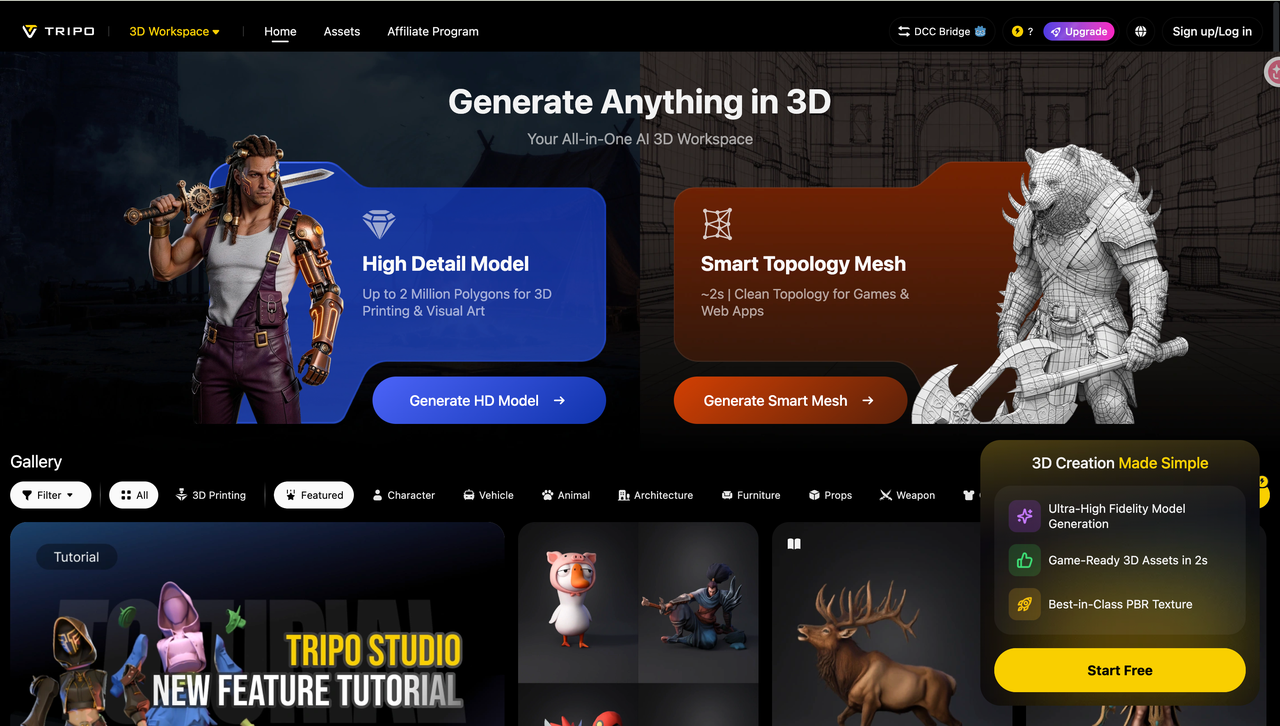
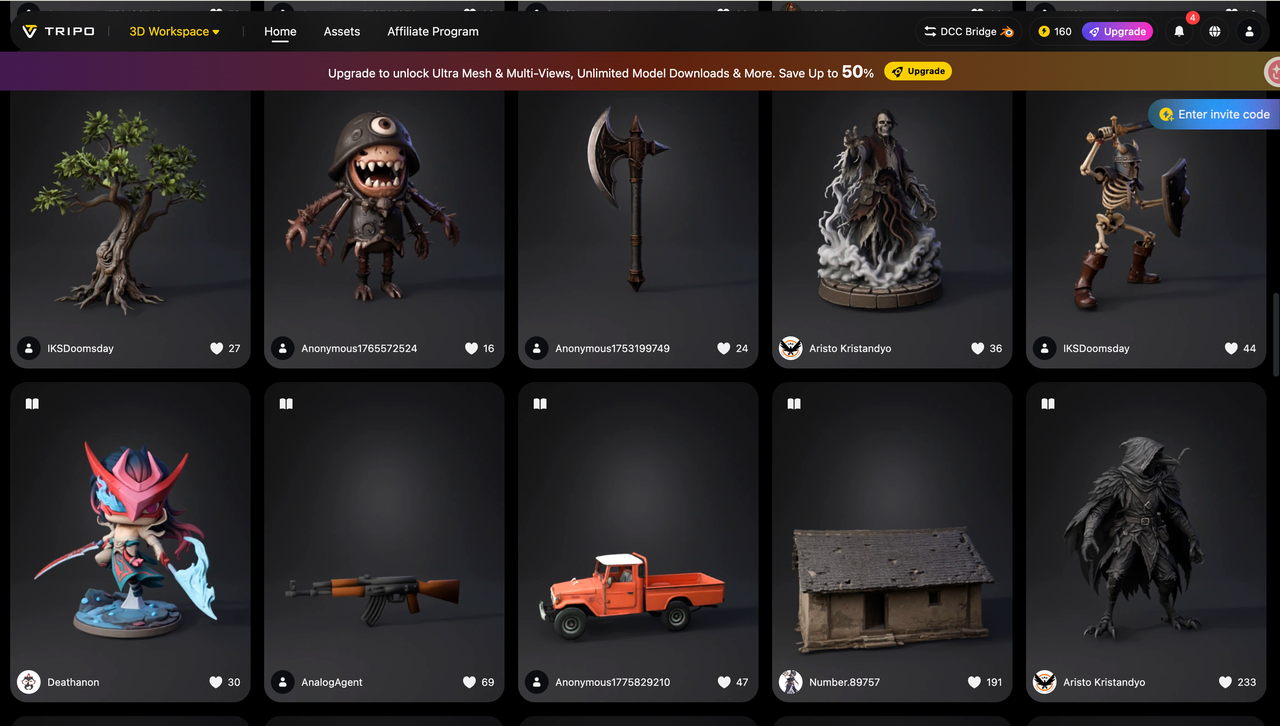
Tripo (tripo3d.ai) is an AI-powered 3D model generator. You give it a text prompt or a reference image, and it produces a fully textured, exportable 3D model in minutes. No 3D modeling experience needed — the AI handles geometry, texturing, and lighting.
Tripo is built for speed and iteration. You can generate ten variations of a product concept in the time it would take a traditional 3D artist to sketch one, making it the ideal tool for product ideation, prototyping, and marketing asset creation.
Readdy: Your AI Website Builder
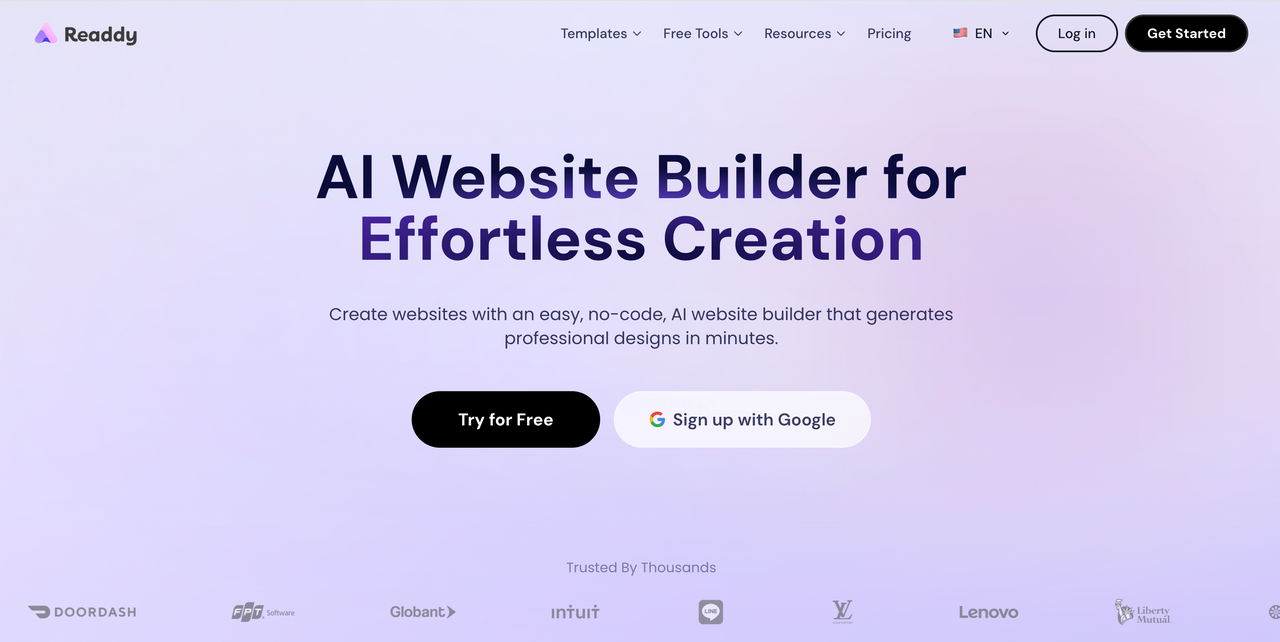
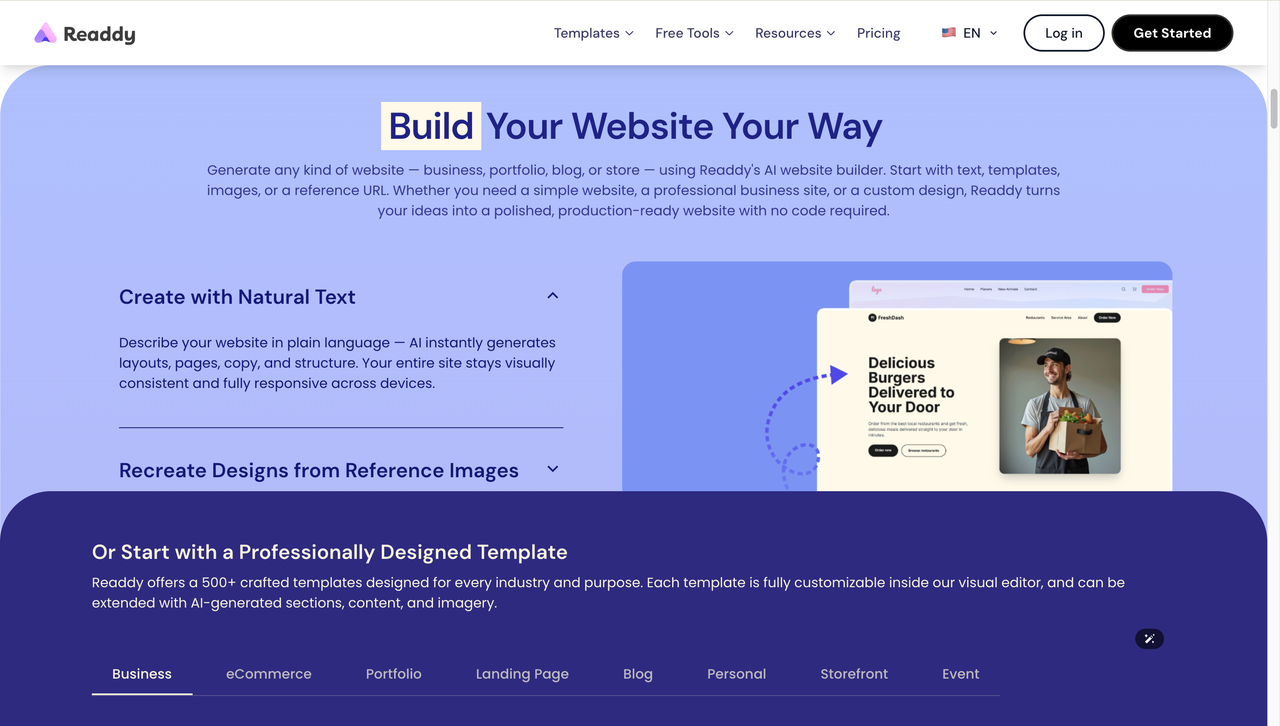
Readdy (readdy.ai) is an AI-powered website builder that creates complete, production-ready websites from natural language prompts, screenshots, or reference URLs. Describe what you want — your product, your audience, your style — and Readdy's AI generates a full website layout, including copy, color scheme, typography, and structure.
Unlike traditional builders where you start with a blank canvas or a rigid template, Readdy starts from your intent and builds toward it. The result is a website that looks like it was designed by a professional — without the cost, the timeline, or the back-and-forth.
Why These Two Tools Work So Well Together
Tripo gives you the visual asset that makes a product page stand out: a 3D model that visitors can view from any angle, a render that shows the product in real detail rather than a flat photo. Readdy gives you the page that turns that asset into a sales tool.
Neither tool requires technical skills. Both are built for speed. And together, they compress a workflow that used to take weeks — 3D modeling, web design, development, hosting — into something you can finish in an afternoon.
What You Need Before You Start
The setup is minimal. Here is what you need before you begin:
- A Tripo account — free plan works for this workflow (tripo3d.ai)
- A Readdy account — free plan works (readdy.ai)
- A GitHub account — free, used to host your .glb file online (github.com)
- A product idea, reference image, or existing 3D model
- Optional: a custom domain if you want a branded URL
Total cost to follow this guide: $0. Total time: under an hour on your first attempt, under 30 minutes once you have done it once.
Step-by-Step: From 3D Model to Live Product Page
Here is the complete workflow, step by step.
Step 1: Generate Your 3D Product Model in Tripo
Open Tripo at tripo3d.ai and create your product model. The key features are Text to Model and Image to Model. Text prompts speed up conceptual exploration, and reference images help you nail the exact visual effect you want.
Writing an effective prompt
The more specific your prompt, the better the result. Include:
- Product type and name
- Key visual details: material, color, finish, shape
- Style direction: minimal, futuristic, organic, industrial
- Viewing context: standalone object, clean surfaces, white background
Example: "A pair of over-ear headphones, matte black aluminum frame, soft leather ear cups, minimal industrial design, clean surfaces, no background"
Generate two or three variations and compare them. Tripo is fast enough that iteration is cheap — spend five minutes exploring before committing to one direction.
Once you are happy with the result, export the model as a .glb file. This is the format Readdy uses for 3D embedding.
💡 Tip: If you are not happy with the texture or color, Tripo has a texture editor you can use to adjust materials before exporting. A few minutes here saves time later.
Step 2: Host Your .glb File Online via GitHub
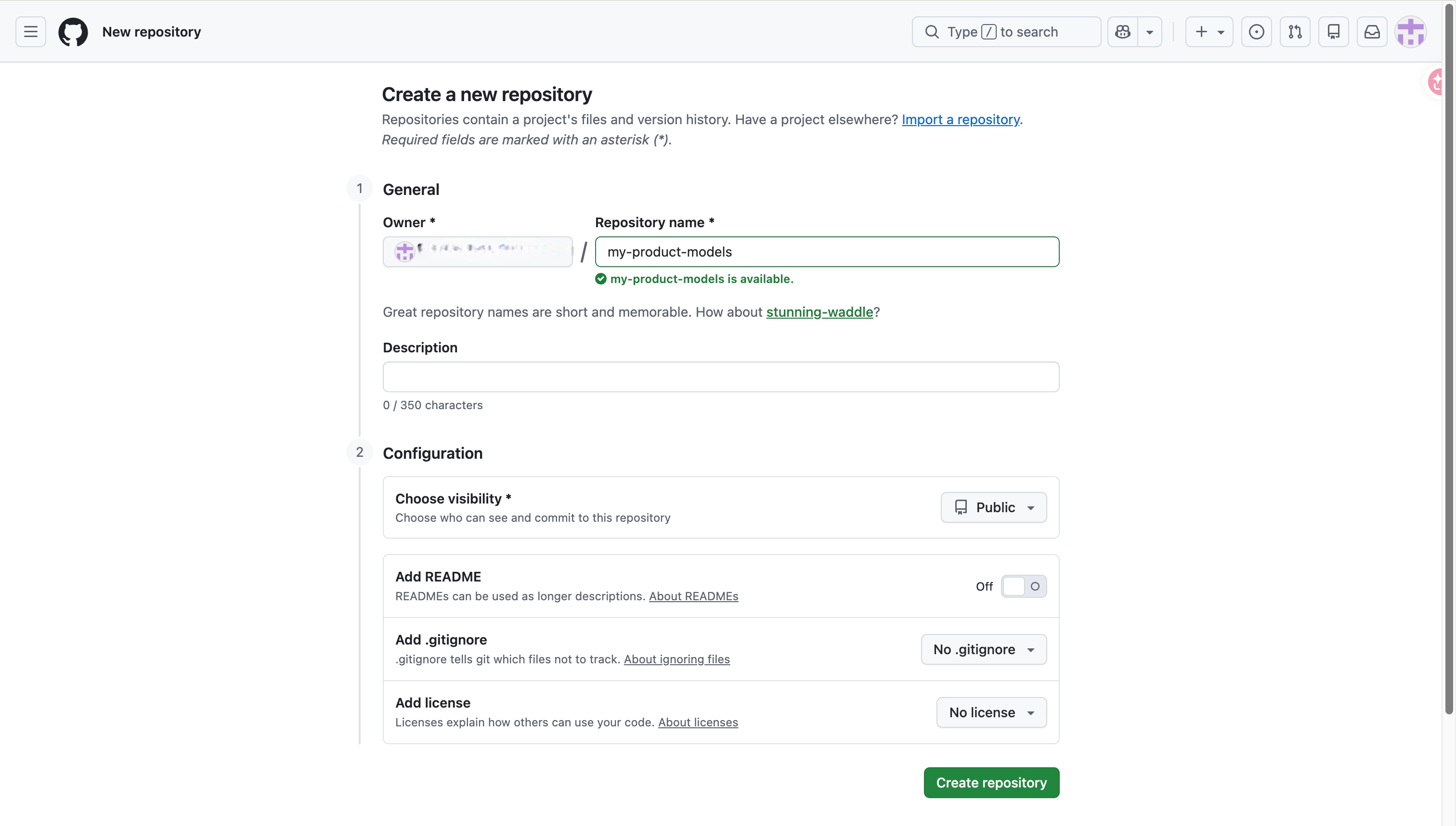
Readdy embeds 3D models via a public online URL — it does not support direct local file uploads for .glb files. The easiest and most reliable way to host your file is GitHub, which is free and takes about two minutes to set up.
How to host your .glb file on GitHub
- Go to github.com and sign in (or create a free account)
- Click New Repository and give it a name (e.g. my-product-models)
- Set the repository to Public
- Upload your .glb file to the repository
- Click on the file, then click the Raw button
- Copy the URL from your browser — it should end in .glb
That URL is what you will paste into Readdy in the next step. Make sure it points directly to the raw file, not to the GitHub preview page.
⚠️ Note: 3D interactivity features like rotation and zoom require custom code to implement and are not guaranteed to work with all models out of the box. Test your embedded model before publishing to check how it renders.
Step 3: Open Readdy and Generate Your Website
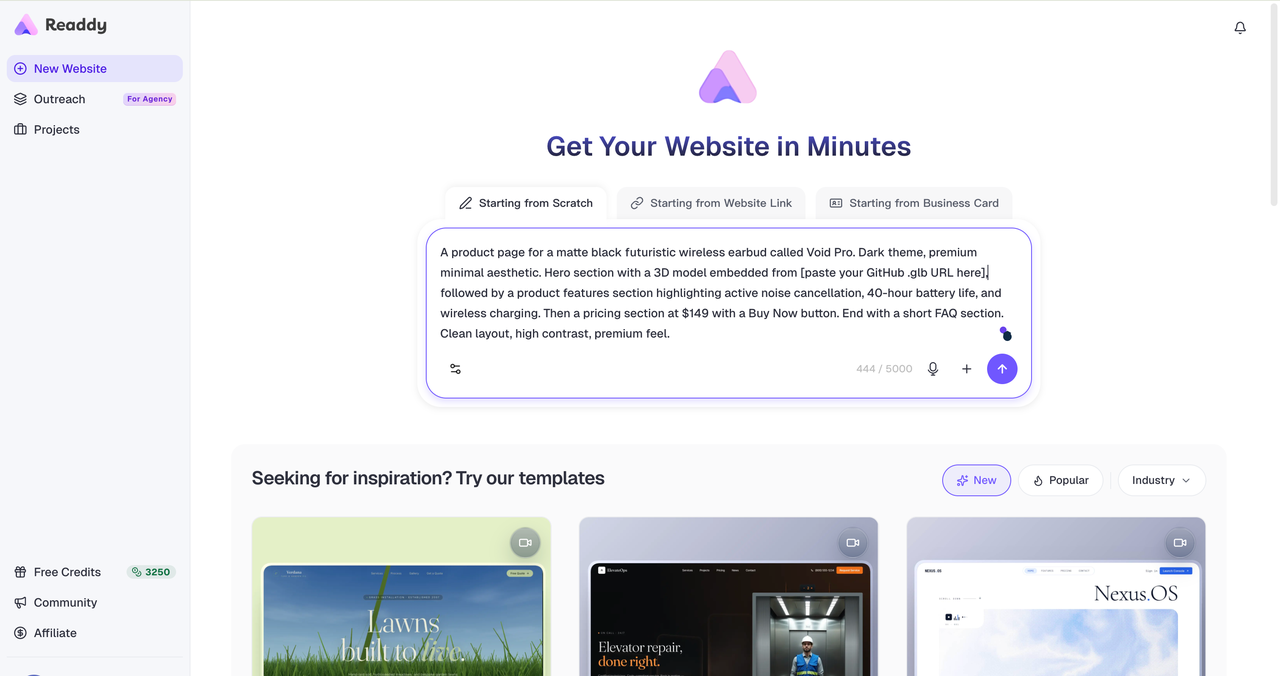
Go to readdy.ai and create a new project. This is the step where your product page comes to life.
How to describe your project to Readdy
Readdy's AI takes a natural language description and turns it into a complete website. The more context you give it, the better the result. A good prompt includes:
- Your product name and what it does
- Who it is for
- The visual style you want (dark, minimal, bold, clean)
- The .glb URL from your GitHub repository
- The key sections you want: hero, features, pricing, FAQ, CTA
Example: "A product page for a pair of matte black over-ear headphones called Void Pro. Embed the 3D model from [your GitHub .glb URL]. Dark theme, premium minimal aesthetic. Include: a hero section with the 3D model front and center, a features section highlighting noise cancellation and 40-hour battery life, a pricing section at $149, and a Buy Now button."
Readdy will generate a complete draft — layout, copy, color scheme, and all — in under a minute.
💡 Tip: If the first draft is not quite right, you can prompt Readdy again with more specific feedback: "make the hero section taller", "use a lighter background", "add a comparison table". The AI refines iteratively.
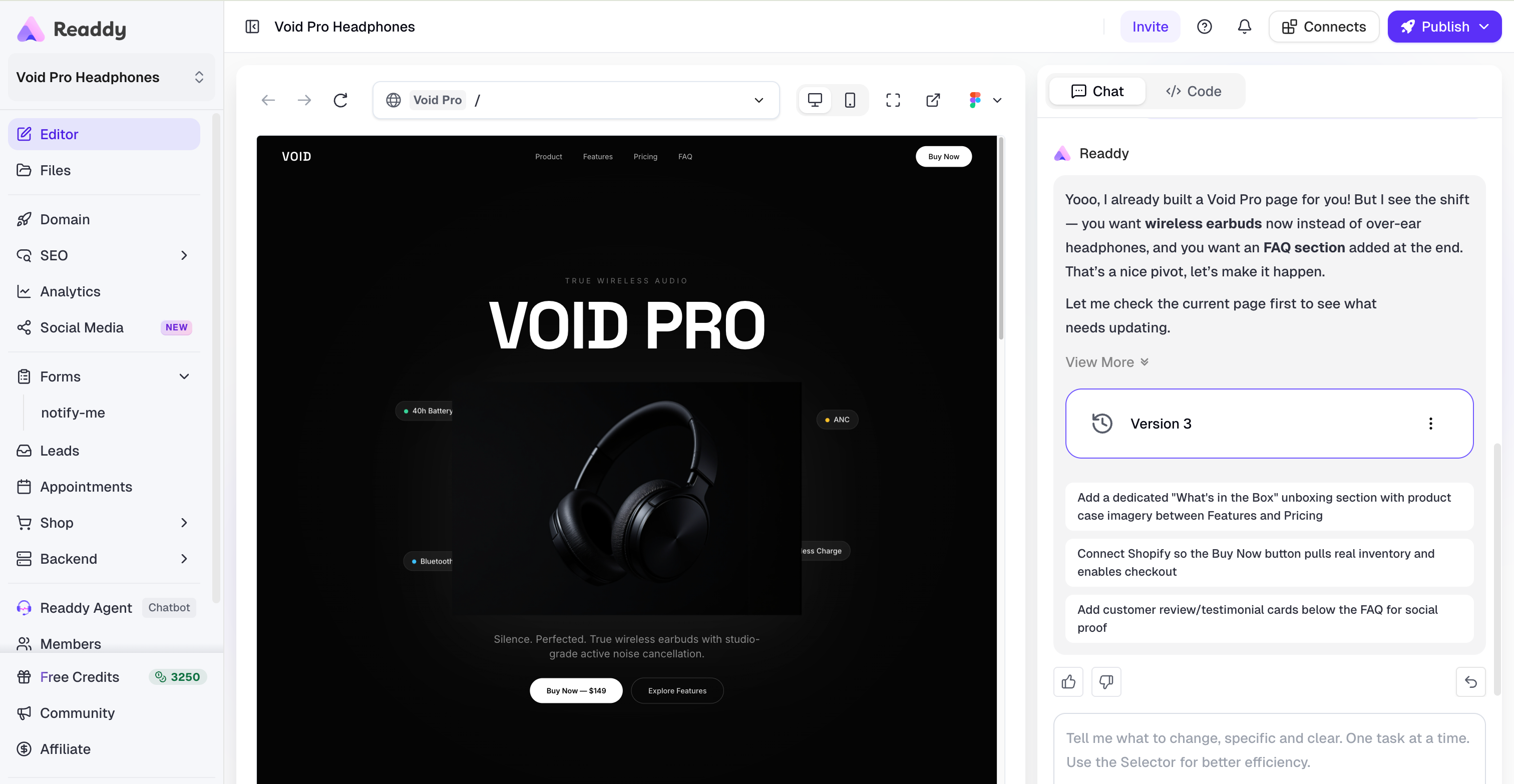
Step 4: Refine Your Page in the Visual Editor
Once Readdy has generated your initial draft, you have full control over every element through the no-code visual editor. Think of it as the difference between an architect's first sketch and the finished building — the AI gets you most of the way there, and the editor lets you dial in the details.
What to focus on in the editor
Copy and messaging Replace any placeholder text with your real product description, feature highlights, and value proposition. The AI generates reasonable placeholder copy, but your own words will always be more specific and more convincing.
Layout and sections Drag sections to reorder them, delete anything that does not fit, and adjust spacing and alignment. Readdy's editor is fully visual — every change you make is reflected in real time.
Colors and typography If the AI's color choices are not quite right for your brand, you can adjust them in the editor. Readdy applies changes globally, so updating the accent color updates it everywhere it appears.
Call to action Add a Buy Now button and link it to your checkout or payment processor — Stripe, Gumroad, Shopify, or any URL that handles your transactions. This is the most important element on the page: make it visible, make it clear, and make sure it works before you publish.
Mobile preview Readdy pages are responsive by default, but always preview on a mobile-sized viewport before publishing. The 3D model viewer in particular can behave differently at narrow widths — check that it loads and renders correctly.
💡 Tip: Less is more on product pages. If in doubt, remove a section rather than keeping it. A focused page with three great sections outperforms a cluttered page with eight mediocre ones.
Step 5: Publish and Go Live
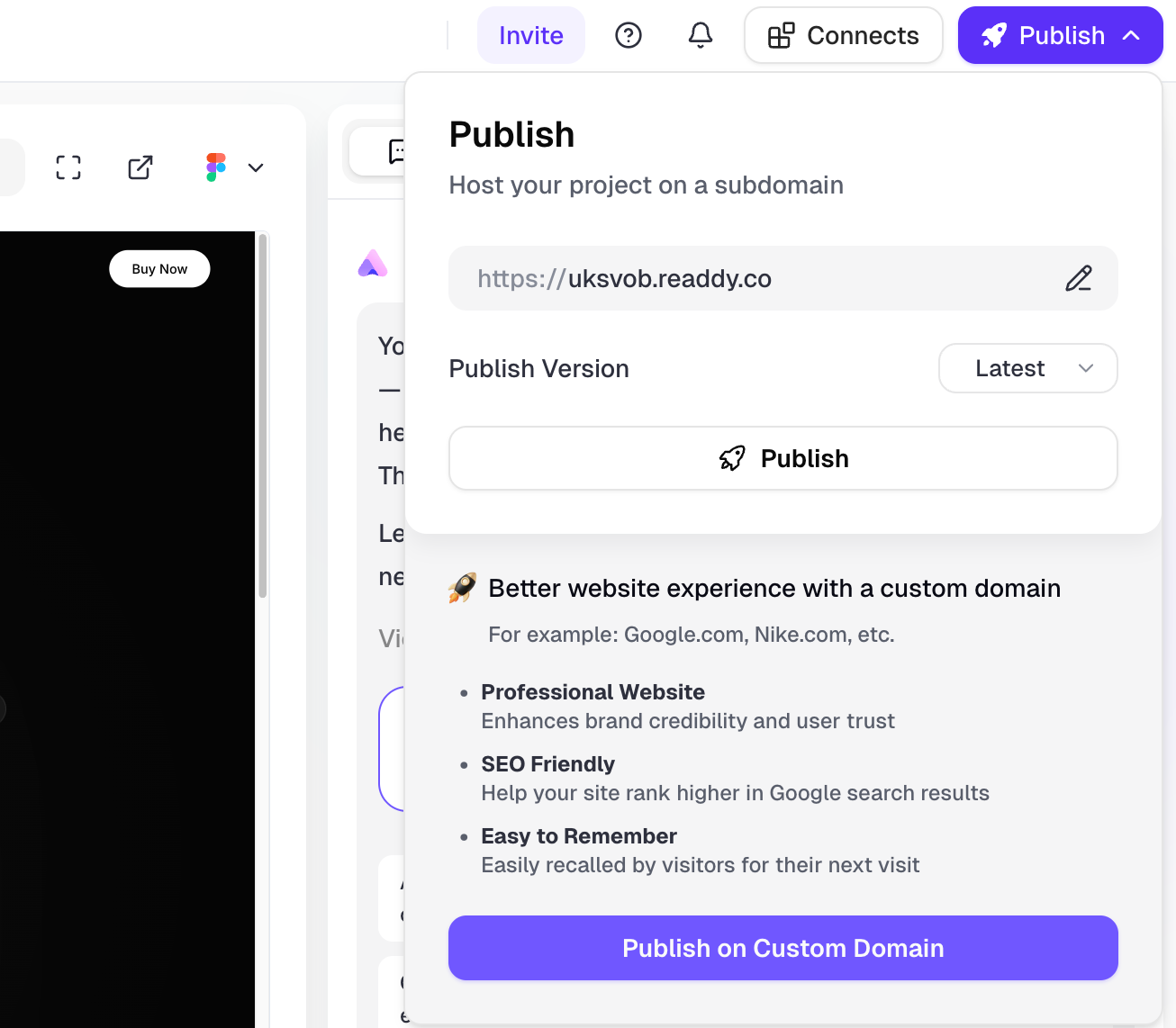
When the page is ready, click Publish. Readdy handles the deployment — no server configuration, no hosting setup, no FTP uploads. Your page goes live in seconds.
Your publishing options
- Readdy subdomain: your page is immediately live — no setup required
- Custom domain: connect a domain you own for a fully branded URL (e.g. voidpro.com or store.yourbrand.com)
Readdy-hosted pages come with:
- HTTPS by default — your page is secure out of the box
- CDN delivery — fast load times globally
- Responsive design — works on every screen size without extra work
- SEO-friendly structure — clean HTML, proper heading hierarchy, fast Core Web Vitals
Once published, share the link everywhere: your Instagram bio, your Tripo portfolio, your newsletter, your Reddit posts. The page is live and ready to receive traffic from day one.
💡 Tip: Set up a simple analytics tool (Google Analytics or Plausible) before you start driving traffic. Knowing where your visitors come from and what they do on the page is invaluable for improving conversion.
The Complete Workflow at a Glance
- Generate your 3D model in Tripo using a text prompt or reference image, export as .glb
- Upload the .glb file to a public GitHub repository, copy the Raw URL
- Open Readdy, start a new project, describe your product and paste the .glb URL
- Review the AI-generated draft, refine copy, layout, and CTA in the visual editor
- Publish — go live on a Readdy subdomain or your own custom domain
Total time from first prompt to live page: under an hour.
Who Is This Workflow For?
The Readdy + Tripo combination works across a wide range of product and creator types. Here are three of the most common use cases.
Independent Product Makers and Physical Goods Sellers
You have designed a product — a lamp, a piece of jewelry, a gadget, a toy — but you do not have a website to sell it from. Use Tripo to create a photorealistic 3D render of your product, then use Readdy to build the sales page around it.
The most powerful application here is pre-sales. You do not need a finished product to start selling — you need a convincing product page. Build the page, share it, collect pre-orders, and use the revenue to fund production. The 3D model does the job that expensive product photography used to do, and it does it before the product even exists.
Example: A furniture designer uses Tripo to generate a 3D model of a new chair design, builds a product page in Readdy, and runs a pre-order campaign before placing their first manufacturing order.
3D Artists and Digital Creators Selling Assets
If you create 3D models, game assets, or digital art, a dedicated product page built in Readdy gives your work a professional home — far more effective than a marketplace listing that looks identical to every other seller's page.
With Readdy, you can embed the 3D model directly in the page so visitors can see it from every angle, describe exactly what buyers get (file formats, polygon count, licensing terms), and link straight to your checkout. The result is a page that looks like a premium product, because it is one.
Example: A game asset creator builds individual product pages for their hero props in Readdy, each featuring the 3D model embedded and rotating, with a buy button linking to their Gumroad store.
SaaS Founders and App Developers
Product screenshots are flat. A 3D visualization of your UI, your key feature, or your core workflow is not. Use Tripo to build a three-dimensional version of your interface or product concept, embed it in a Readdy landing page, and give visitors something they will remember — and share.
This approach is particularly effective for early-stage products that are building a waitlist or testing market interest. A well-designed landing page with a 3D element stands out in a category full of identical templates.
Example: A founder building a new productivity app uses Tripo to create a 3D mockup of their interface, builds a waitlist landing page in Readdy, and shares it on Product Hunt and X.

Why Readdy Is the Right Tool for Product Pages
There are dozens of website builders available in 2026. Here is what makes Readdy the right choice when your goal is a high-quality product page, built fast.
AI-First Generation
Most website builders start you with a blank canvas or a template. Readdy starts with your intent. You describe what you want, and the AI builds toward it — a fundamentally different experience that saves hours of layout decisions and design choices.
The output is not a rough draft to be cleaned up. It is a production-quality starting point that most users can publish with thirty minutes of refinement.
No-Code Editing with Professional Results
Readdy is a no-code AI website builder — but unlike most no-code tools, it does not sacrifice design quality for simplicity. The visual editor gives you full control over every element, and the output HTML and CSS is clean, structured, and suitable for real-world deployment.
You do not need to know what a CSS flexbox is. You do not need to understand breakpoints or z-indexes. You click, you drag, you type — and the result looks like it was built by a professional.
Built-In Hosting, Custom Domains, and SEO
Readdy is not just a design tool — it is a complete platform. Your page is hosted on Readdy's infrastructure (fast, globally distributed, HTTPS by default), and you can connect a custom domain with a few clicks.
Every page Readdy generates has a clean heading structure, fast load times, and proper semantic HTML — the foundations of good SEO. Your product page will be indexed by search engines from the moment it goes live.
Speed Without Compromise
The most important thing a product page can do is exist. A page that is live today, even if it is not perfect, is infinitely more valuable than a perfect page that launches in three months.
Readdy is built around this idea. The fastest path from product concept to published page — without cutting corners on design or functionality — is what Readdy is designed to provide.
Frequently Asked Questions
Do I need any design or coding skills to use this workflow?
No. Tripo generates 3D models from text prompts — no 3D modeling experience required. Readdy generates websites from text descriptions — no design or coding skills required. The only technical step is uploading a file to GitHub, which takes about two minutes.
Does Readdy support .glb files directly?
Readdy embeds 3D models via public online URLs rather than direct file uploads. You will need to host your .glb file somewhere publicly accessible — GitHub is the easiest free option — and then paste the URL into Readdy. The model is then embedded in your page.
Will the 3D model be interactive on my published page?
Basic 3D viewing (rendering the model in the page) works with the embedded URL approach. Full interactivity — rotation, zoom, pan — requires additional custom code and depends on the specific model and how it is implemented. Test your model before publishing to see how it behaves.
How long does the whole process take?
Most people complete their first product page in 45 to 60 minutes, including account setup. Once you are familiar with the workflow, you can publish a new product page in 20 to 30 minutes.
Can I use my own domain with Readdy?
Yes. Readdy supports custom domain connection, so you can publish your page at any domain you own. If you do not have a domain yet, Readdy provides a free subdomain (yourproduct.readdy.site) that you can use immediately.
Is this workflow suitable for selling physical products?
Absolutely — it is one of the strongest use cases. You can link your Buy Now button to any payment processor or e-commerce platform (Stripe, Gumroad, Shopify checkout links, etc.). The 3D model serves as a compelling product visual, often more effective than traditional product photography for showing a product from multiple angles.
Start Building Today
Your 3D model is already the hard part. The website is the easy part — especially with Readdy.
In the time it takes to watch a design tutorial, you could have a live product page with your 3D model embedded, your copy written, your pricing set, and your buy button connected. No developers. No designers. No waiting.
- Generate your 3D model: tripo3d.ai
- Build your product page: readdy.ai — free to start, live in under an hour
No code. No designers. No excuses.
Frank Zhu
Frank is the founder of Readdy.ai. A developer-turned-founder with 10+ years of product experience, Frank loves great design, and he's building the tools he wishes he had when launching his first startup.